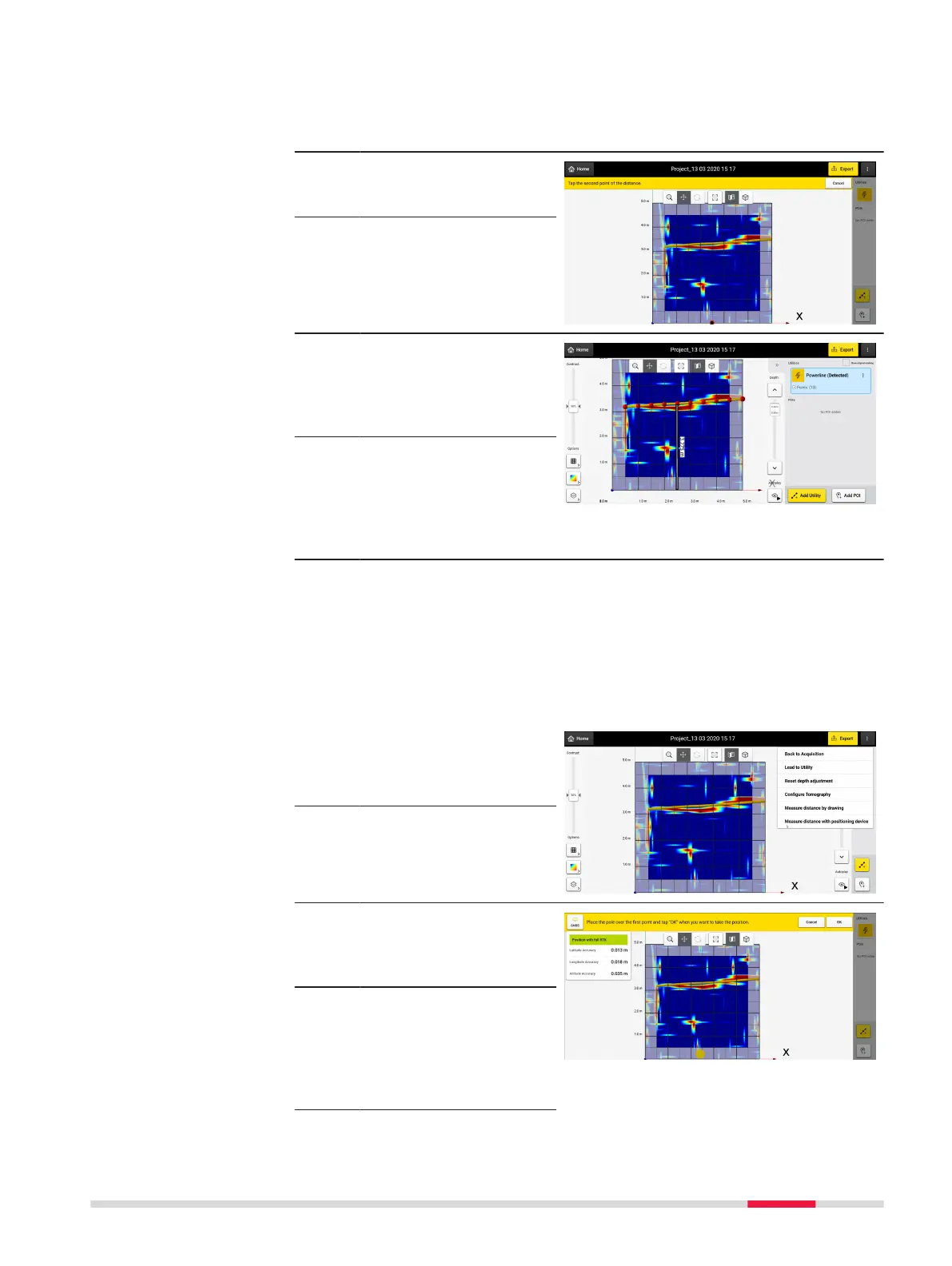
3. Select a starting point
for a mesurement line
by touching a position
on the screen.
4. A menu promt will
appear to select a
second point.
5. Select the second point
for the distance meas-
urement by touching
the desired location on
the screen.
6. Once the second point
is selected, the distance
between the two points
will automatacally
appear.
7. The option to save the
distance will be
provided and the dis-
tance will appear on the
resulting measurement
line.
☞
See Image.
Measure distance with positioning device
☞
DXplore Survey users can measure a distance, by dening two points
with using real time positioning if connected with a GNSS or TPS pos-
itioning system.
1. Tap on the three dots
on the upper right of
DXplore to activate the
dropdown menu.
2. Select Measure dis-
tance with position-
ing device.
3. The real-time position
is being reected on
the screen by a yellow
dot on the screen.
☞
The positioning sys-
tem’s connection status
and position accuracy,
are displayed by
accessing the GNSSTPS
icon on the left
DXplore Software 33



 To Next Page