☞
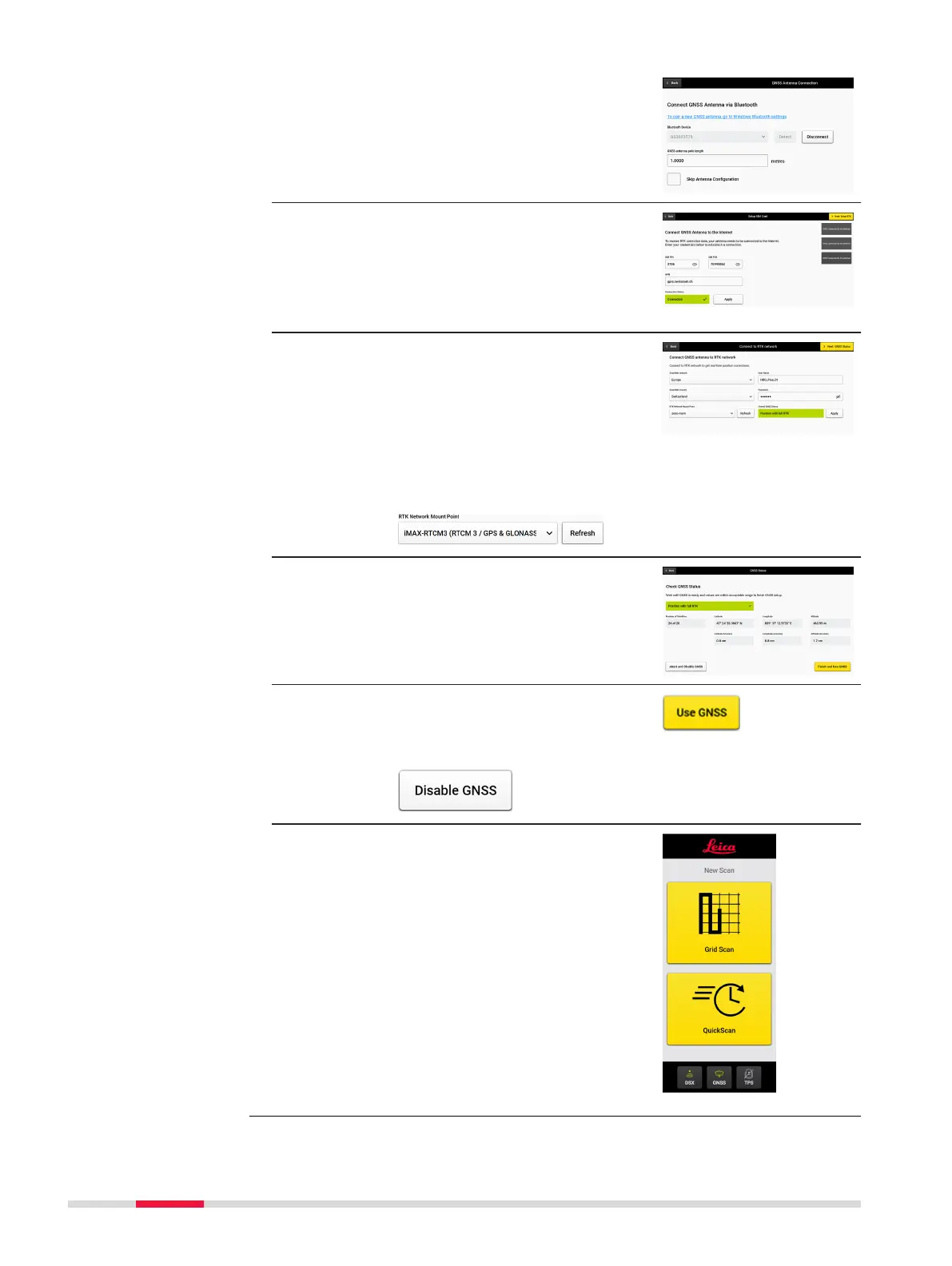
Now the connection to the antenna is
established.
Do not skip antenna conguration
(uncheck) if the Real-Time Kinematic
(RTK) conguration has not been set up
yet.
9. If antenna contains a GSM module and a
SIM card is inserted, enter the PIN/PUK/
APN of the cellular SIM card in the
Setup SIM Card screen.
☞
Check if the connection is suc-
cessful.
10. Enter the RTK service provider informa-
tion as requested in the Connect to
RTK network screen.
☞
Here we use SmartNet: Once
the user credentials are
entered, Refresh the RTK
Network Mount Point list.
Choose “iMAX-RTCM3” if avail-
able.
11. Conguration of the antenna is com-
pleted.
The real-time position and accuracy is
shown on the screen.
12. Tap Use ‖ once satised with the accur-
acy.
☞
If the accuracy is not high
enough, tap Disable ‖.
13. The Home screen appears with the
GNSS icon in green.
66 Procedures for Working with the DSX



 To Next Page