68
Instructions for Use V 2.3 RevH – 05/2018
• Laytheremovedpartsonanabsorbentclothinto
the drying chamber (up to a max. of 65°C) and let
the paraffin contamination run off.
8. Cleaning and Maintenance
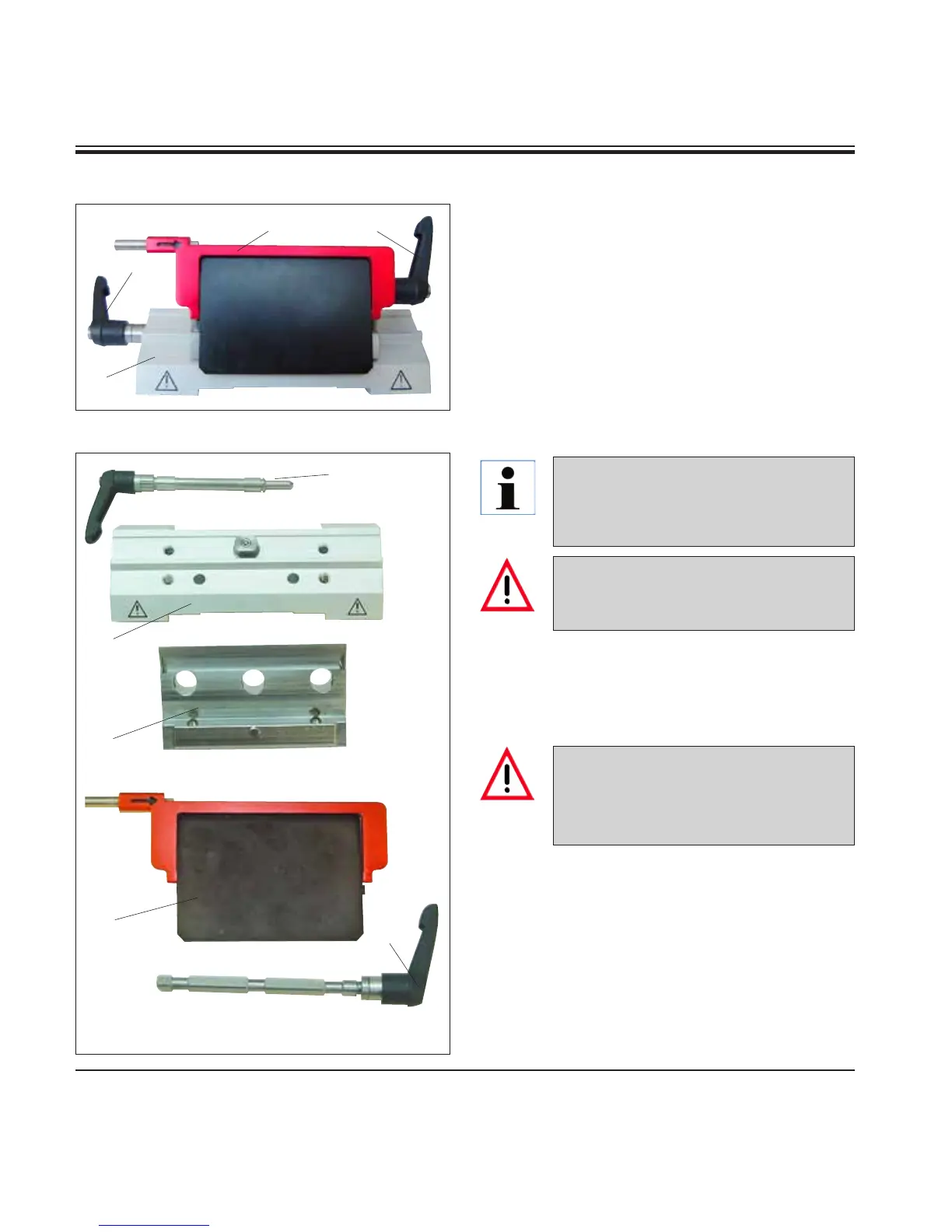
Knife holder E
10
11
9
Fig. 93
86
83
83
86
87
11
10
If several knife holders are cleaned at the
same time, the parts must NOT be mixed
up! Failure to adhere to this may result in
sectioning problems!
Take the knife holder apart for cleaning. To do so,
proceed as follows:
• Foldknifeguard(9) downward.
• Rotatethe clamping lever(11) of the lateral
displacement forwards and pull it out sideways.
• Push theknifeholderbaseplate(86) with the
pressure plate (83) until it can be removed from
the segment arch (87).
• Rotatethebladeclampinglever(10) downward
and pull it out sideways.
• Removepressureplate(83).
• Cleanallpartsoftheknifeholder.
There is a burn hazard when remov-
ing the parts from the drying chamber
(65 °C). Wearing safety gloves is rec-
ommended!
For cleaning and removal of paraffin, do
not use xylene or cleaning fluids contain-
ing alcohol (e.g. glass cleaner).
• Dryknifeholderandreassemble.
• Aftercleaningthemovingparts,applyathincoat
of drive part oil to them (refer also to Chapter 8.3).
• Wheninstallingthepressureplate(83) make sure
that the upper edge is parallel and level with the
rear edge of the knife holder base plate (86).
Fig. 92


 To Next Page