44
Instructions for Use V 2.3 RevH – 05/2018
6.8 Universal microscope carrier
6. Optional Accessories
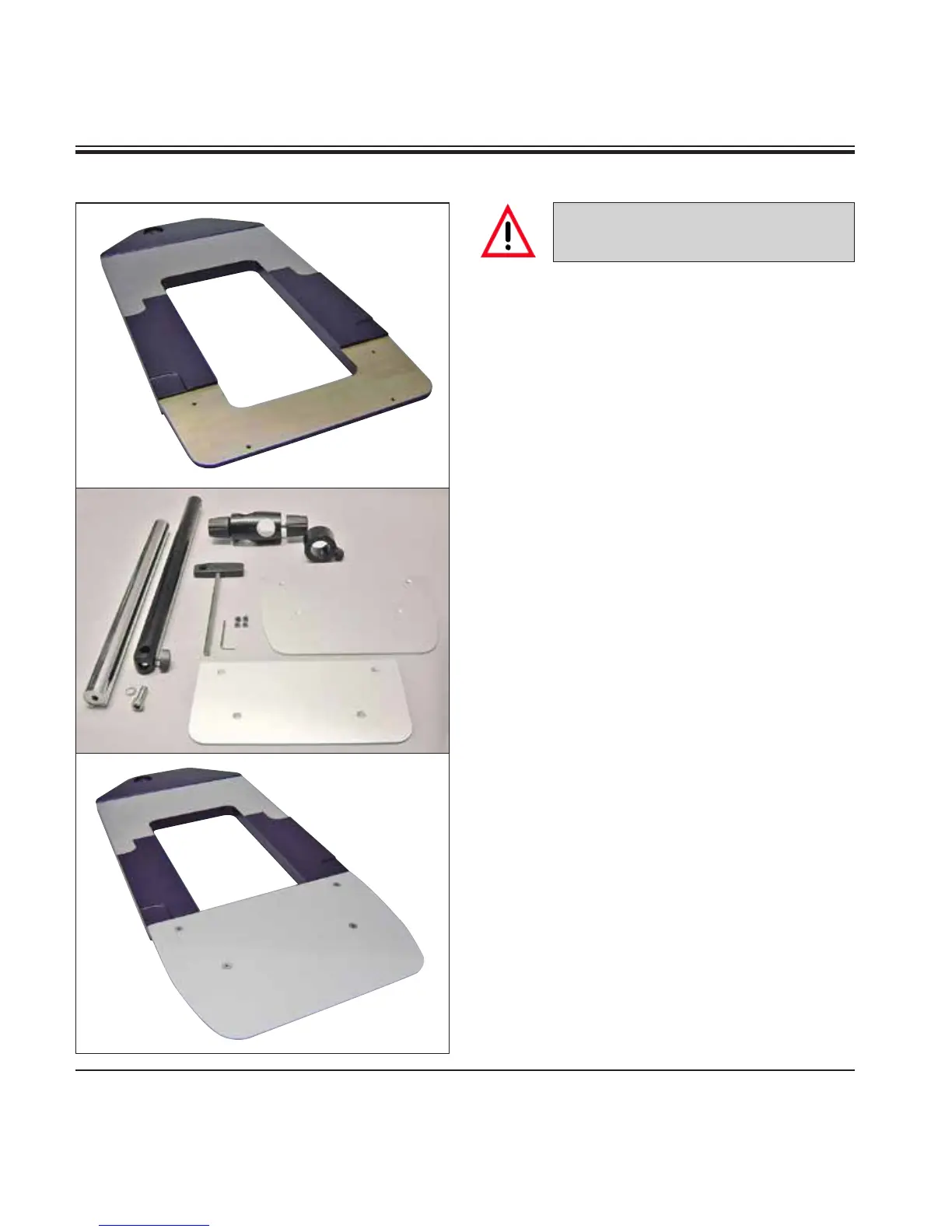
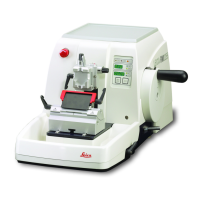
1 - Baseplate with drilling (a)
2 - Vertical column with size 8 cap screw (b) and
lock washer (c)
3 - Horizontal arm with cross-member (d) and support
ring (e)
4 - Support plate, large (for RM2235, RM2245 and
RM2255)
5 - Support plate, small (for RM2265)
6 - Allen key size 3
7 - 4 countersunk screws to install support plate
8 - Allen key size 8
Assembling the universal microscope
carrier
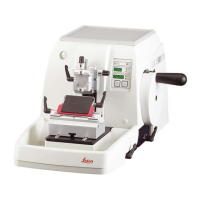
1. Attach baseplate
• Selectthelarge(5) or small (4) support plate,
depending on the microtome to be used.
• Attachthesupportplatetothebaseplatewith
the included 4 countersunk screws (7) using
the Allen key No. 3 (6).
1
b
c
2
3
e
d
4
5
6
7
8
a
Fig. 44
Fig. 46
Fig. 45
Unpack all accessories in the package
and check for completeness.


 To Next Page