Unity Motorhome
53
Appliance and Equipment Operation
6
2
3
5
Cleaning Tip
Once washed and dried, you may wipe or
spray protectant onto the screen and blade
(use only a water based protectant – do NOT
use a petroleum based protectant). Buff to a
high-gloss nish. This will minimize the amount
of dust and dirt buildup.
NOTICE
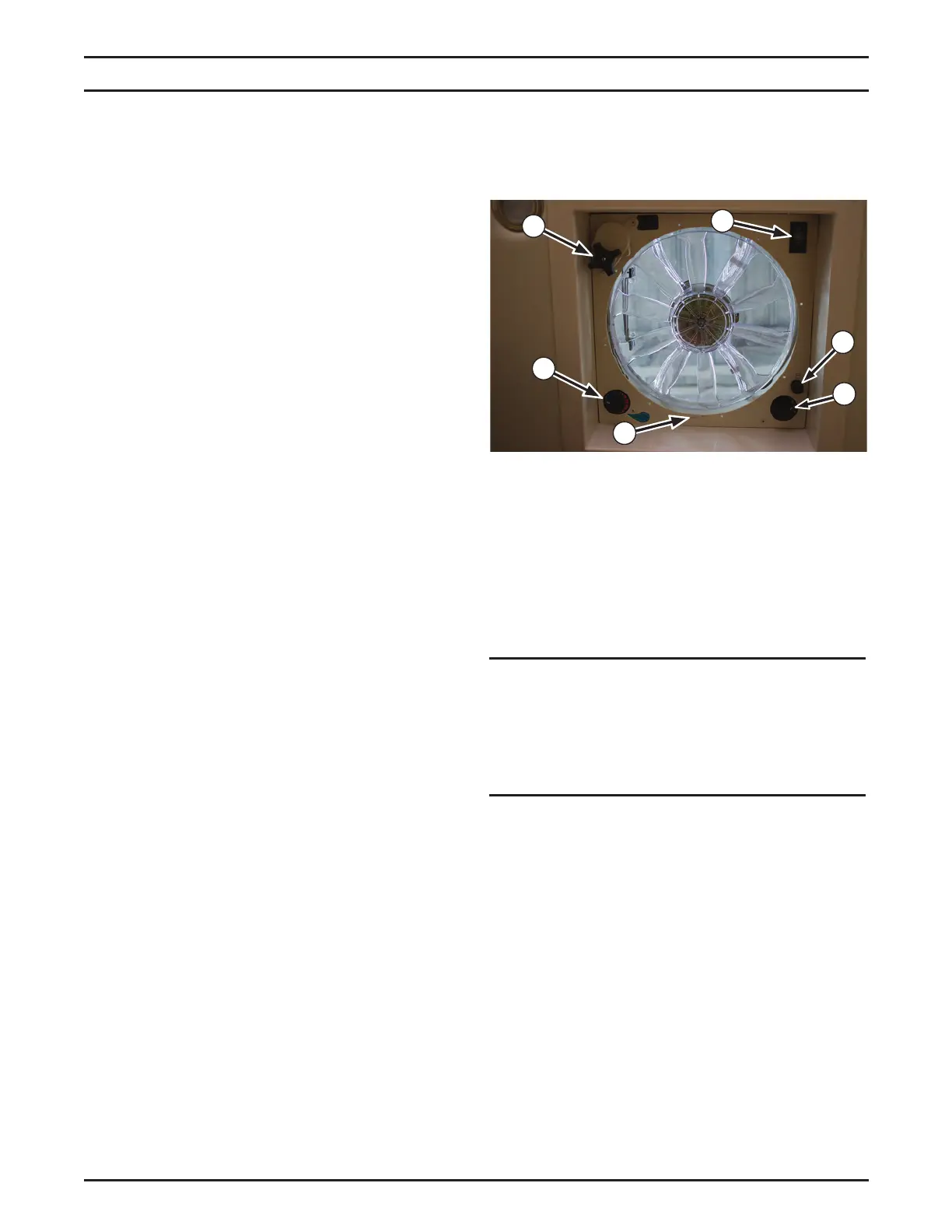
The power roof vent is protected by a 4 amp
fuse (6). If the fan fails to operate, verify that
the fuse is intact and replace if necessary.
4
1
Coach Power Roof Vent
The coach power roof vent is used to provide
controlled air ow throughout the coach cabin.
Use the vent fan in conjunction with an open
window to provide fresh air ow.
Operating Controls
The roof vent controls include an on/off switch
and a thermostatically controlled fan speed
switch. The 12 volt DC fan provides proper
ventilation, comfortable temperature control,
and adequate air ow. It is also used to vent
the shower and toilet. Opening a window while
operating the fan produces maximum air ow.
Opening windows farthest away from the fan will
provide the best air exchange. Open windows
sufciently to allow proper air circulation.
An on/off switch (1) controls the power to the
fan. A three-position rotary switch (2) controls
the fan speed. Turn the switch clockwise to
positions 1, 2, or 3 to set the fan speeds to low,
medium, or high respectively.
NOTE: The roof vent must be open at least 3
inches (76 mm), or the internal safety switch
will prevent the fan from operating.
Thermostat Operation
A rotary thermostat (3) controls the coach cabin
temperature. If the roof vent is open, the fan
motor will start and stop automatically as the
interior coach temperature exceeds or drops
below set levels.
Vent Hood Height Control
The rotary knob (4) controls the height position
of the vent hood. Turn the knob clockwise
to pull the hood down and close it. Turn
counterclockwise to raise or open the hood.
Cleaning Instructions
1. Turn off the fan motor using the on/off switch
(1).
2. Locate the thumb tab on the screen (5), and
pull down to unsnap the screen.
3. Wash the screen and fan blade with a light,
non-abrasive soap, rinse, and dry.
4. Reinstall the screen by gently snapping it
back into place.



 To Next Page