Unity Motorhome
53
Appliance & Equipment Operation
TV Operation
Refer to the TV operator’s manual in the
Motorhome Information Kit for detailed
operating instructions.
Do NOT take your eyes off the road for
extended periods of time or a crash causing
injury or death could result. Do NOT give
extended attention to the TV or in-dash
entertainment system while driving.
DVD Operation
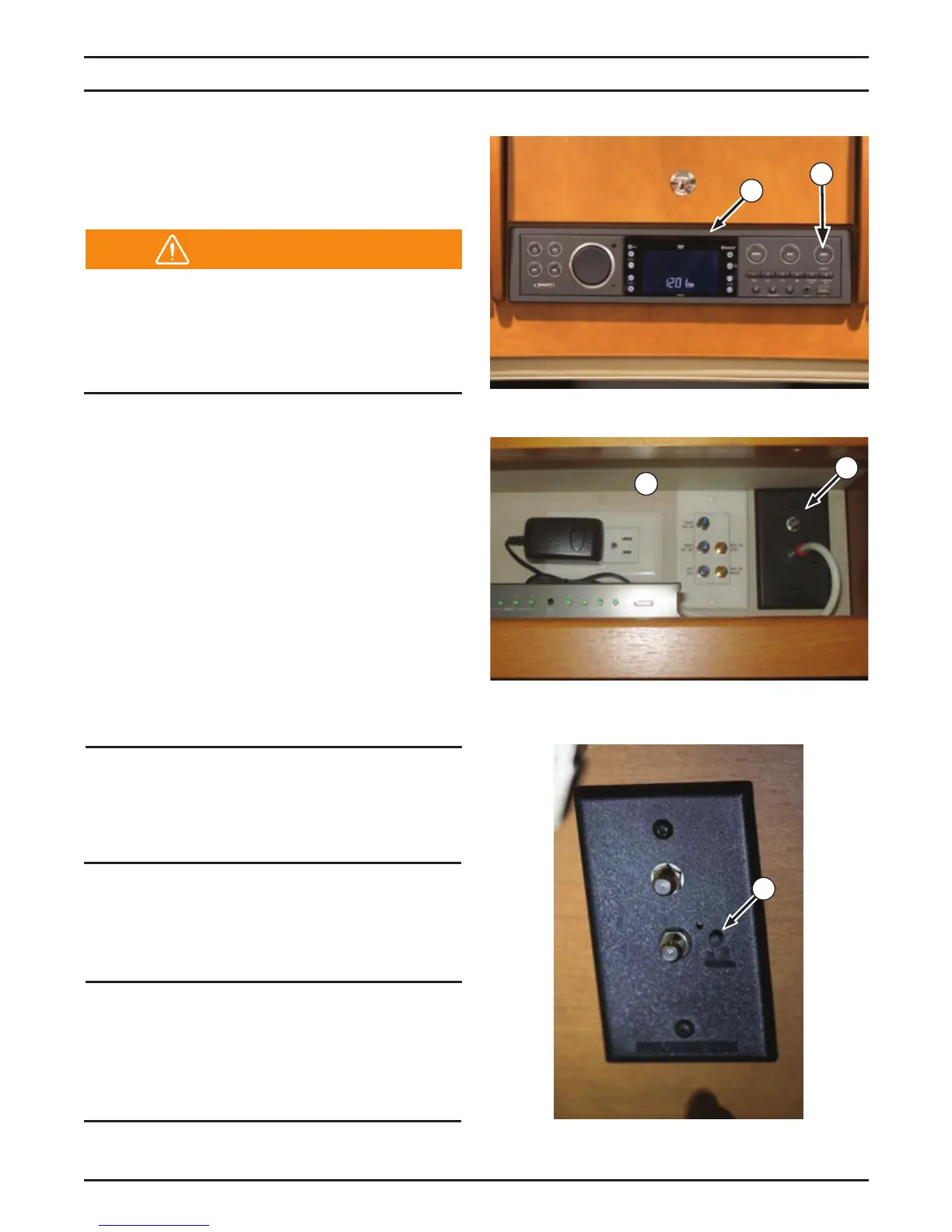
ll otorhoes are euipped with an enter
tainment system (1) for viewing DVD’s on the TV.
Refer to the entertainment system operator’s
manual in the Motorhome Information Kit for
detailed operating instructions.
O ntertainment sstems 1 auto
matically default to the most recently used
setting when switched off and bac on.
To change settings, make your selection
and press the button 2. ou
must press the button within
approximately 3 seconds each time you
make a new selection, or the system defaults
bac to the most recentl used setting.
NOTICE
When parked for extended periods, switch
off the entertainment system to avoid
draining the batter.
V tilit anel
The T utility panel location 3 varies depending
on oor plan is euipped with a T antenna
ooster switch 5
NOTICE
ress the blac button to turn on the
antenna booster when viewing V using
onl antenna. urn off the antenna booster
for all other TV functions.
1
2
5
Warning
4
3


 To Next Page