Unity Motorhome
52
Operating the TV
The TV is stowed in the following locations:
sland and win ed loor lans
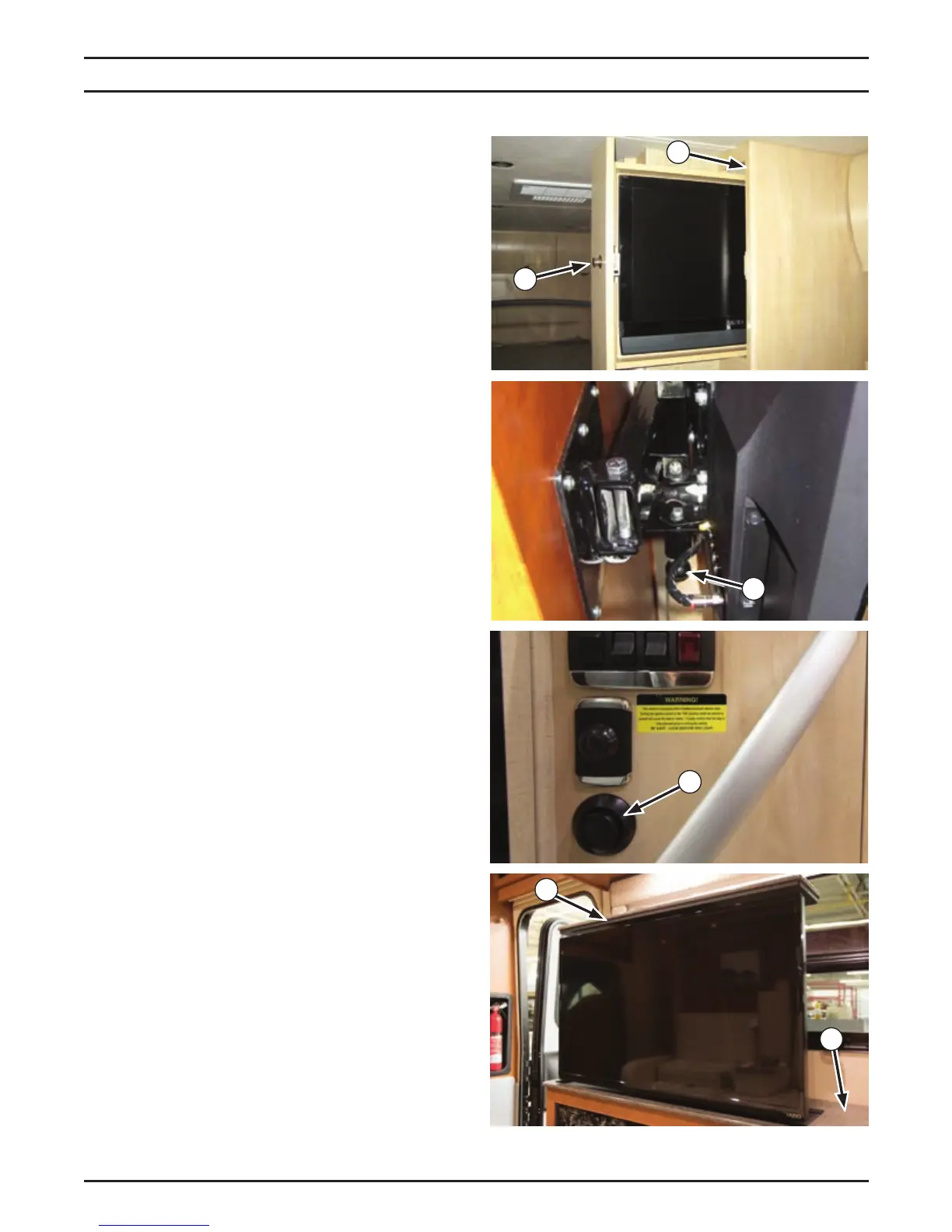
The TV is stowed in the coach dividing wall (1),
and is accessile y pressing the popout latch
utton 2 and pulling out the T cainet Push
in to close.
O When travelling ensure the popout
latch button 2 is pressed in. his locs the
cabinet in the closed position.
Corner ed loor lan
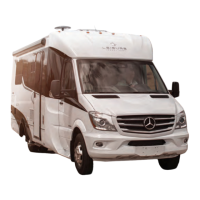
The TV is located in the bedroom area and is
locked in position when travelling. To unlock
the T, pull down the latch release kno 3,
and reposition the TV.
O t is possible to position the V so
it can be viewed from the forward coach
living area.
To store the TV, fold the TV back against the
dividing wall, and secure with the latch.
O When travelling ensure the V is
latched in the stored position.
urph ed loor lan
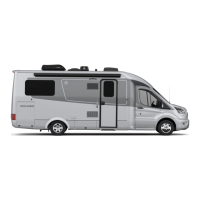
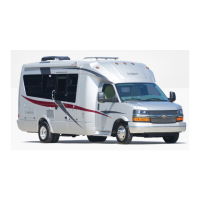
The TV is stowed in the coach passenger side
countertop and is accessed y pressing
the release utton 5 located at the coach
entrance.
O he V will rise from the cabinet
under spring tension. Ensure the top of the
V cabinet is clear before opening.
To store, use the cover panel to push down
the TV into the cabinet until the TV assembly
latches.
O ush down onl in the center of the
cover panel to prevent damaging the panel.
2
1
3
6
5
4
Appliance & Equipment Operation


 To Next Page