37
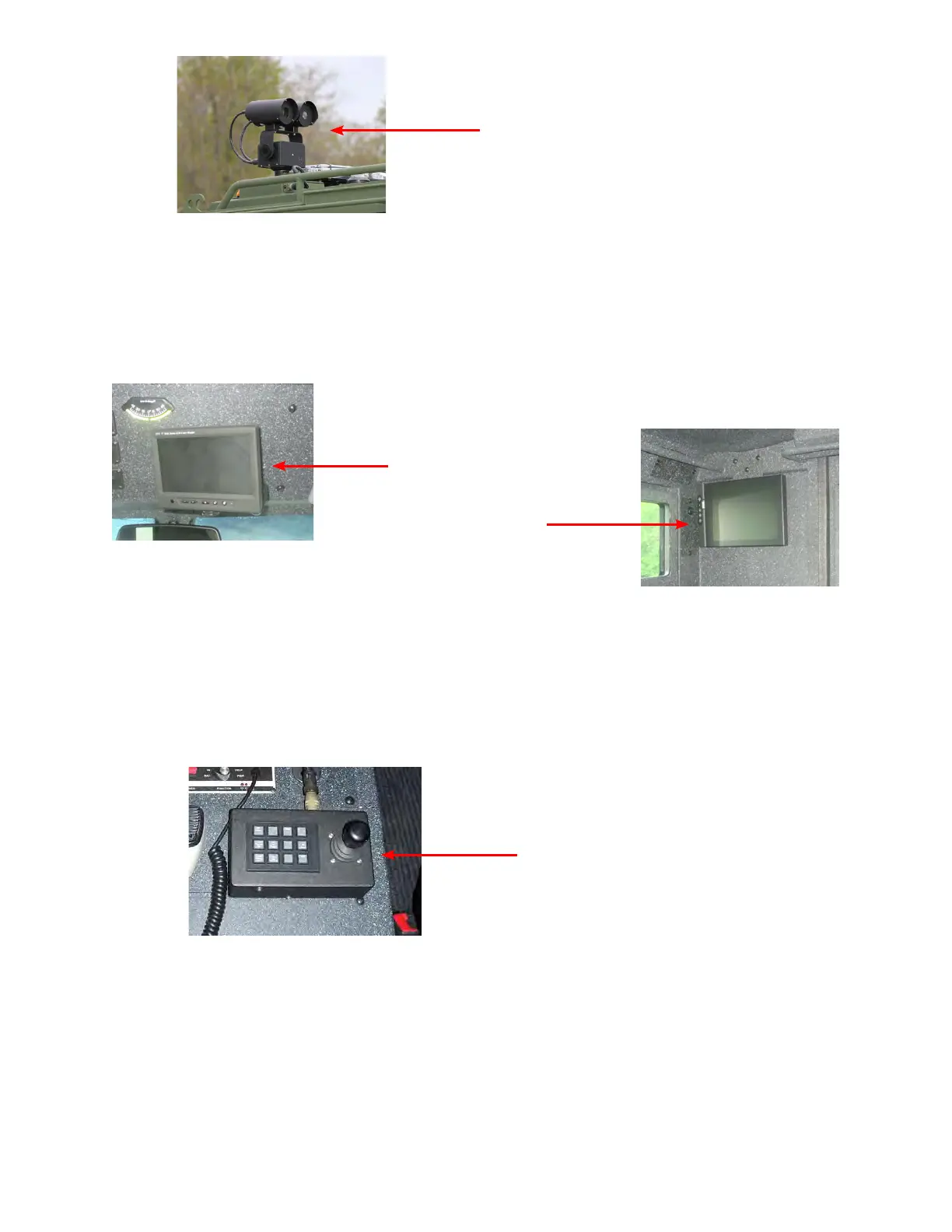
e monitors are located above the windshield centered between the sun visors and on the rear wall of the vehicle.
Activation is controlled by the camera main power switch. Toggling between AV1 and AV2 allows each monitor
to show color or thermal at the operator’s discretion. Picture adjustment can be accomplished using the additional
monitor control buttons. Access the adjustment options and use the le and right arrows to change color and
picture orientation.
Once the system power is on; use the joystick to control le/ right, and up/ down movement. Up to 36X zoom
can be accomplished with the color camera by twisting the joystick clockwise. Zoom out by twisting the joystick
counter clockwise. IR zoom can be accomplished by pressing the button labeled “IR Zoom” on the camera control
unit once for 2X zoom. Press “IR Zoom” again to zoom out. When the camera is not in use it is recommended that
it be stowed facing rearward to protect the camera lenses.
Note: For more information refer to the Camera System manuals that are supplied with your vehicle.
Front Monitor
Camera Control
Rear Monitor
ermal Imager and Color Camera


 To Next Page