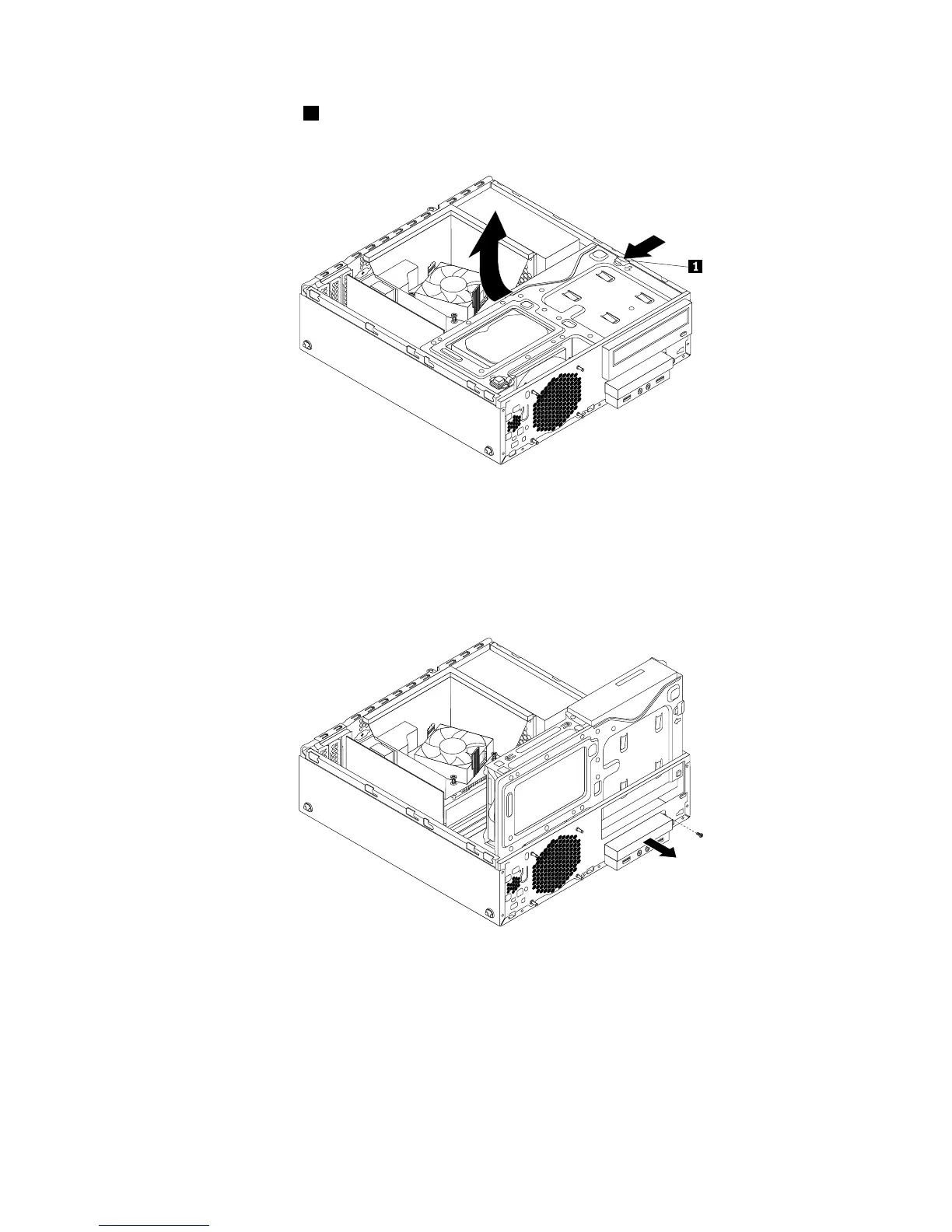
4.Presstheretainingclip1inthedirectionasshownandpivotthedrivebayassemblyupwardatthe
sametime.
Figure49.Pivotingthedrivebayassemblyupward
5.DisconnectthesignalcableandpowercablefromtherearofthemSATAsolid-statedrivestorage
converter.
6.RemovethescrewthatsecuresthemSATAsolid-statedrivestorageconverter.Then,slidethemSATA
solid-statedrivestorageconverteroutofthecardreaderdrivebay.
Figure50.RemovingthemSATAsolid-statedrivefromthechassis
Chapter5.Installingorreplacinghardware59




 To Next Page