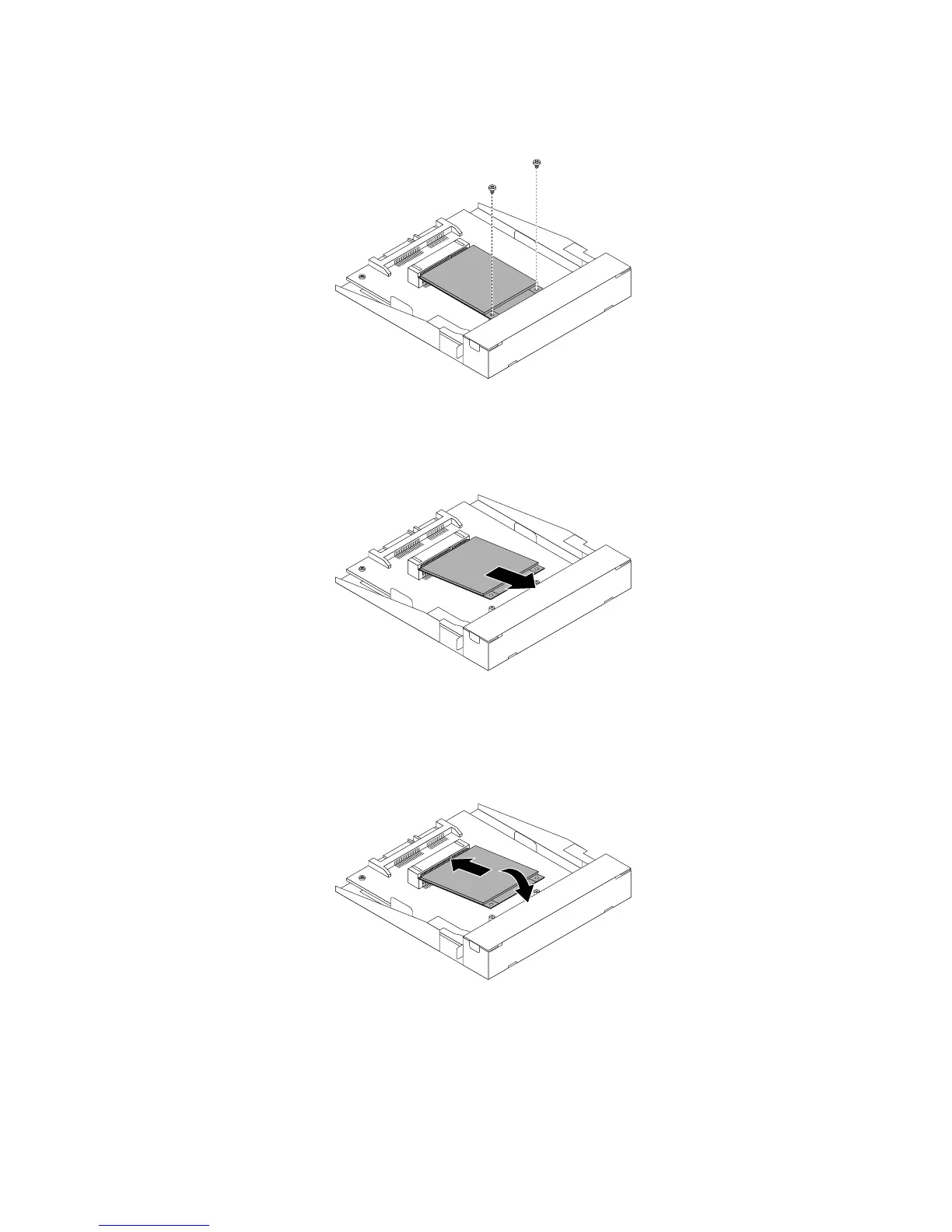
7.RemovethetwoscrewsthatsecurethemSATAsolid-statedrive.
Figure51.RemovingthescrewsthatsecurethemSATAsolid-statedrive
8.PullthemSATAsolid-statedriveoutoftheminiPCIExpressslotonthestorageconverter.
Figure52.RemovingthemSATAsolid-statedrivefromthestorageconverter
9.CarefullyinsertthemSATAsolid-statedriveintotheminiPCIExpressslotonthestorageconverteratan
angleofabout20degrees.Then,pressthemSATAsolid-statedrivedownward.
Figure53.InstallingthemSATAsolid-statedriveintothestorageconverter
60ThinkCentreM83,M93/pUserGuide






 To Next Page