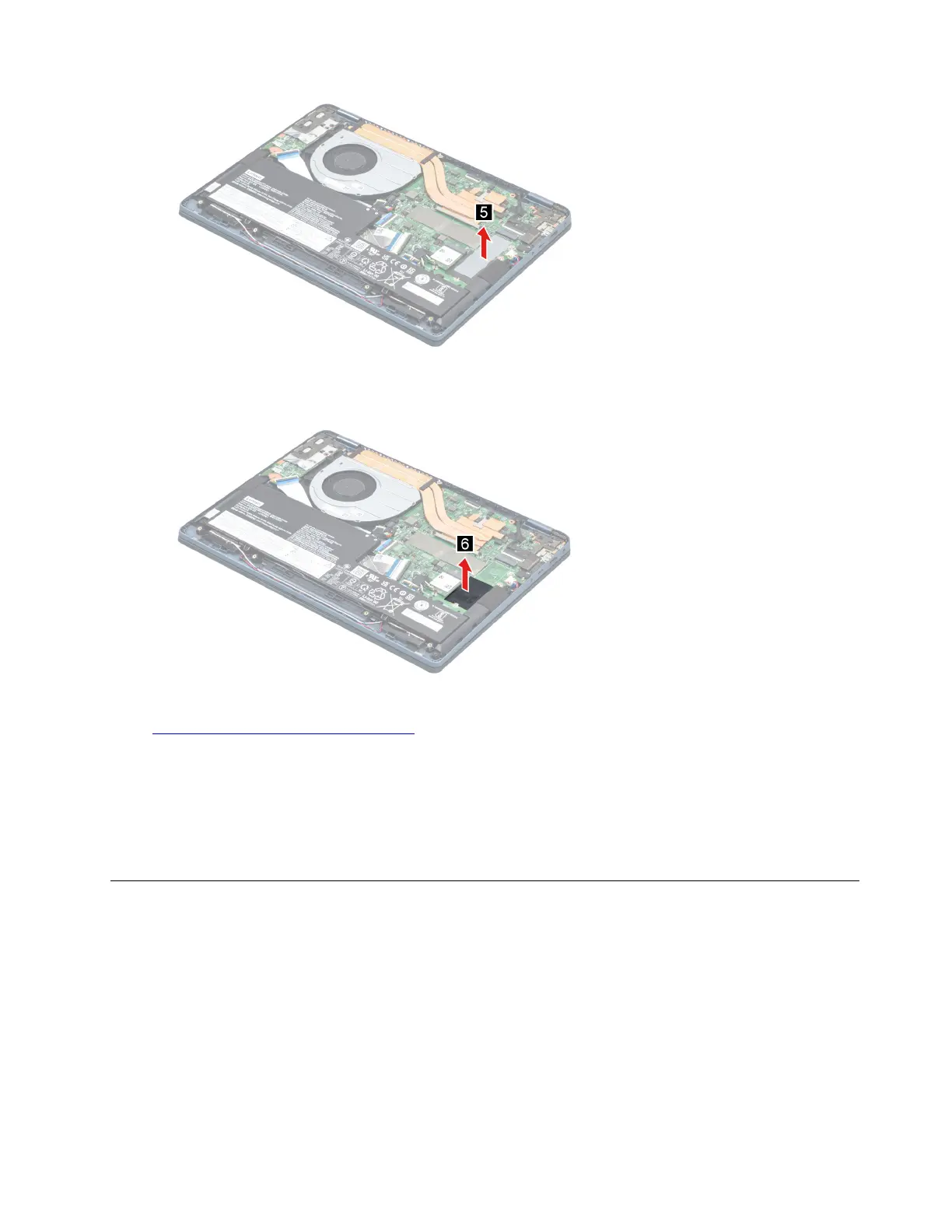
Figure 8. Remove the SSD thermal pad
Step 5. Remove the SSD mylar.
Figure 9. Remove the SSD mylar
Go to https://support.lenovo.com/partslookup to look up the Lenovo part numbers of the following
replacement parts:
Solid-state drive (SSD)
Solid-state drive (SSD) bracket
Solid-state drive (SSD) thermal pad
Solid-state drive (SSD) mylar
Remove the Wi-Fi card
Make sure the following FRU (or CRU) has been removed.
“Remove the lower case” on page 30
Step 1. Disconnect the battery pack cable from the system board.
Attention: Use your fingernails to pull the connector to unplug it. Do not pull the cable.
Step 2. Peel off the pieces of tape.
Chapter 4. Removing a FRU or CRU 33






 To Next Page