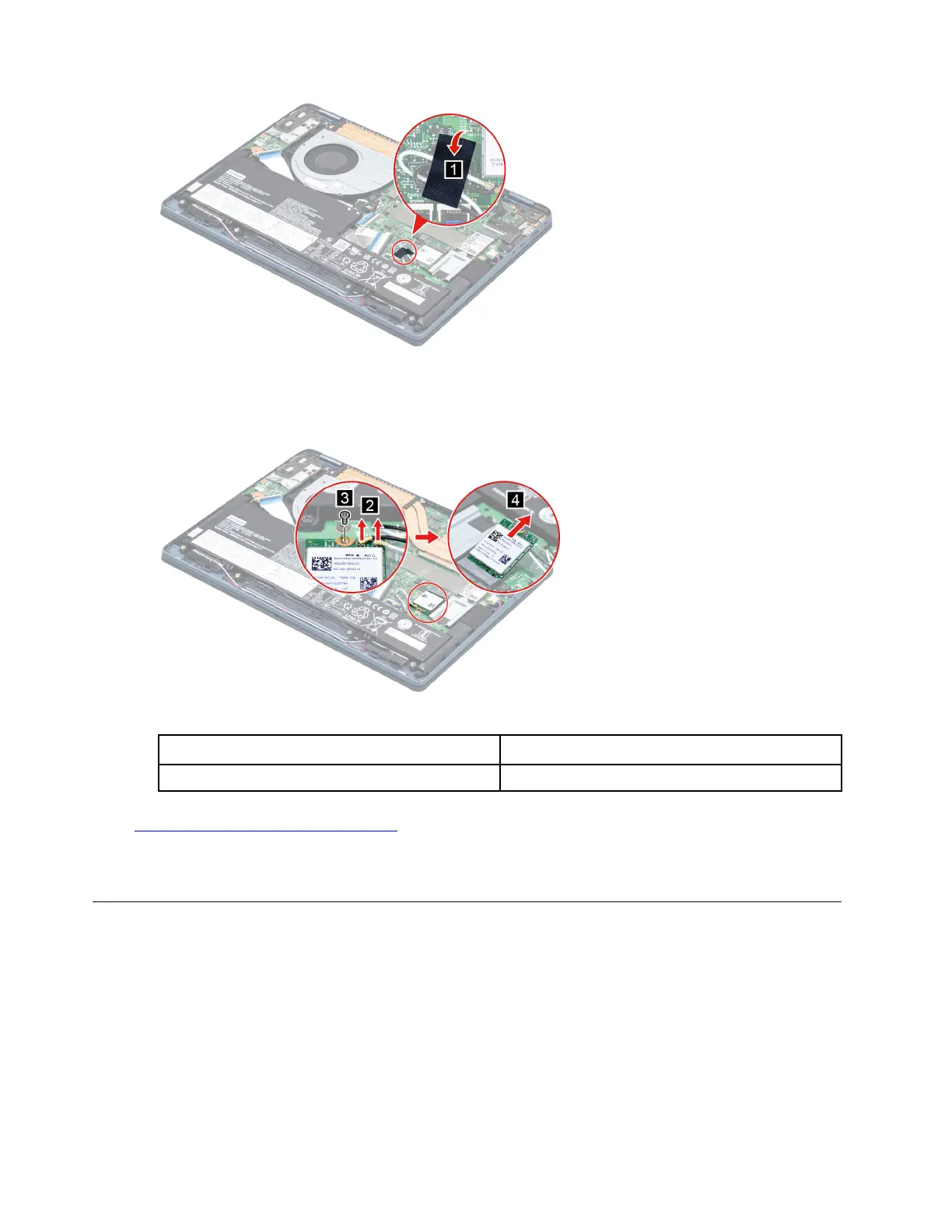
Figure 10. Peel off the pieces of tape
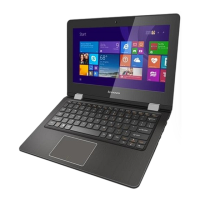
Step 3. Detach the main and auxiliary antenna cable connectors. Remove one screw and then remove the
Wi-Fi card by pulling it away from the slot.
Figure 11. Remove the Wi-Fi card
Screw specifications
Number of screws
M2 x L3.5 1
Go to
https://support.lenovo.com/partslookup to look up the Lenovo part number of the following replacement
part:
Wi-Fi card
Remove the heat sink
Make sure the following FRUs (or CRUs) have been removed.
“Remove the lower case” on page 30
Step 1. Disconnect the battery pack cable from the system board.
Attention: Use your fingernails to pull the connector to unplug it. Do not pull the cable.
Step 2. Remove three screws then remove the heat sink.
34
Hardware Maintenance Manual






 To Next Page