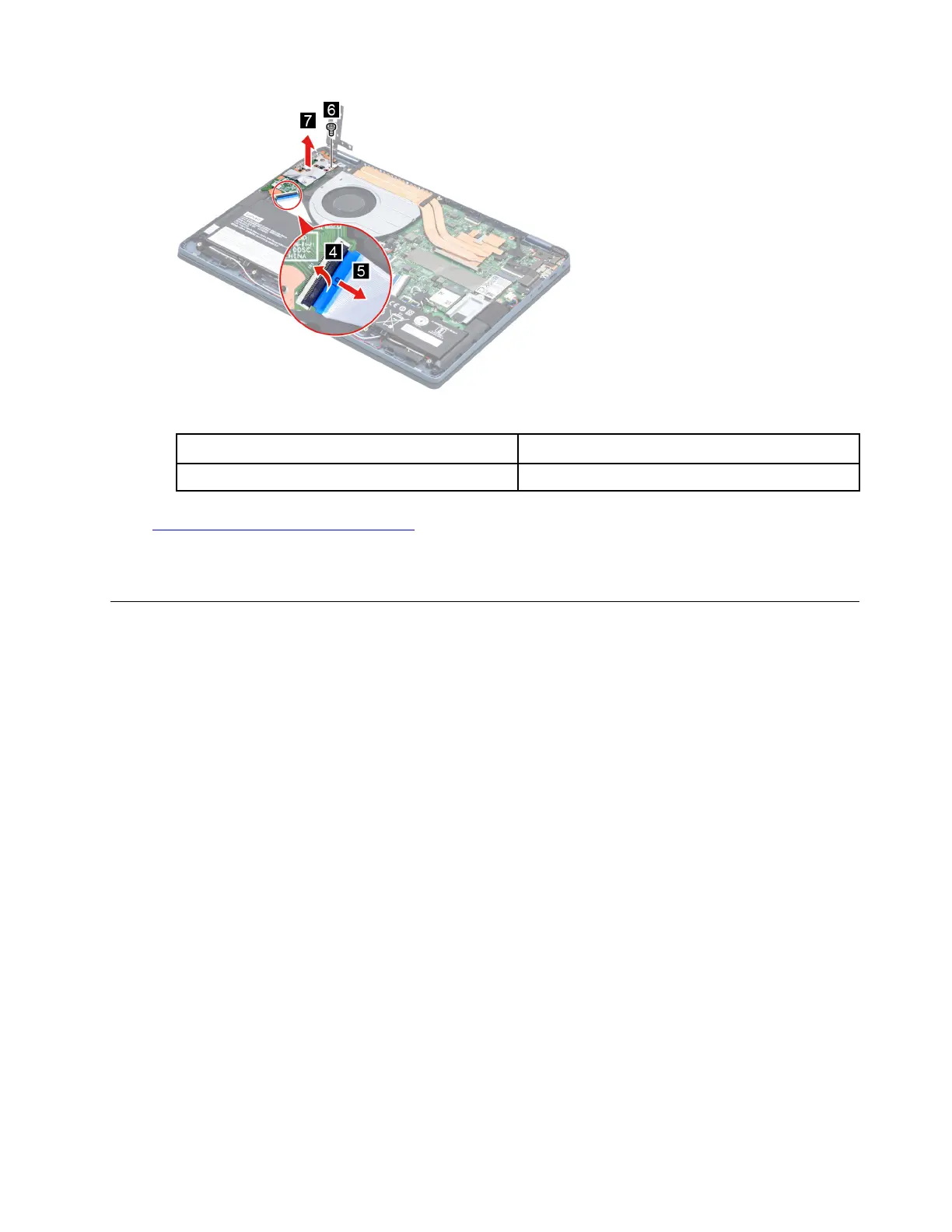
Figure 15. Remove the I/O board
Screw specifications
Number of screws
M2 x L3.5 1
Go to
https://support.lenovo.com/partslookup to look up the Lenovo part number of the following replacement
part:
I/O board
Remove the I/O board cable
Make sure the following FRU (or CRU) has been removed.
“Remove the lower case” on page 30
“Remove the battery pack” on page 31
“Remove the fan” on page 35
“Remove the heat sink” on page 34
Step 1. Disconnect the I/O board cable from the I/O board and system board. Remove the I/O board cable.
Chapter 4. Removing a FRU or CRU 37






 To Next Page