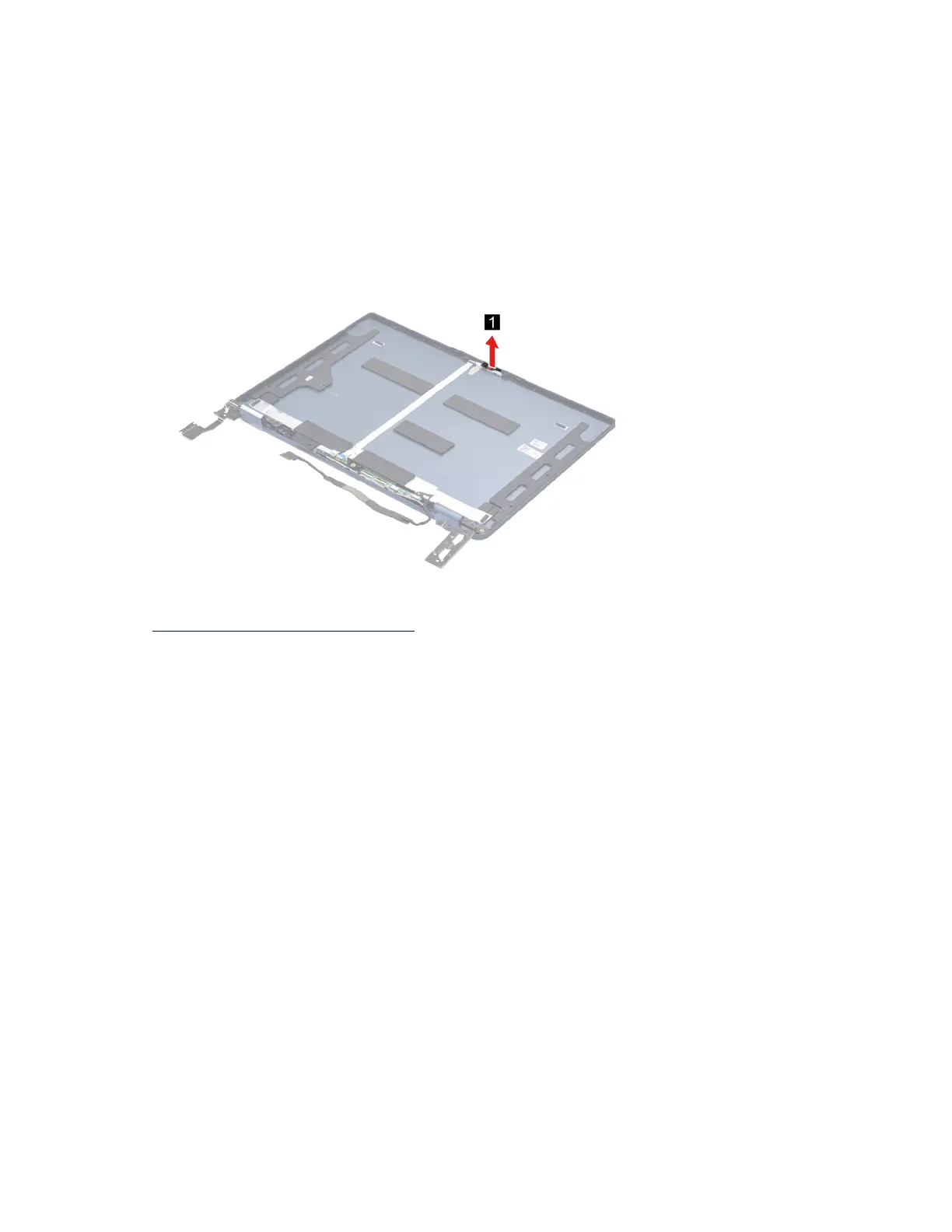
Remove the camera privacy shutter
Make sure the following FRUs (CRUs) have been removed.
“Disassemble the LCD unit” on page 48
“Remove the hinge cover” on page 48
“Remove the LCD panel and EDP cable” on page 48
“Remove the camera” on page 52
Step 1. Remove the camera privacy shutter.
Figure 39. Remove the camera privacy shutter
Go to https://support.lenovo.com/partslookup to look up the Lenovo part number of the following replacement
part:
Camera privacy shutter
Remove the hinges
Make sure the following FRUs (CRUs) have been removed.
“Disassemble the LCD unit” on page 48
“Remove the hinge cover” on page 48
“Remove the LCD panel and EDP cable” on page 48
Step 1. Remove six screws and then remove the hinges.
Chapter 4. Removing a FRU or CRU 51






 To Next Page