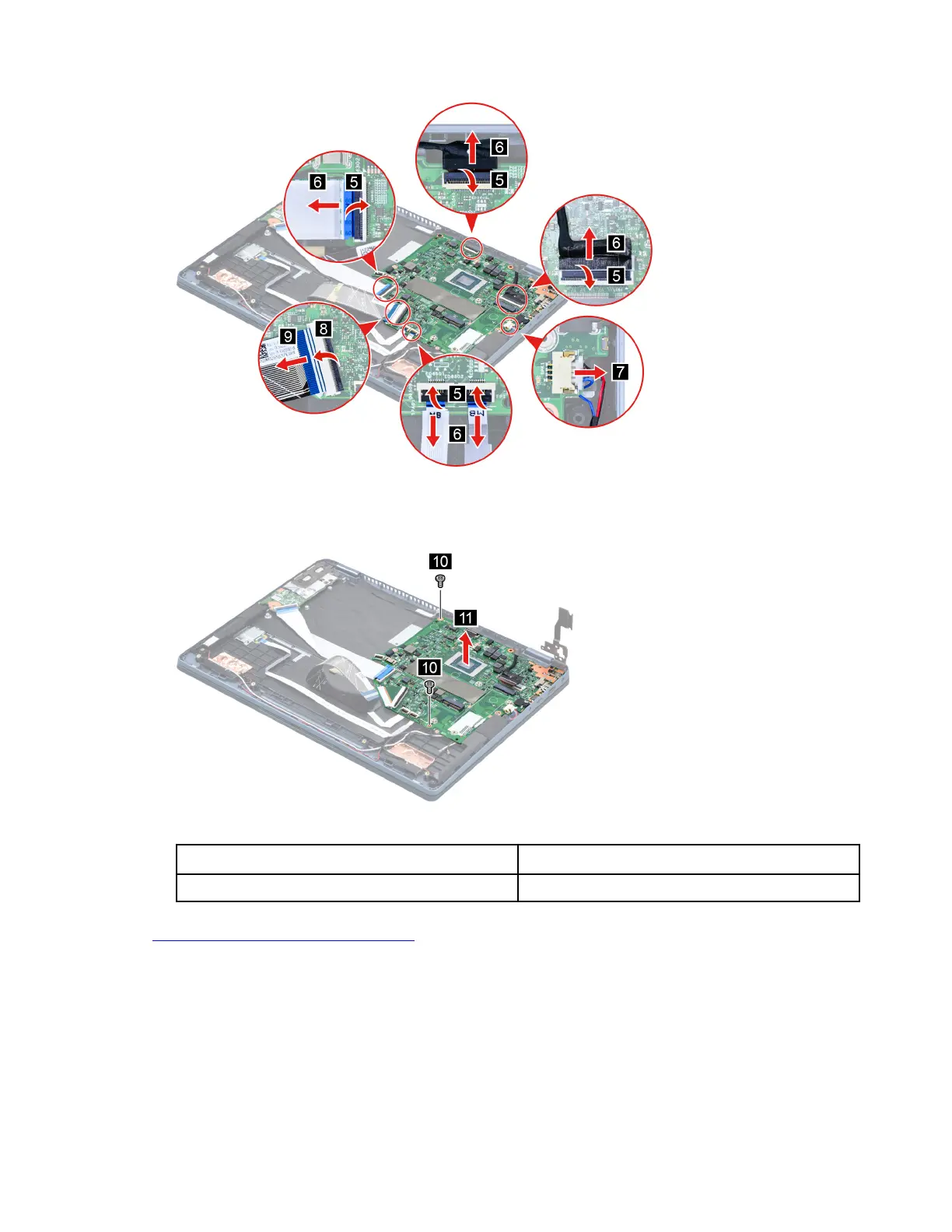
Figure 26. Disconnect cables connected to the system board
Step 4. Remove two screws and then remove the system board.
Figure 27. Remove the system board
Screw specifications Number of screws
M2 x L3.5 2
Go to
https://support.lenovo.com/partslookup to look up the Lenovo part numbers of the following
replacement parts:
System board
Use a Golden Key U1 tool to flash-write key id information
After replacing the system board and re-assembling the computer, use a pre-made Golden Key U1 tool to
start the computer and flash-write the serial number (SN), machine type (MT), product name (PN), and UUID
to the new system board.
Chapter 4. Removing a FRU or CRU 43






 To Next Page