“Remove the battery pack” on page 31
“Remove the solid-state drive (SSD)” on page 32
“Remove the Wi-Fi card” on page 33
“Remove the heat sink” on page 34
“Remove the fan” on page 35
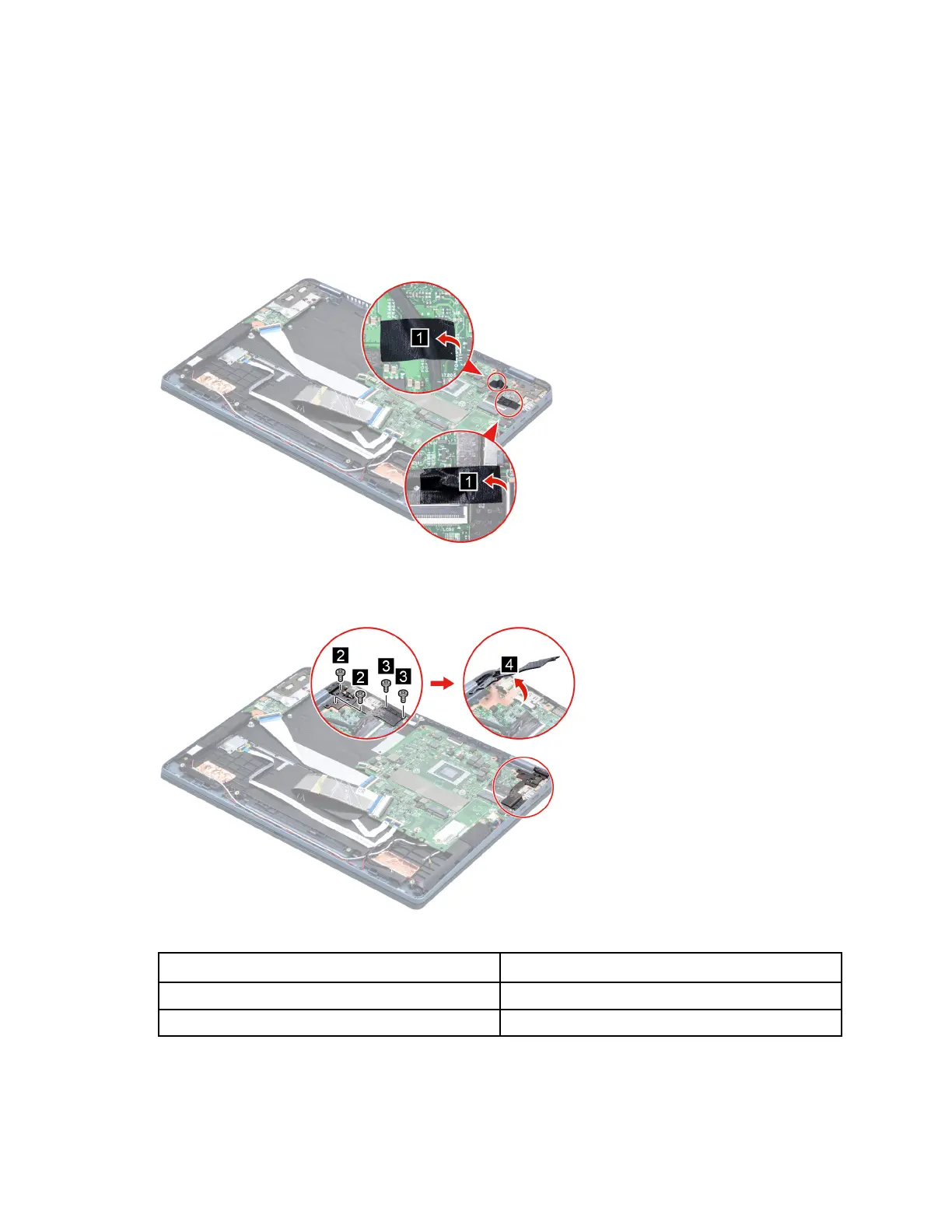
Step 1. Remove the two pieces of tape.
Figure 24. Remove the two pieces of tape
Step 2. Remove four screws then open left hinge.
Figure 25. Open left hinge
Screw specifications Number of screws
M2.5 x L5 2
M2 x L5 2
Step 3. Disconnect cables connected to the system board.
42
Hardware Maintenance Manual






 To Next Page