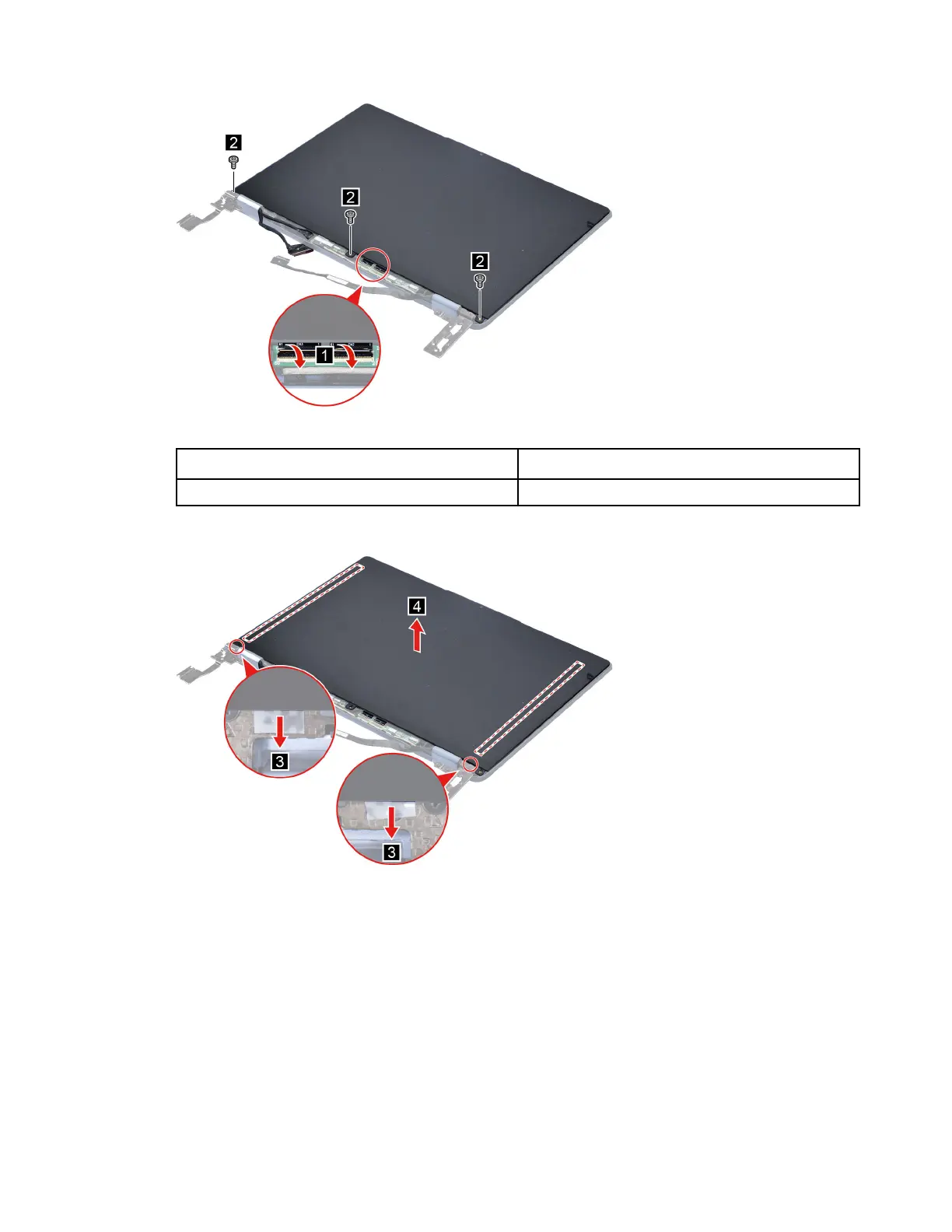
Figure 35. Remove three screws
Screw specifications Number of screws
M2 x L3.5 3
Step 2. Remove the two pieces of removable tape with tweezers and then remove the LCD panel.
Figure 36. Remove the LCD panel
Step 3. Turn the LCD panel over. Peel off tape then disconnect the EDP cable from the LCD panel.
Chapter 4. Removing a FRU or CRU 49






 To Next Page