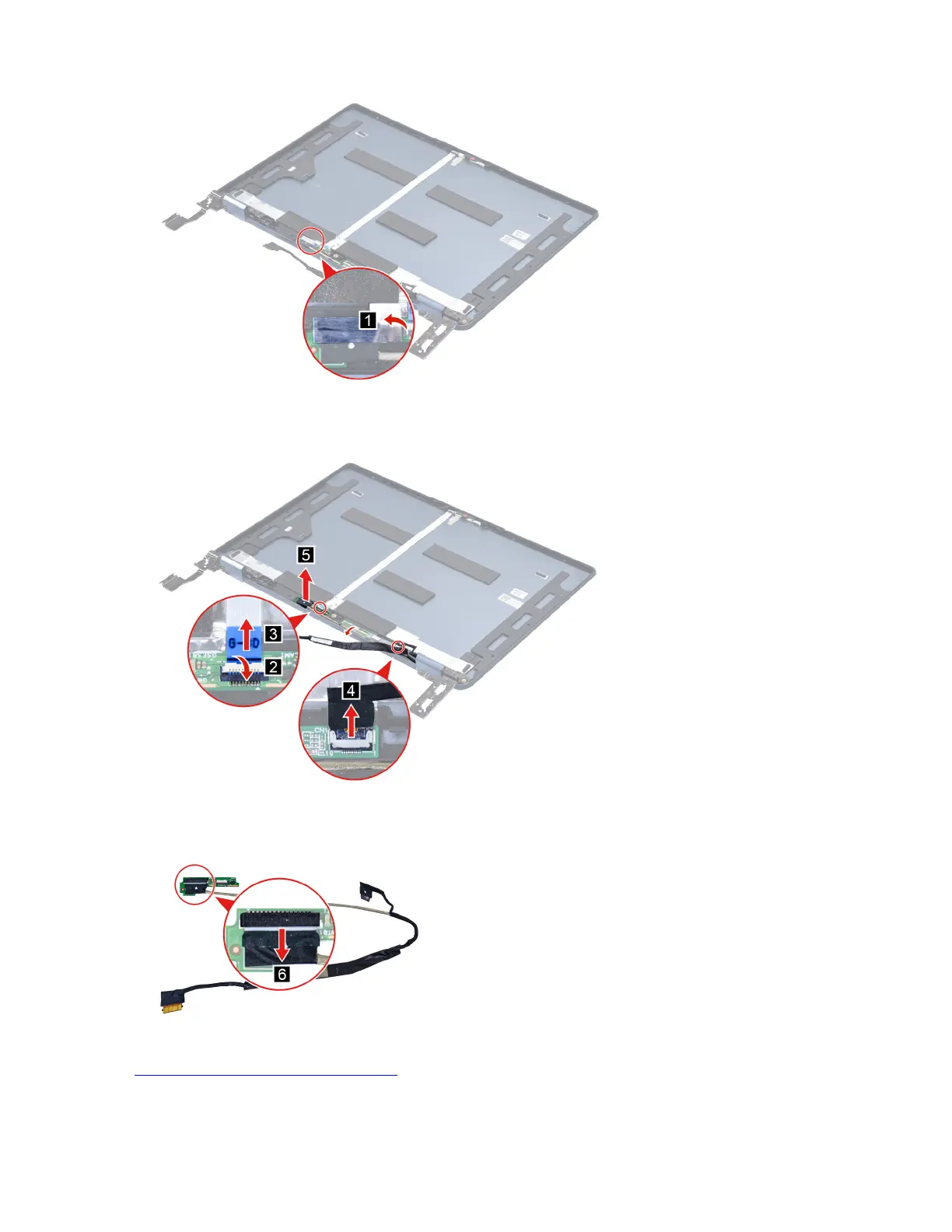
Figure 43. Peel off the tape
Step 2. Detach the touch panel cable connector then remove the touch panel cable with sensor board.
Figure 44. Remove the touch panel cable with sensor board
Step 3. Disconnect the touch panel cable from the sensor board.
Figure 45. Disconnect the touch panel cable from the sensor board
Go to https://support.lenovo.com/partslookup to look up the Lenovo part number of the following replacement
part:
Touch panel cable
54
Hardware Maintenance Manual






 To Next Page