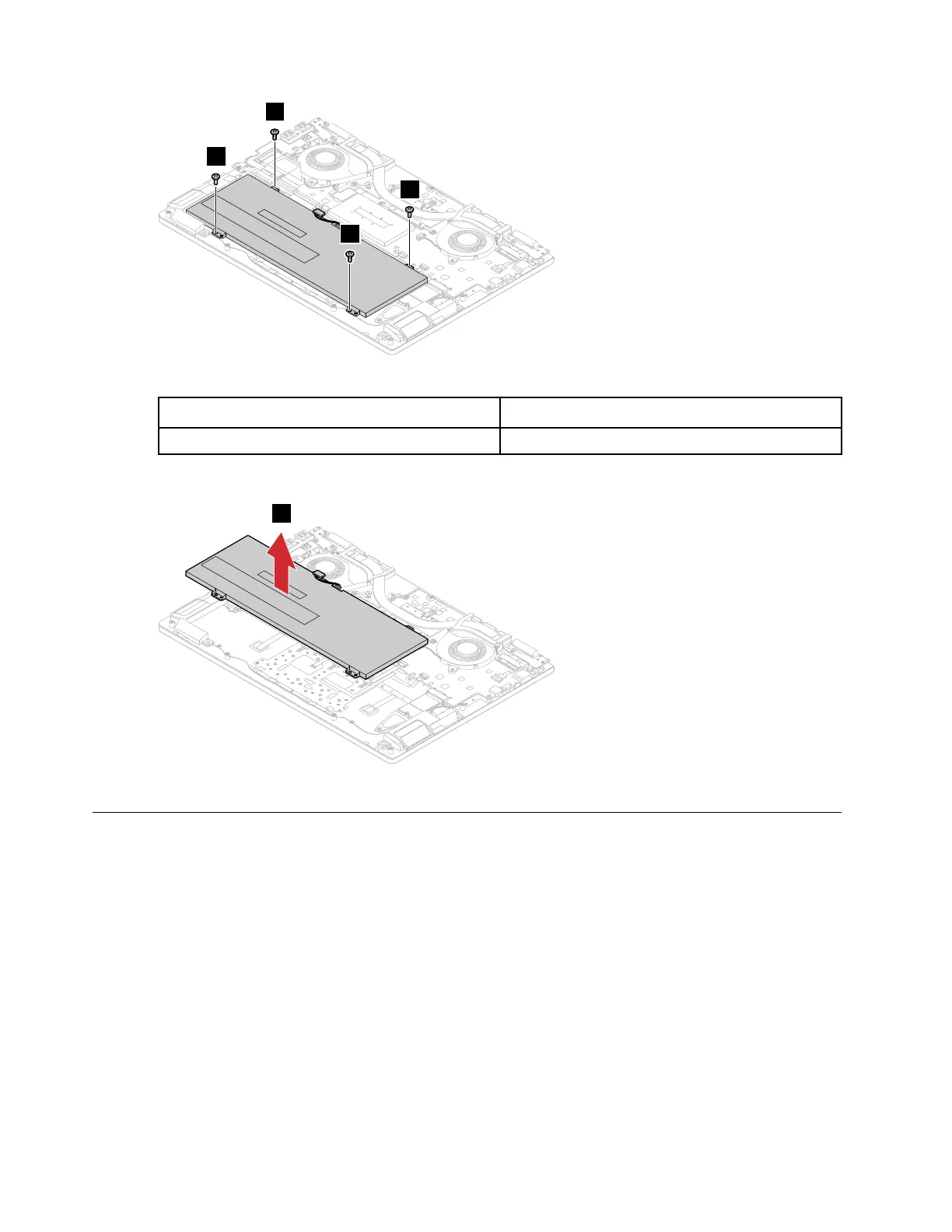
Figure 5. Remove the 4 screws
Screw specifications
Number of screws
M2.0 x 3 4
Step 3. Remove the battery pack.
Figure 6. Remove the battery pack
Remove the Wi-Fi card
Make sure the following FRUs (or CRUs) have been removed.
“Remove the lower case” on page 29
“Remove the battery pack” on page 31
Step 1. Detach the I/O board connector from the system board.
32
Hardware Maintenance Manual





 To Next Page