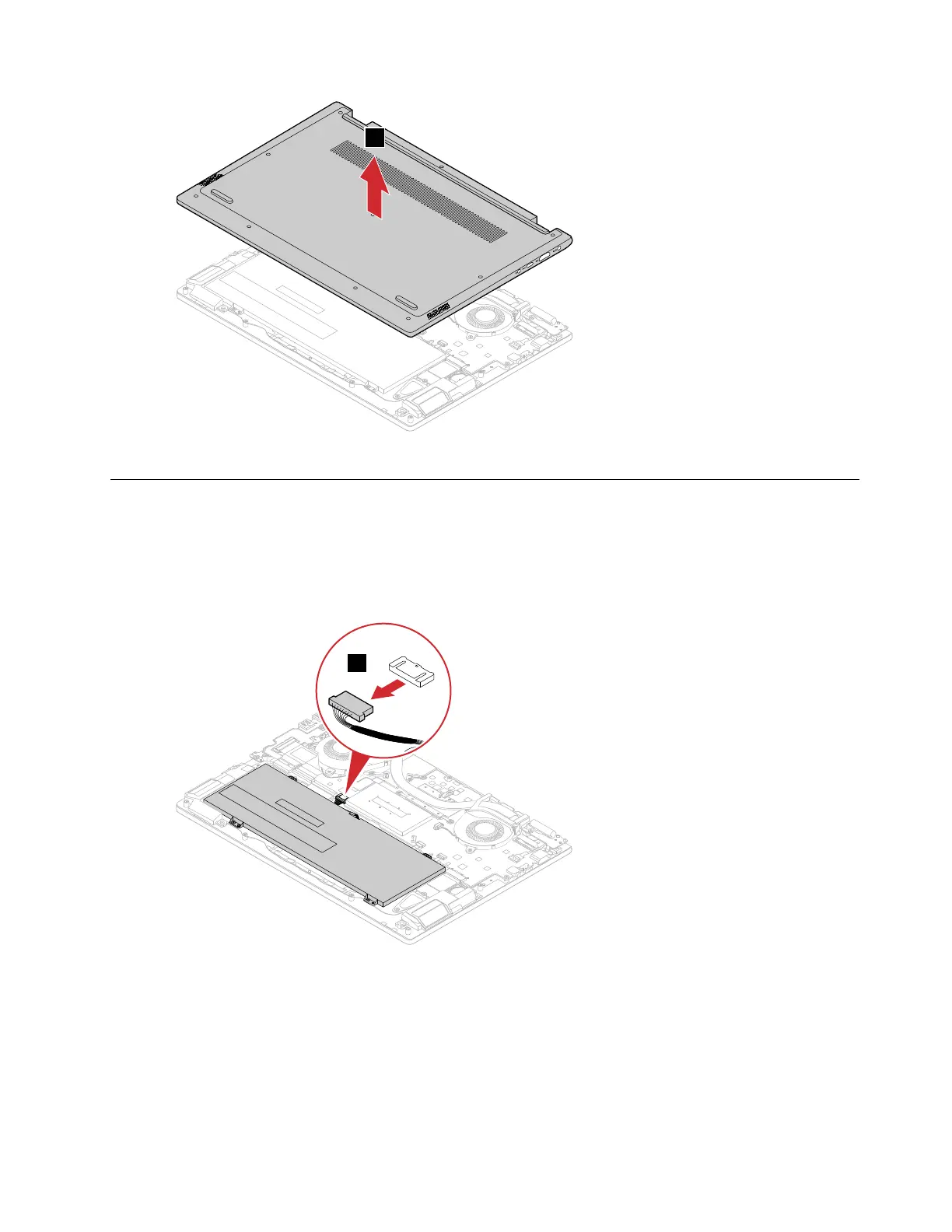
Figure 3. Remove the lower case
Remove the battery pack
Make sure the following FRU (or CRU) has been removed.
“Remove the lower case” on page 29
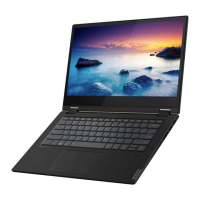
Step 1. Detach the battery pack connector from the system board.
Figure 4. Detach the battery pack connector
Attention: Use your fingernails to unplug the battery pack connector. Do not pull the cable with
force.
Step 2. Remove the 4 screws.
Chapter 4. Removing a FRU or CRU 31





 To Next Page