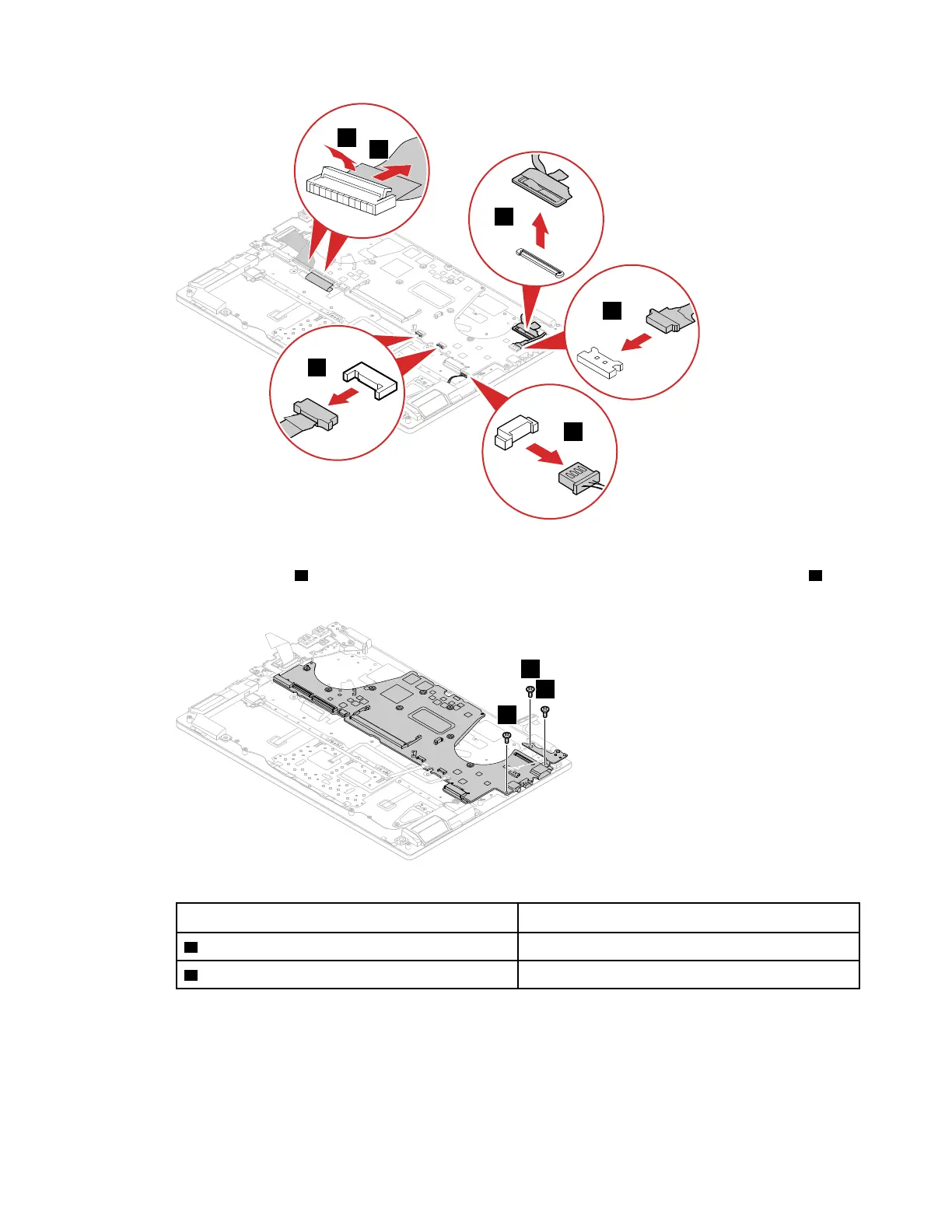
Figure 31. Detach the connectors
Step 2. Remove 1 screw 7 that secure the system board to upper case. Then, remove the 2 screws 8 that
secure the right hinge to upper case.
Figure 32. Remove the 3 screws
Screw specifications
Number of screws
7 M2.0 x 3 1
8 M2.5 x 4.5 2
Step 3. Open the right hinge.
Chapter 4. Removing a FRU or CRU 45





 To Next Page