Replacing CRUs 29
Replacing the storage drive
Attention
Do not open your computer or attempt any repairs before reading the Important
Product Information Guide.
1
Remove any media from the drives and turn off all connected devices and the computer.
2
Disconnect all power cords from electrical outlets and disconnect all cables that are connected to
the computer.
3
Remove the computer cover. For details, see Removing the computer cover.
4
Disconnect the storage drive cables from the system board.
5
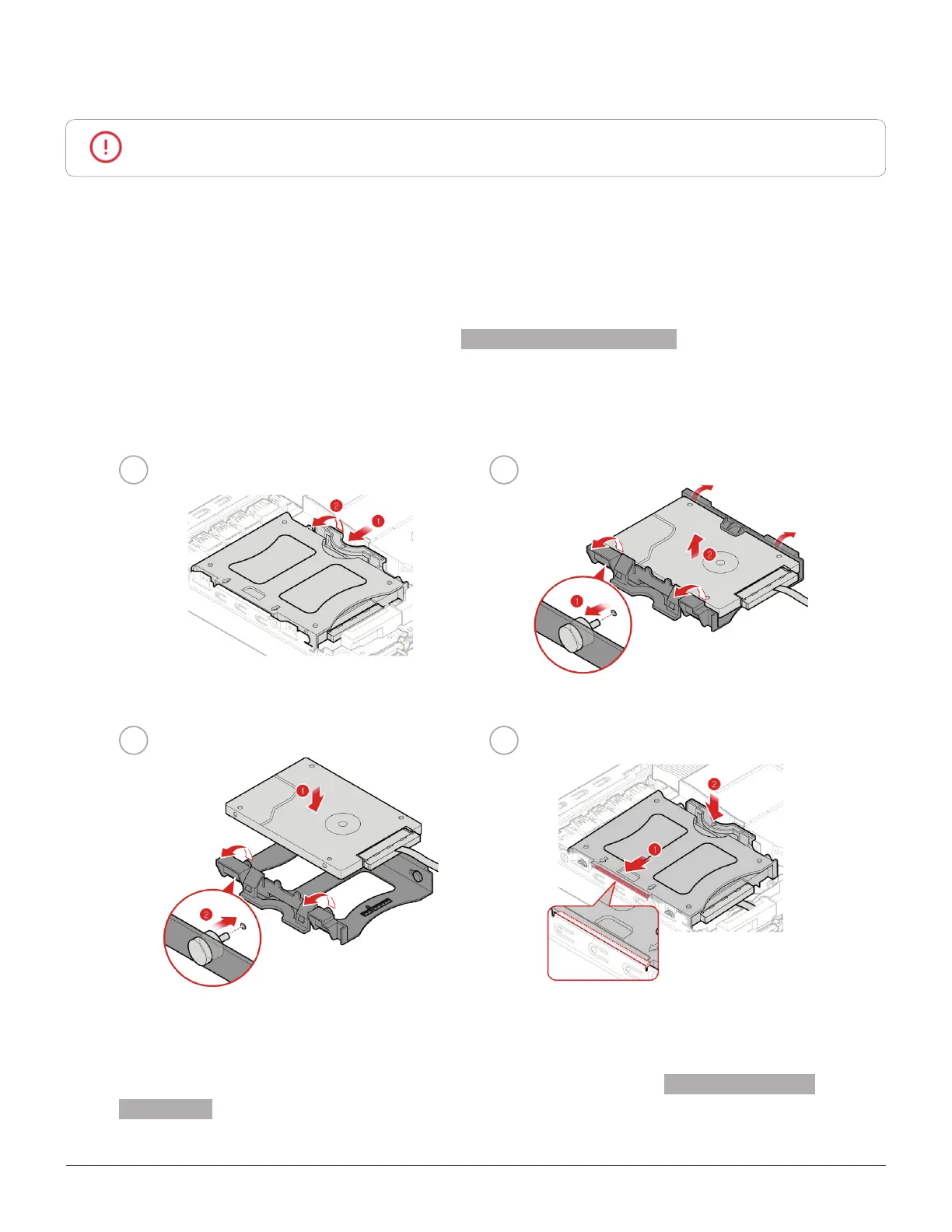
Replace the storage drive.
1 2
3
4
6
Connect the storage drive cables to the system board.
7
Reinstall the computer cover and reconnect the cables. For details, see Completing the parts
replacement.


 To Next Page