Replacing CRUs 40
Completing the parts replacement
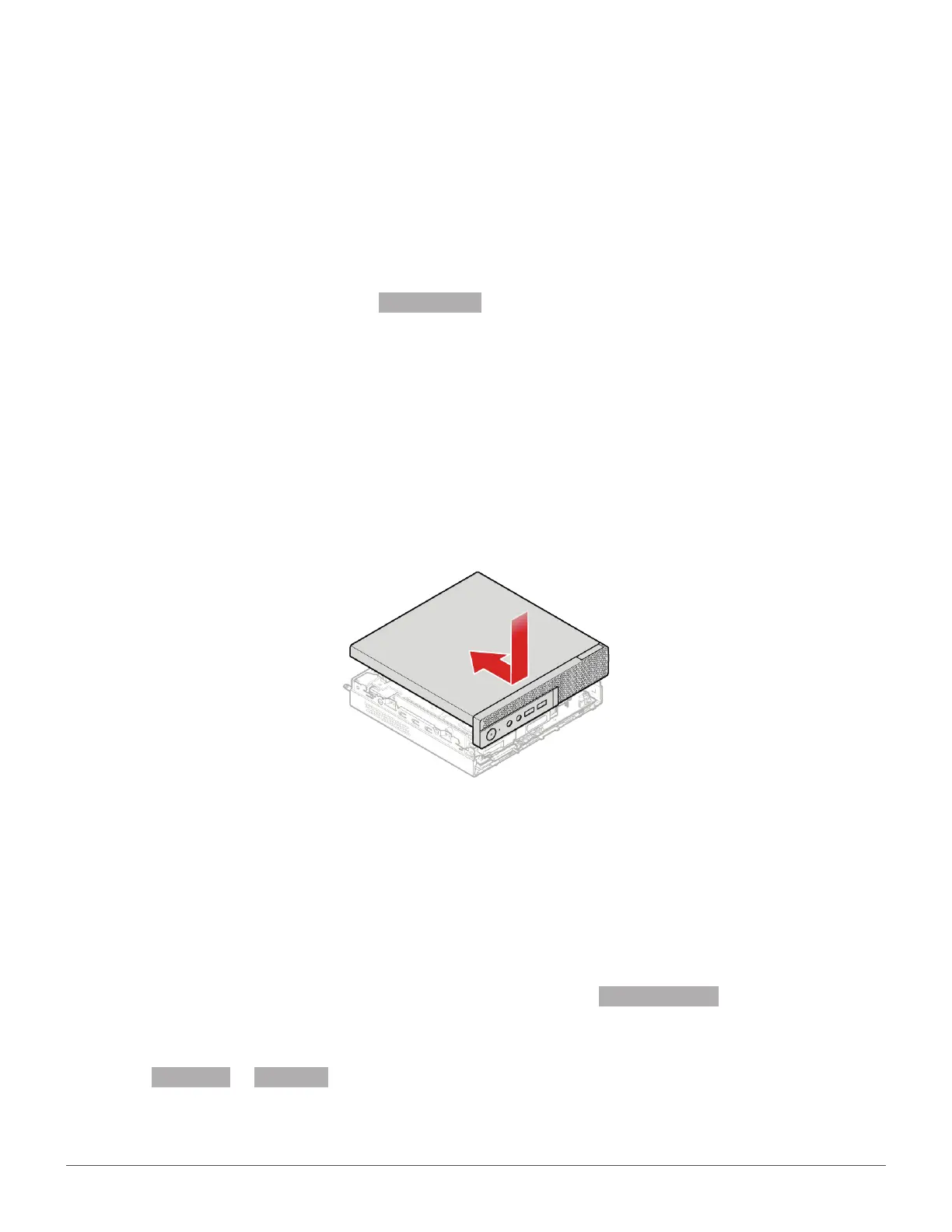
After completing the installation or replacement for all parts, reinstall the computer cover and reconnect
the cables.
To reinstall the computer cover and reconnect the cables to your computer, do the following:
1
Ensure that all components have been reassembled correctly and that no tools or loose screws
are left inside your computer. See
System board for the locations of various components in your
computer.
2
Ensure that the cables are routed correctly before reinstalling the computer cover. Keep cables
clear of the hinges and sides of the computer chassis to avoid interference when reinstalling the
computer cover.
3
Install the computer cover.
4
Install the screw to secure the computer cover.
5
Place the computer in an upright position.
6
If a locking device is available, use it to lock the computer. See Computer locks.
7
Reconnect the external cables and power cords to the corresponding connectors on the computer.
See
Front view or Rear view for the locations of various components in your computer


 To Next Page