Replacing FRUs 46
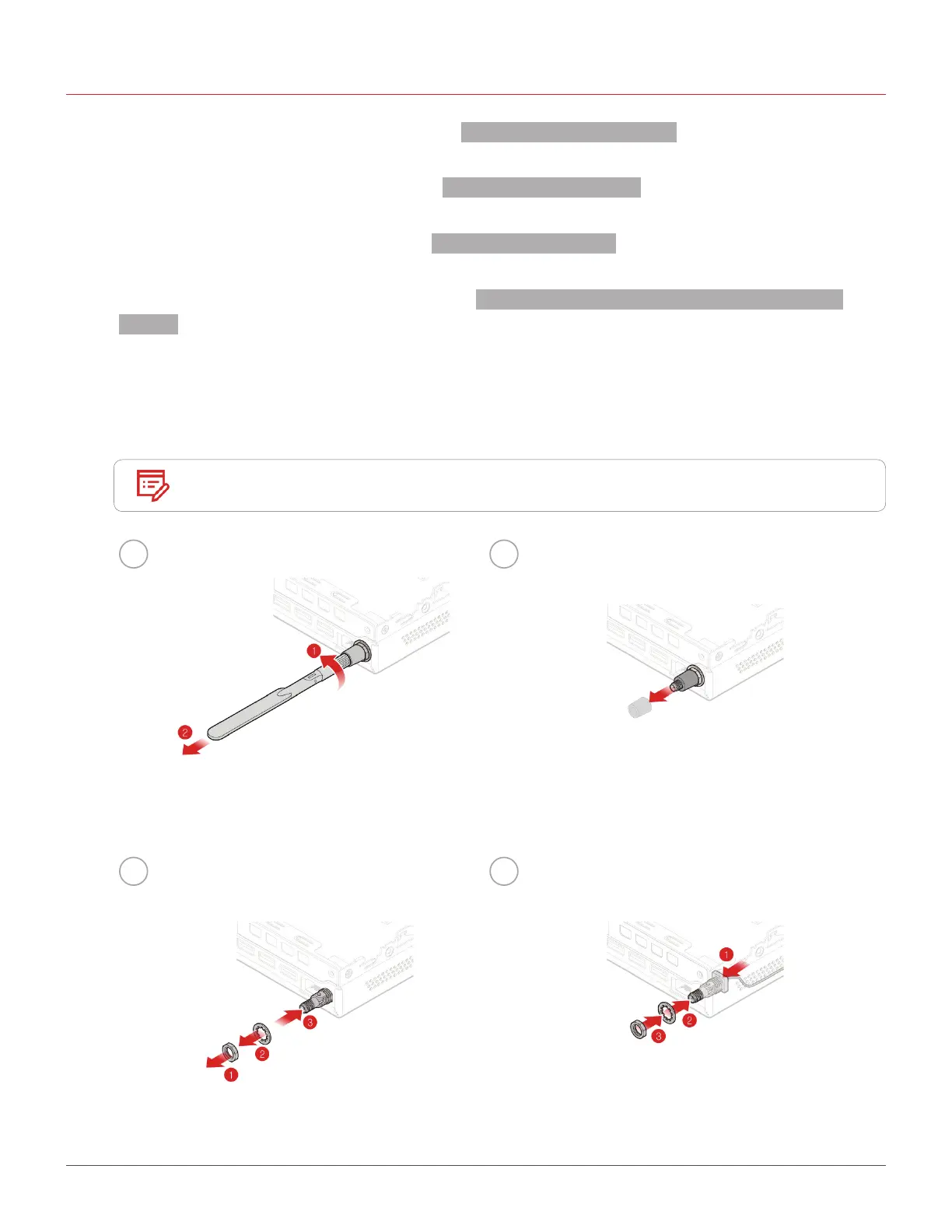
Replacing the rear Wi-Fi antenna
1
Remove the computer cover. For details, see Removing the computer cover.
2
Remove the storage drive. For details, see Replacing the storage drive.
3
Remove the system fan. For details, see Replacing the system fan.
4
Remove the PCI Express card. For details, see Replacing the PCI Express card and PCI Express card
adapter.
5
Disconnect the rear Wi-Fi antenna cable from the Wi-Fi card.
6
Replace the rear Wi-Fi antenna.
Note
Record the cable routing before removing the rear Wi-Fi antenna cable.
1 2
3 4


 To Next Page