Replacing FRUs 56
15
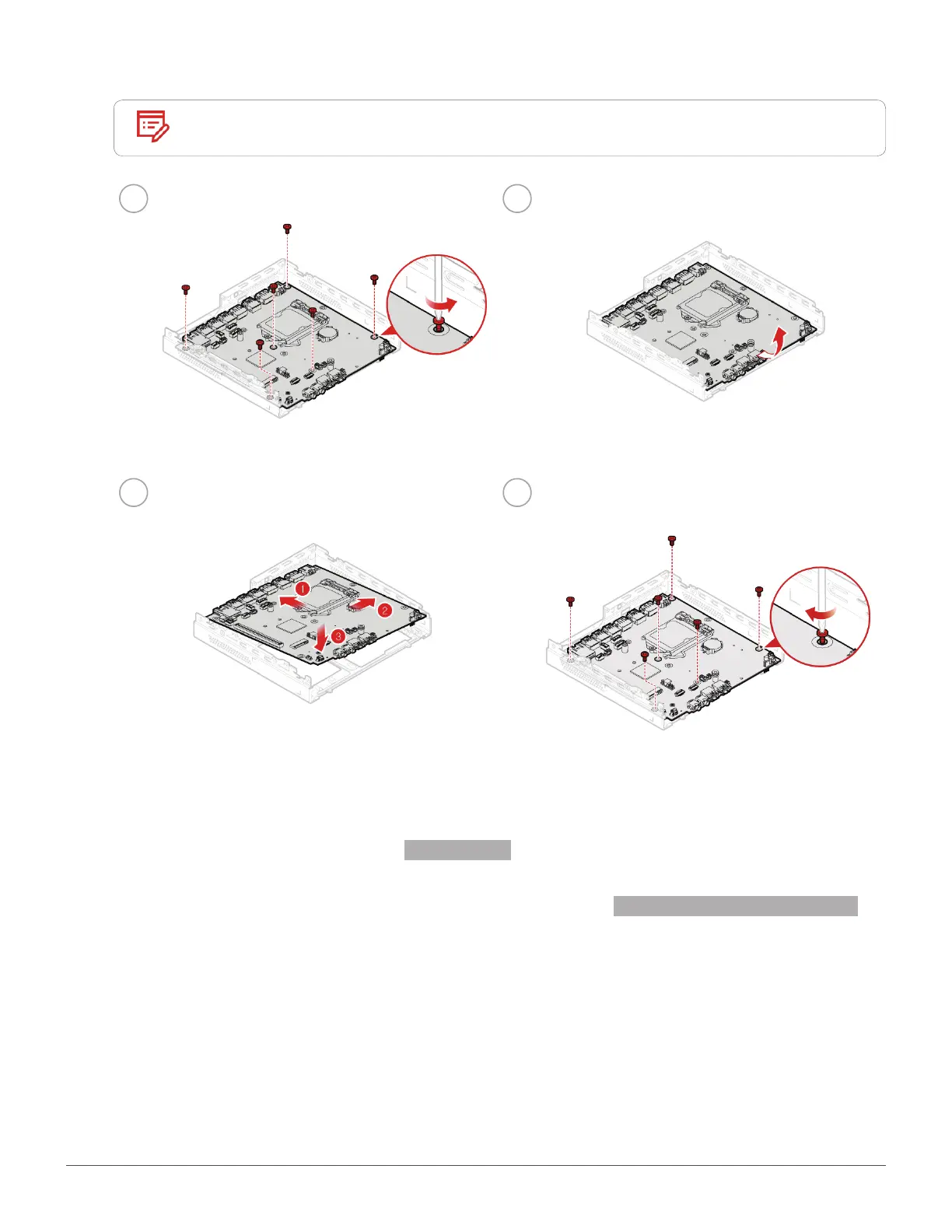
Replace the system board and chassis.
Note
Carefully handle the system board by its edges.
1 2
3 4
16
Route all the cables that you disconnected from the failing system board, and then reconnect the
cables to the new system board. See
System board.
17
Reinstall the removed parts and computer cover. For details, see Completing the parts replacement.


 To Next Page