Chapter 7. Locations
This chapter helps you locate the hardware components on your computer.
Locating computer controls, connectors, and indicators
This topic helps you locate the controls, connectors, and indicators on your computer.
Front view
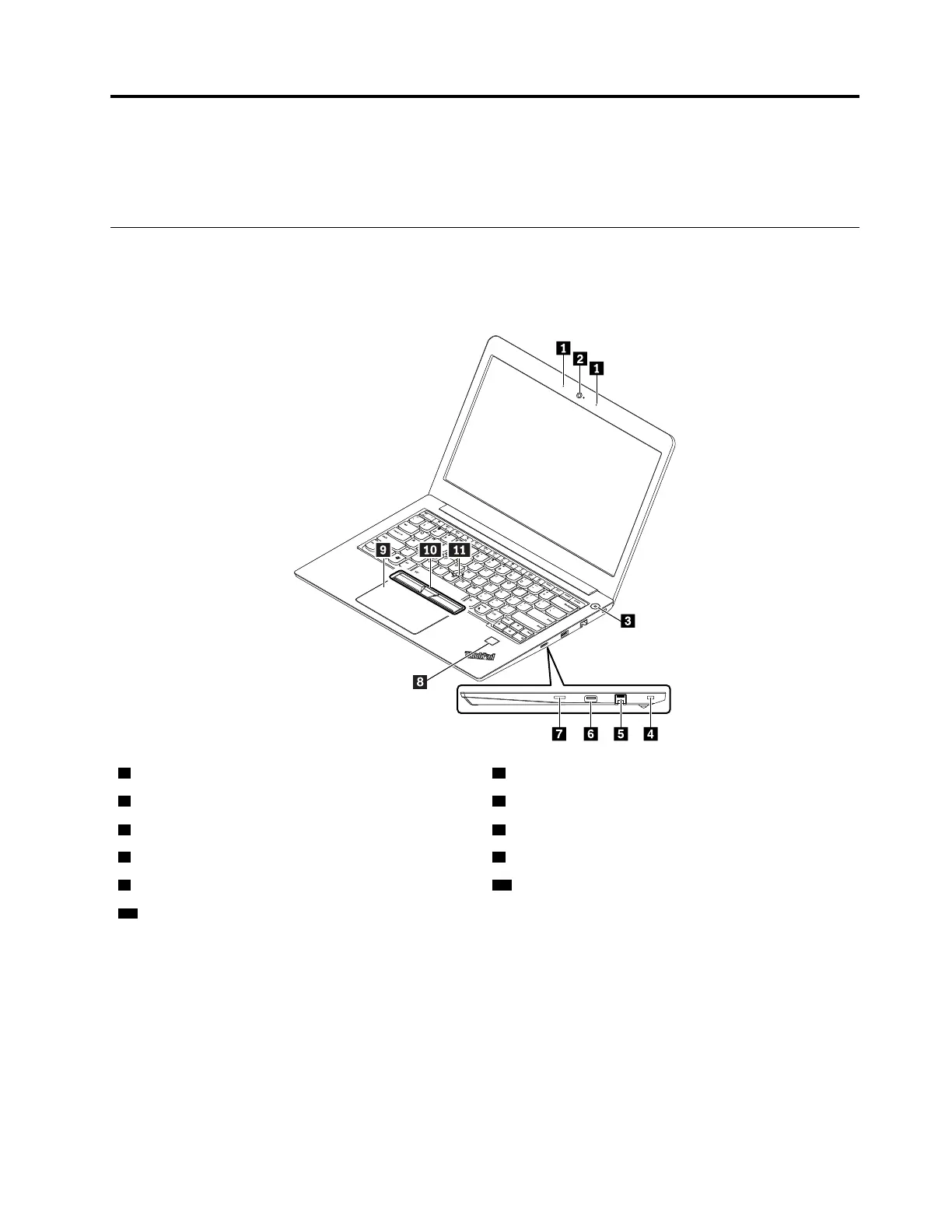
1 Microphones
2 Camera
3 Power button
4 Security-lock slot
5 Ethernet connector
6 USB 2.0 connector
7 MicroSD card slot 8 Fingerprint reader (available on some models)
9 Trackpad 10 TrackPoint
®
buttons
11 TrackPoint pointing stick
© Copyright Lenovo 2017 47











 To Next Page