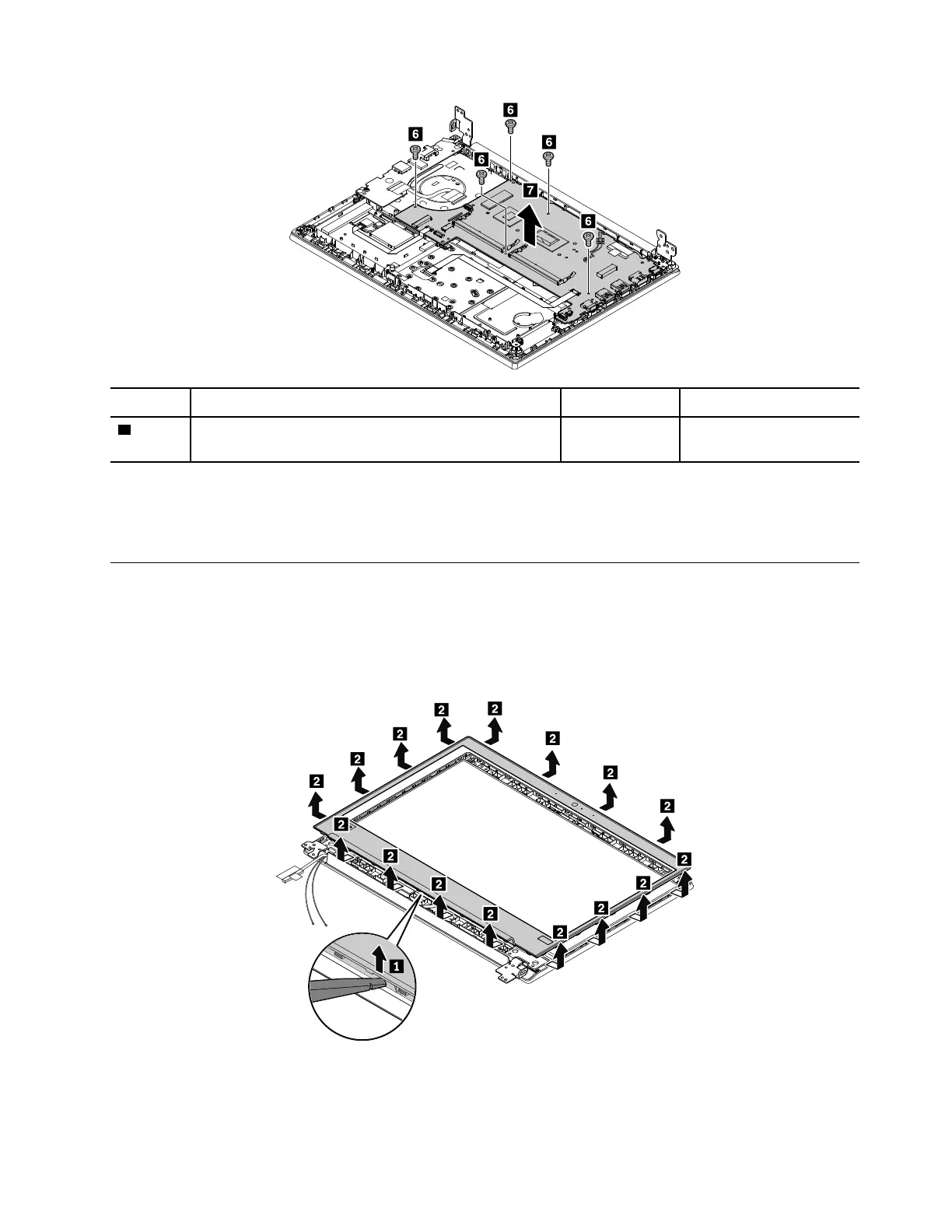
Step Screw (quantity) Color Torque
6
M2 × 2.5 mm, flat-head, nylon-coated (5) Silver 0.181 Nm
(1.85 kgf-cm)
When you install the system board:
Ensure that all the connectors are attached firmly to the system board.
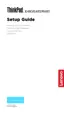
2010 LCD bezel assembly
Removal steps of the LCD bezel assembly
For access, remove this FRU:
• “1160 Keyboard bezel assembly and LCD unit” on page 78
When installing:
Ensure that all the latches are attached firmly.
Chapter 9. Removing or replacing a FRU 83











 To Next Page