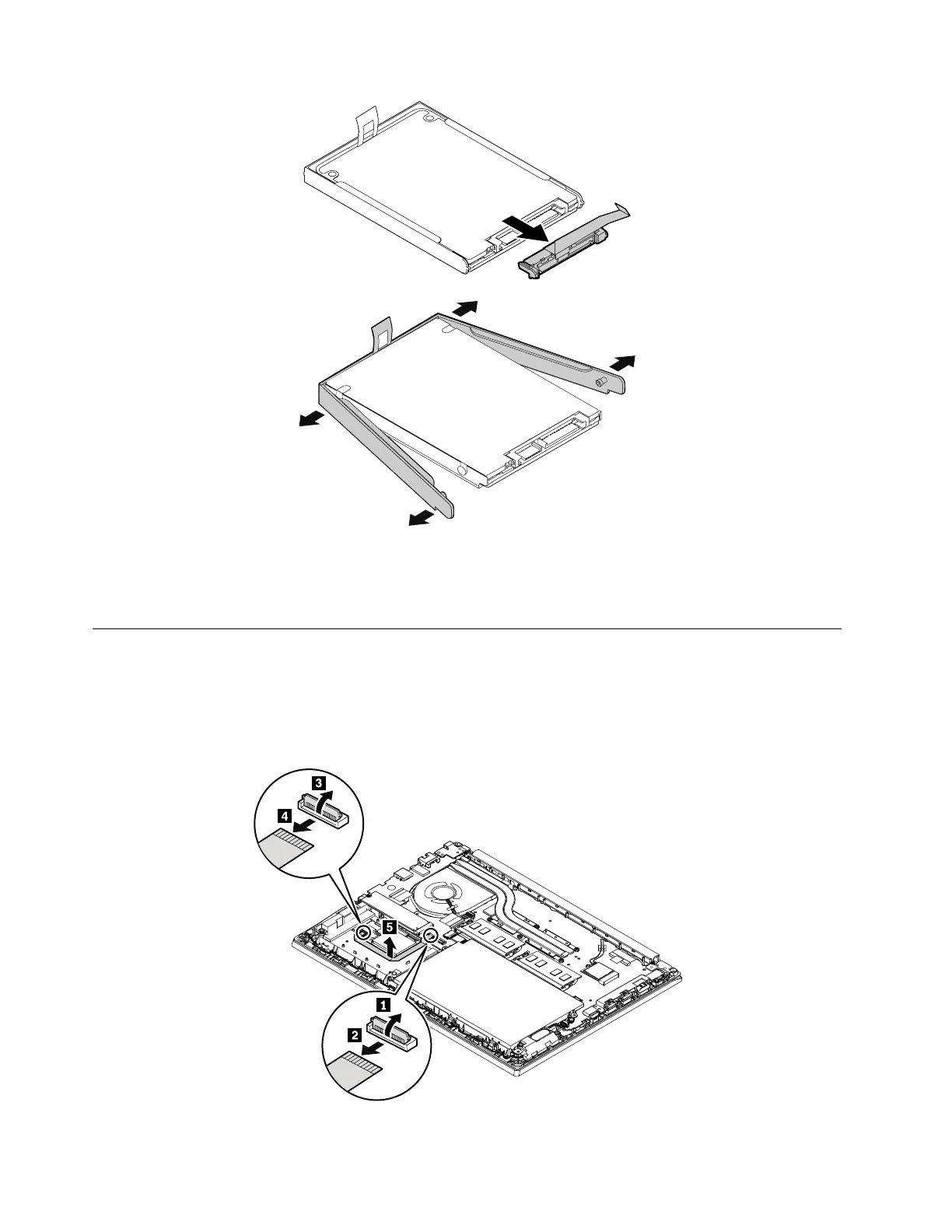
When installing:
Ensure that the connector is attached firmly.
1050 Fingerprint reader card
For access, remove these FRUs:
• “1030 Base cover assembly” on page 65
• “1040 Hard disk drive” on page 67
Removal steps of the fingerprint reader card
68 E480, E485, and R480 Hardware Maintenance Manual











 To Next Page