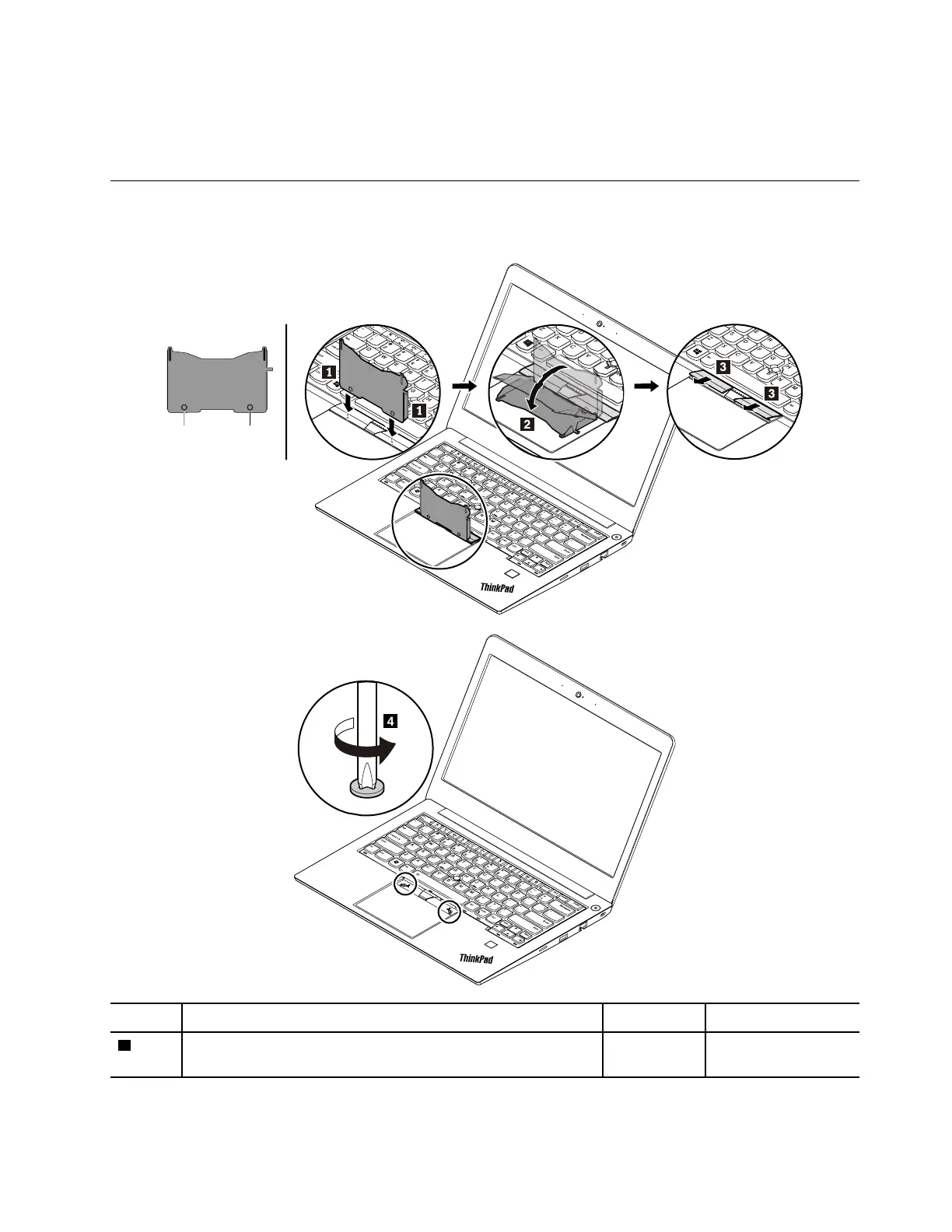
When installing:
Ensure that the microSD card is installed firmly.
1020 Keyboard
Removal steps of the keyboard
Step Screw (quantity) Color
Torque
4
M2 × 1.65 mm, flat-head, nylon-coated (2) Silver
0.143 Nm
(1.4 kgf-cm)
Chapter 9. Removing or replacing a FRU 63











 To Next Page