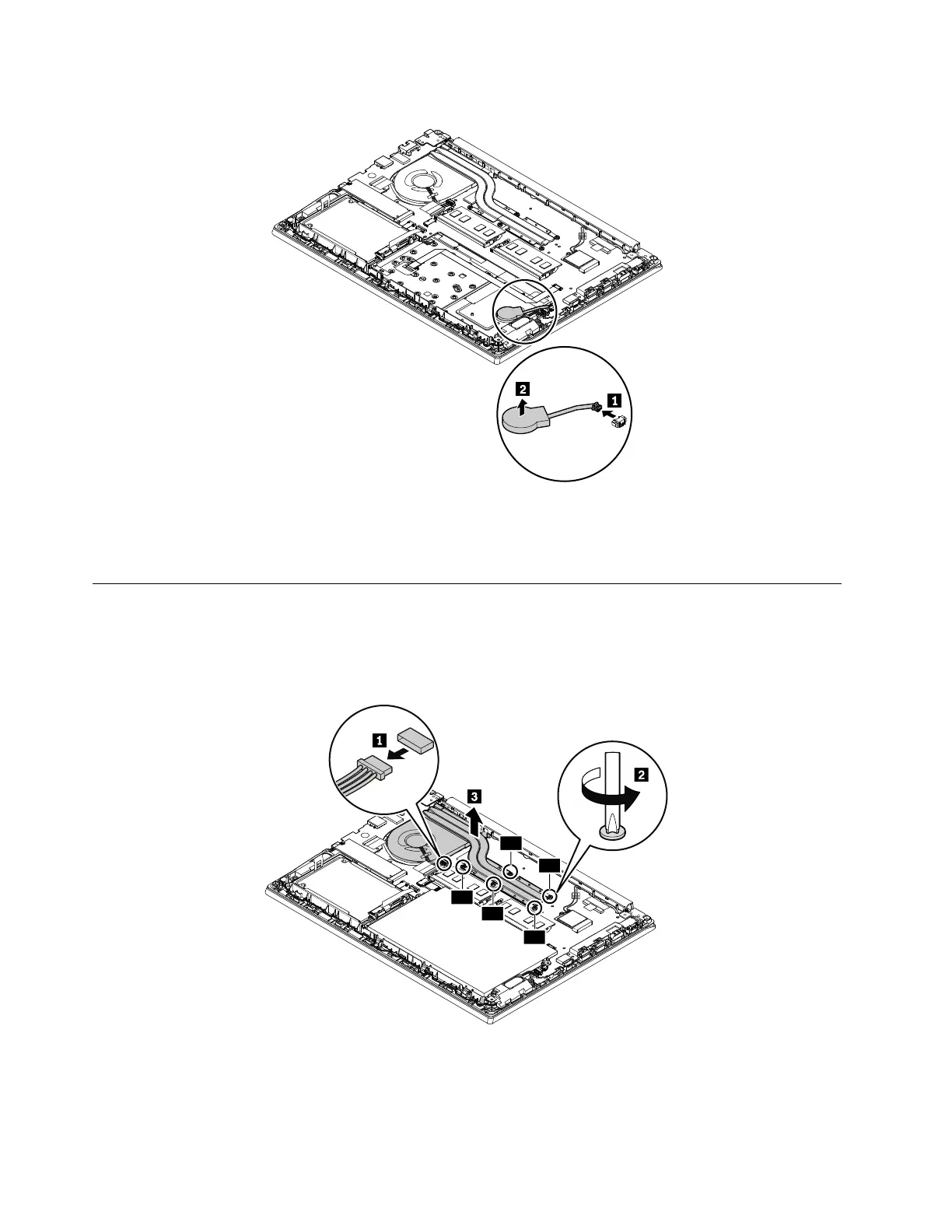
Removal step of the coin-cell battery
When installing:
Ensure that the connector is attached firmly.
1140 Thermal fan assembly
For access, remove this FRU:
• “1030 Base cover assembly” on page 65
Removal step of the thermal fan assembly
When you install the thermal fan assembly:
• Always wear fingerstalls when handling the thermal fan assembly. Do not touch or hold any part of the
thermal fan assembly with bare fingers.
76 E480, E485, and R480 Hardware Maintenance Manual











 To Next Page