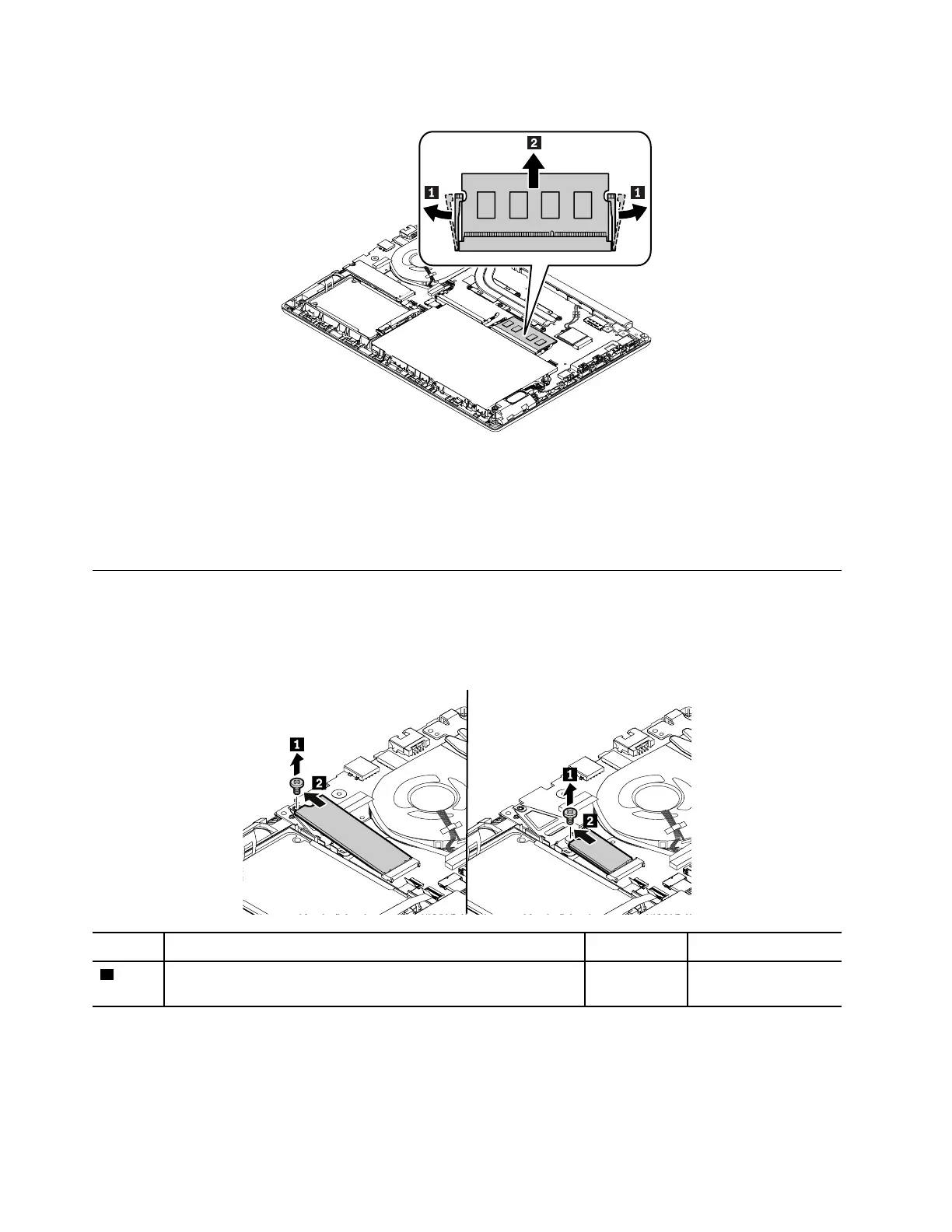
Removal steps of the memory module
When installing:
Insert the notched end of the memory module into the memory slot. Press the memory module in firmly, and
pivot it downward until it snaps into place. Ensure that the memory module is firmly installed in the slot and
does not move easily.
1070 M.2 solid-state drive
For access, remove this FRU:
• “1030 Base cover assembly” on page 65
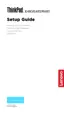
Removal steps of the M.2 solid-state drive
Step Screw (quantity) Color Torque
1
M2 × 2.5 mm, flat-head, nylon-coated (1) Silver 0.181 Nm
(1.85 kgf-cm)
When installing:
Ensure that the M.2 solid-state drive is installed firmly.
70
E480, E485, and R480 Hardware Maintenance Manual











 To Next Page