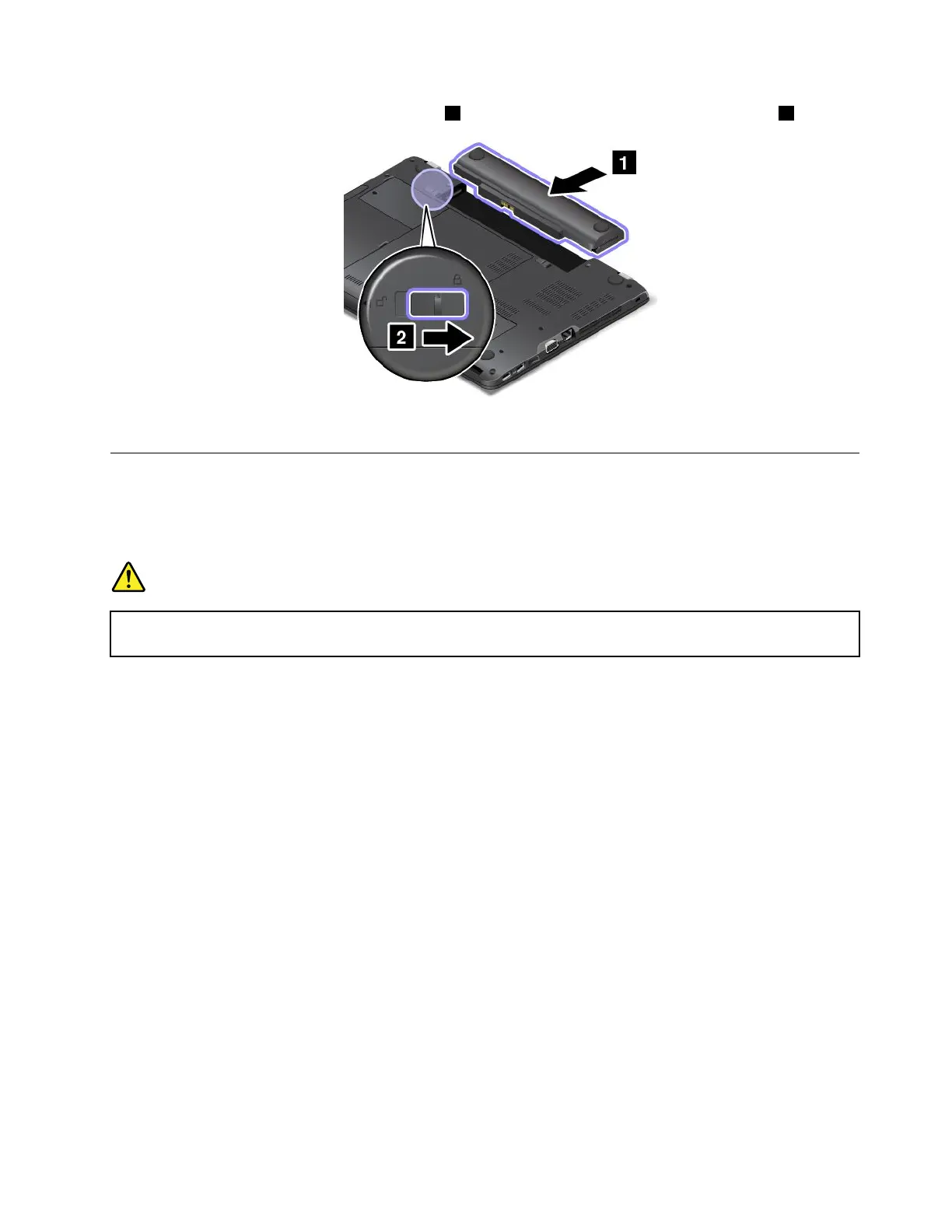
4.Insertanewbatteryuntilitclicksintoplace1.Slidethebatterylatchtothelockedposition2.
5.Turnthecomputeroveragain.Connecttheacpoweradapterandallcables.
Replacingthekeyboard
Beforeyoustart,printtheseinstructionsandread“Importantsafetyinformation”onpagevi.
Note:Dependingonthemodel,yourcomputermightlookdifferentfromtheillustrationsinthistopic.
DANGER
Duringelectricalstorms,donotperformanyreplacementanddonotconnectordisconnectthe
telephonecablefromthetelephoneoutletonthewall.
Removingthekeyboard
Toremovethekeyboard,dothefollowing:
1.Turnoffthecomputerandthendisconnecttheacpoweradapterandallcablesfromthecomputer.
Waitseveralminutestoletthecomputercool.
2.Closethecomputerdisplayandturnthecomputerover.
3.Removethebattery.See“Replacingthebattery”onpage109.
Chapter10.Replacingdevices111















 To Next Page