•Fn+K:HasthesamefunctionastheScrLKkey.
•Fn+4:Putsthecomputerintosleepmode.Toreturntonormaloperation,presstheFnkeyorpower
button.
ThinkPadpointingdevice
TheThinkPadpointingdeviceenablesyoutoperformallthefunctionsofatraditionalmouse,suchas
pointing,clicking,andscrolling.WiththeThinkPadpointingdevice,youalsocanperformavarietyoftouch
gestures,suchasrotatingandzoominginorout.
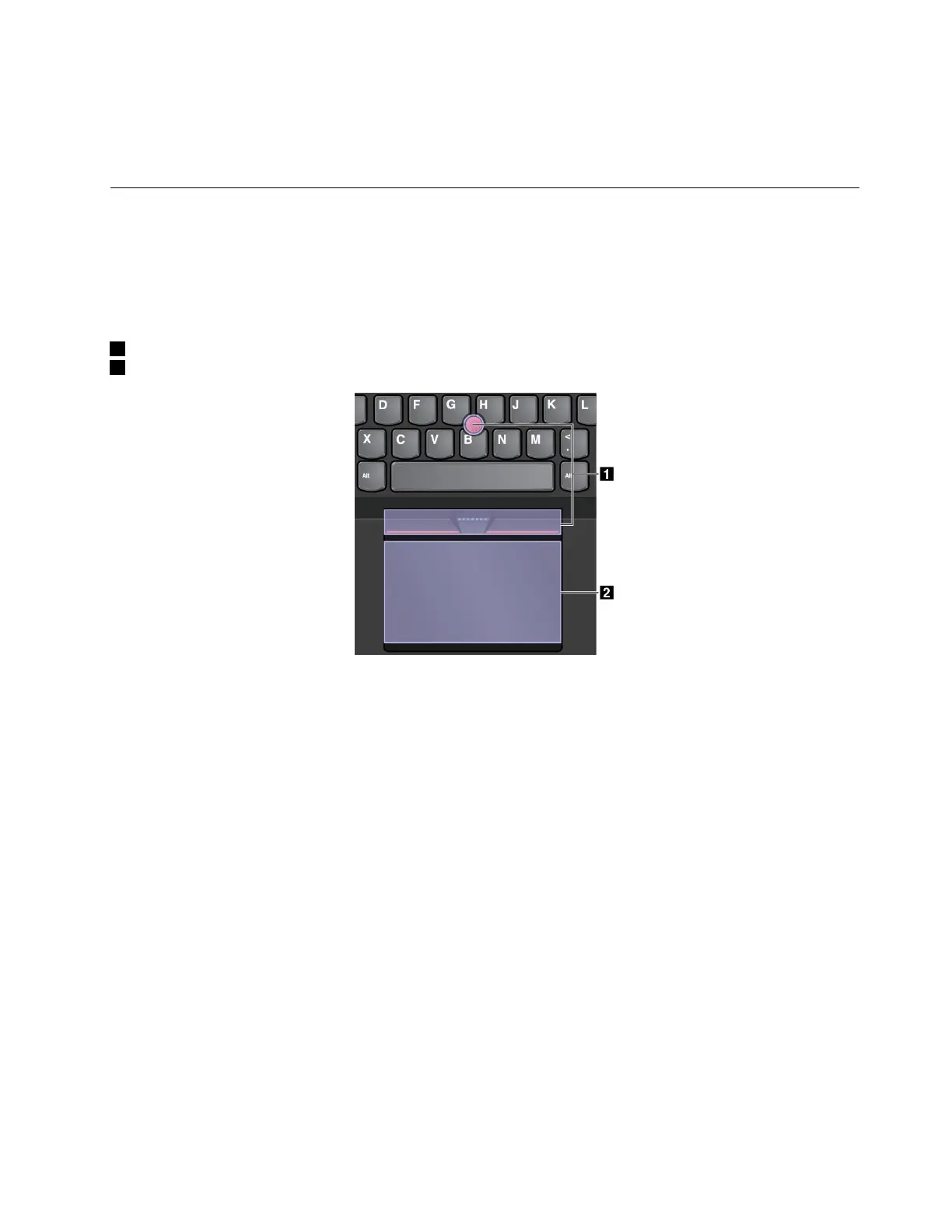
TheThinkPadpointingdeviceconsistsofthefollowingtwodevices:
1TrackPointpointingdevice
2Trackpad
Bydefault,boththeTrackPointpointingdeviceandthetrackpadareactivewiththetouchgesturesenabled.
Tochangethesettings,see“CustomizingtheThinkPadpointingdevice”onpage24
.
TrackPointpointingdevice
TheTrackPointpointingdeviceenablesyoutoperformallthefunctionsofatraditionalmouse,suchas
pointing,clicking,andscrolling.
Chapter2.Usingyourcomputer21















 To Next Page