Bottomview
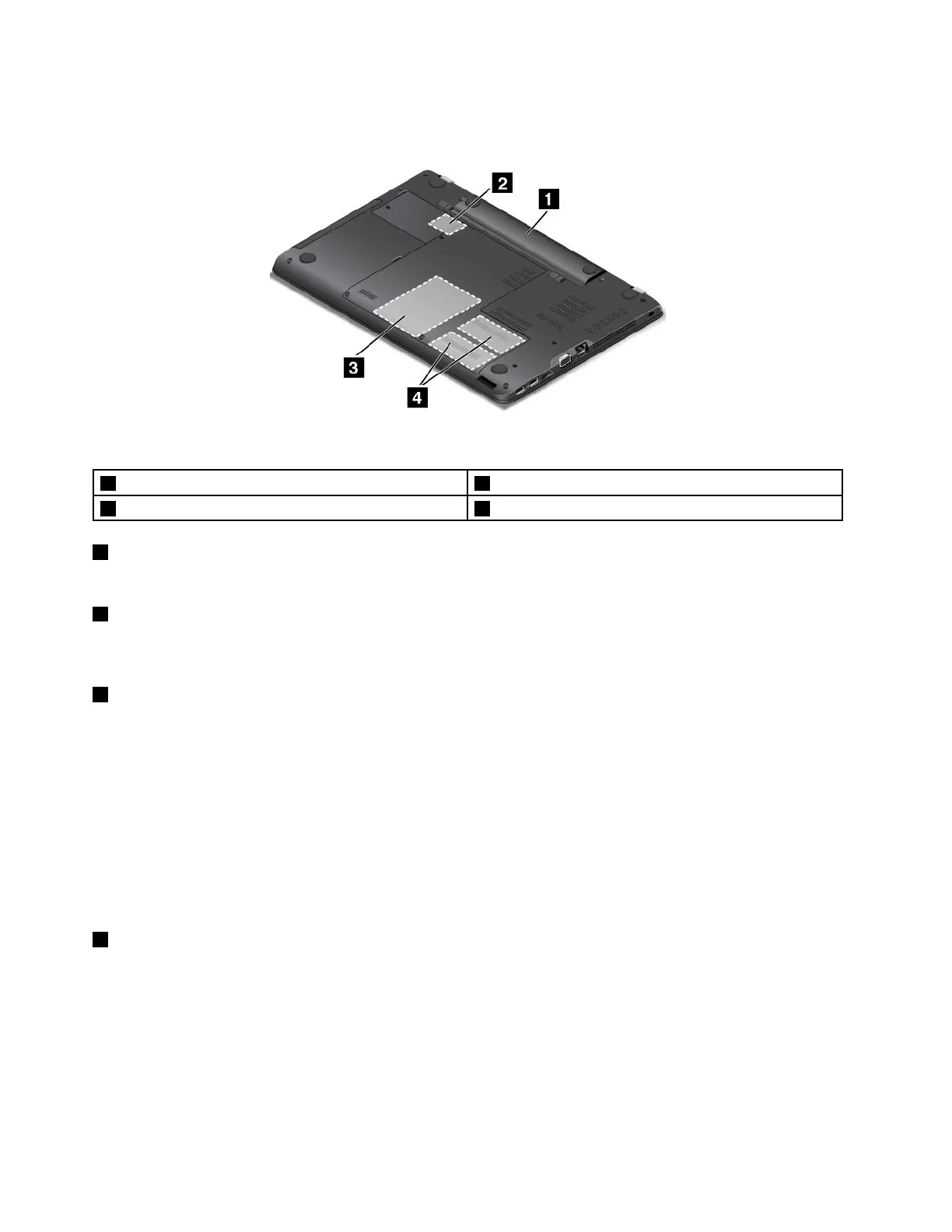
Figure5.Bottomview
1Battery2Wireless-LAN-cardslot
3Internalstoragedrive4Memory-upgradeslots
1Battery
Useyourcomputerwithbatterypowerwheneveracpowerisunavailable.
2Wireless-LAN-cardslot
YourcomputermighthaveawirelessLANcardinstalledinthisslotsothatyoucanestablishwireless
LANconnections.
3Internalstoragedrive
Dependingonthemodel,thecomputermighthavealarge-capacity,customer-upgradableharddiskdrive
thatcanmeetvariousstoragedemands.
Somemodelshaveasolid-statedrivefordatastorage.Thesolid-statedrivemakesyourcomputerlight,
small,andfast.
Somemodelsareequippedwithahybriddrive,whichisastoragedevicethatcombinesNANDflash
solid-statememorywithharddiskdrivetechnology.
Note:Thehiddenservicepartitionisthereasonwhythereislessfreespacethanexpectedonyourstorage
drive.Thisreductionismorenoticeableonthesolid-statedrivebecauseofitssmallercapacity.
4Memory-upgradeslots
Youcanincreasetheamountofmemoryinyourcomputerbyinstallingamemorymoduleinthe
memory-upgradeslot.MemorymodulesareavailableasoptionsfromLenovo.
Statusindicators
Thistopichelpsyoulocateandidentifythevariousstatusindicatorsonyourcomputer.
Note:Dependingonthemodel,yourcomputermightlookdifferentfromthefollowingillustration.
8UserGuide















 To Next Page