Chapter3.Enhancingyourcomputer
Thischaptercontainsthefollowingtopics:
•“FindingThinkPadoptions”onpage37
•“ThinkPadOneLinkDock”onpage37
•“ThinkPadOneLinkProDock”onpage38
FindingThinkPadoptions
Ifyouwanttoexpandthecapabilitiesofyourcomputer,Lenovohasanumberofhardwareaccessories
andupgradestomeetyourneeds.Optionsincludememorymodules,storagedevices,networkcards,port
replicators,batteries,poweradapters,printers,scanners,keyboards,mice,andmore.
YoucanshopatLenovo24hoursaday,7daysaweekdirectlyovertheWorldWideWeb.Allyouneedisan
Internetconnectionandacreditcard.
ToshopatLenovo,goto:
http://www.lenovo.com/accessories/services/index.html
ThinkPadOneLinkDock
Dependingonthemodel,yourcomputermightsupporttheThinkPadOneLinkDock(hereafterreferredtoas
thedock).Attachyourcomputertothedocktoexpandtheworkingcapability.
Thistopicprovidesbasicinformationaboutthedock.Fordetailedinformationaboutusingthedock,refer
tothedocumentationthatcomeswiththedock.
Note:Dependingonthemodel,yourdockmightlookslightlydifferentfromtheillustrationsinthistopic.
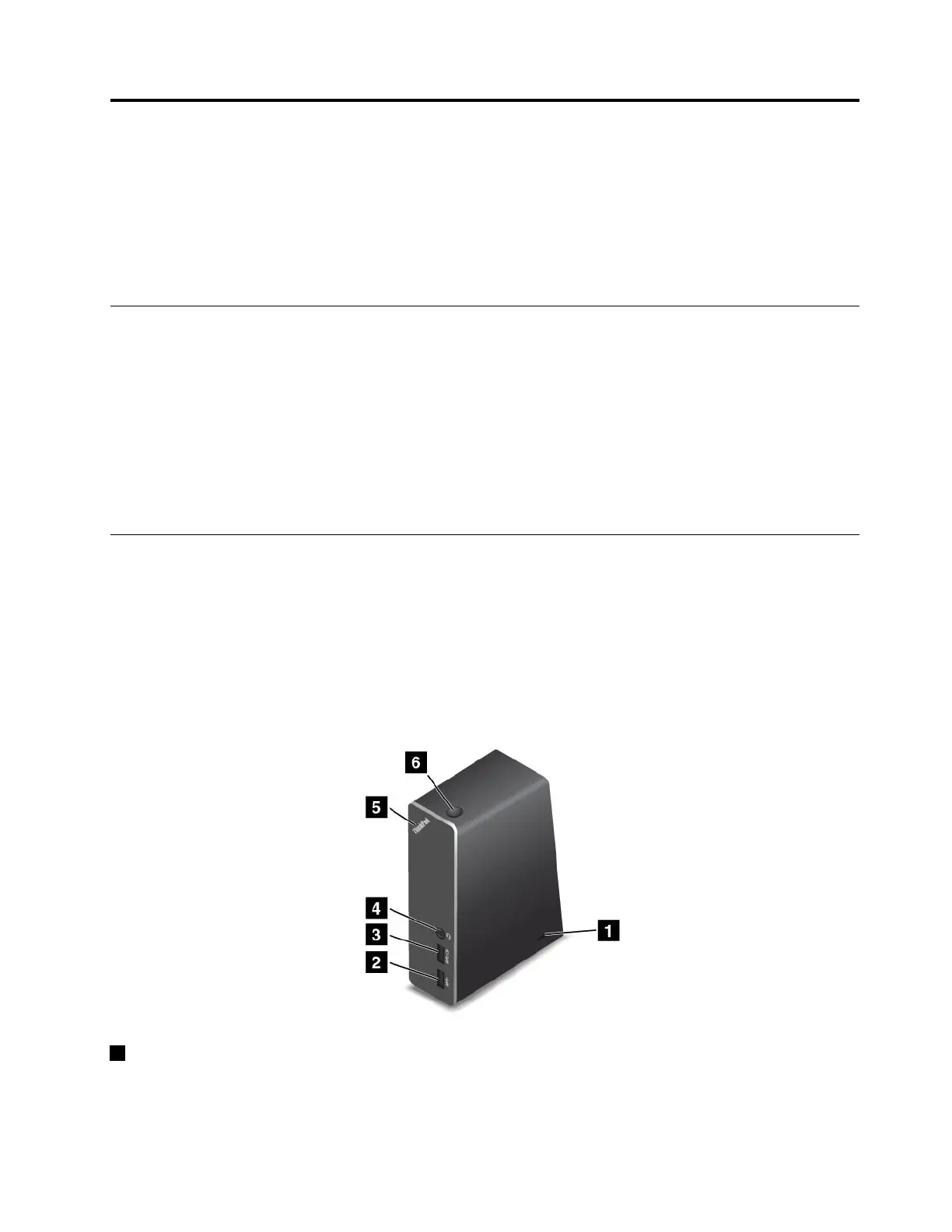
Frontview
1Security-lockslot:Toprotectyourdockfromtheft,youcanpurchaseasecuritycablelock,suchas
aKensington-stylecablelock,thatfitsthissecurity-lockslottolockyourdocktoadesk,table,orother
non-permanentfixture.
©CopyrightLenovo2015
37















 To Next Page