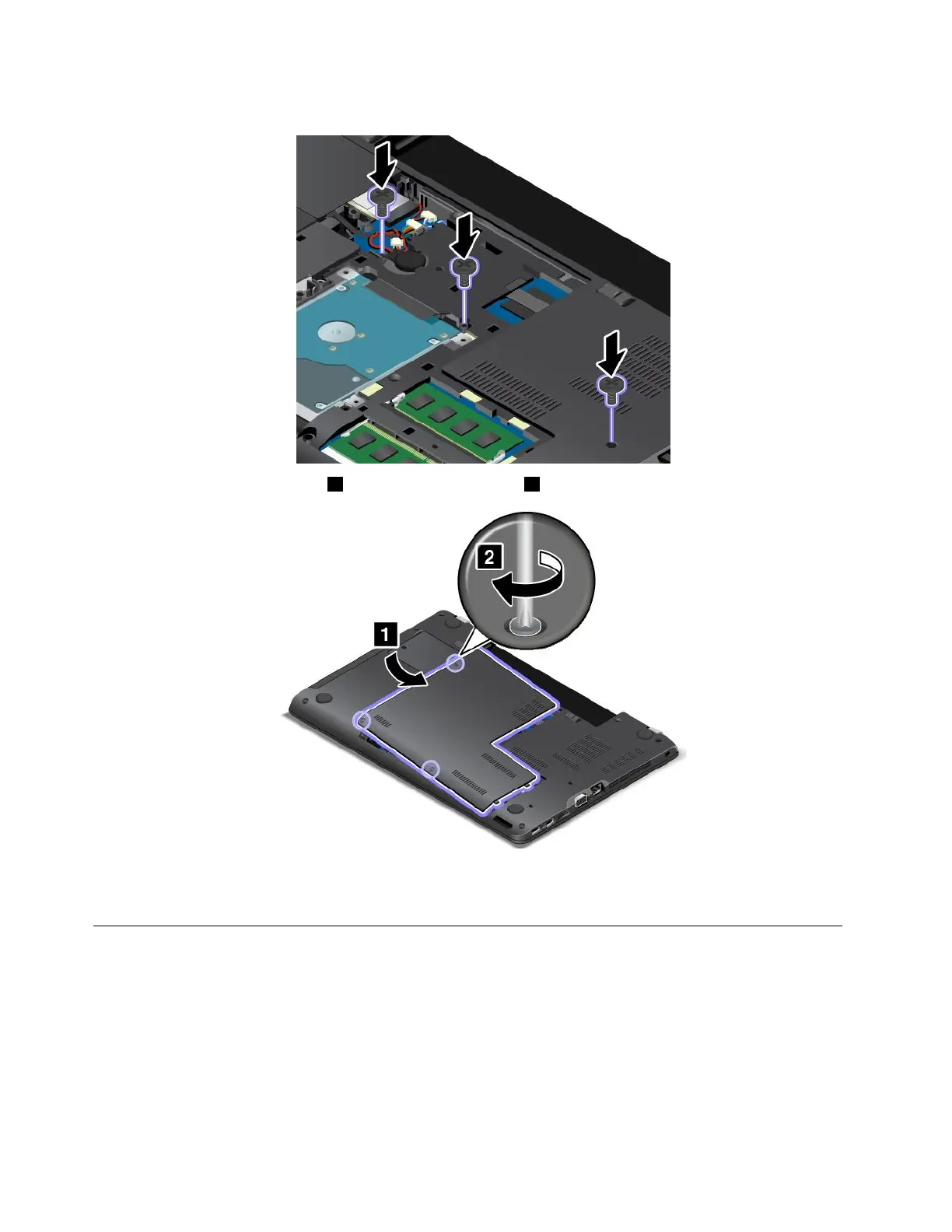
4.Reinstallthescrews.
5.Reinstallthecomputercover1.Thentightenthescrews2.
6.Reinstallthebattery.See“Replacingthebattery”onpage109.
7.Turnthecomputeroveragain.Connecttheacpoweradapterandallcables.
Replacingtheinternalstoragedrive
Beforeyoustart,printtheseinstructionsandread“Importantsafetyinformation”onpagevi.
Attention:Theinternalstoragedriveissensitive.Incorrecthandlingcancausedamageandpermanentloss
ofdata.Observethefollowingguidelines:
•Replacethestoragedriveonlyifyouupgradeitorhaveitrepaired.Theconnectorsandslotofthestorage
drivearenotdesignedforfrequentchangesordriveswapping.
•Donotdropthestoragedriveorsubjectittophysicalshocks.Putthestoragedriveonamaterial,such
assoftcloth,thatabsorbsanyphysicalshocks.
116UserGuide















 To Next Page