Replacingamemorymodule
Beforeyoustart,printtheseinstructionsandread“Importantsafetyinformation”onpagevi.
Increasingmemorycapacityisaneffectivewaytomakeprogramsrunfaster.Toreplaceoraddamemory
module,ensureyoufollowthenoticesandinstructionsinthistopic.
Note:Theoperatingspeedofamemorymodulehasdependencyonthesystemconfiguration.Insome
conditions,thememorymoduleinyourcomputermightnotbeabletooperateatthemaximumspeed.
Attention:Beforeyoustartinstallingamemorymodule,touchametaltableoragroundedmetalobject.This
actionreducesanystaticelectricityfromyourbody.Staticelectricitycoulddamagethememorymodule.
Toreplaceamemorymodule,dothefollowing:
1.Turnoffthecomputer;thendisconnecttheacpoweradapterandallcablesfromthecomputer.Wait
severalminutestoletthecomputercool.
2.Closethecomputerdisplayandturnitover.
3.Removethebattery.See“Replacingthebattery”onpage109.
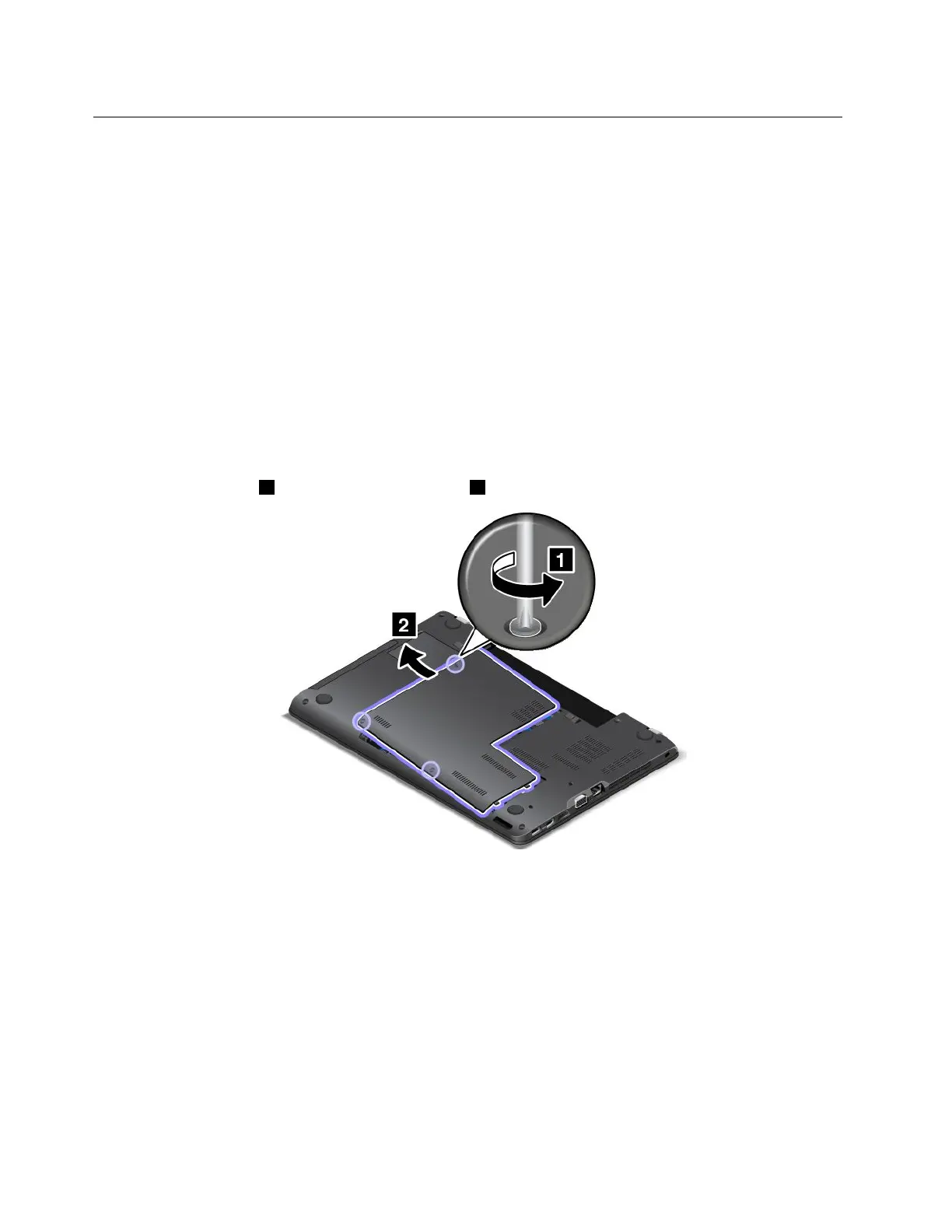
4.Loosenthescrews1andthenremovethecover2.
124UserGuide















 To Next Page