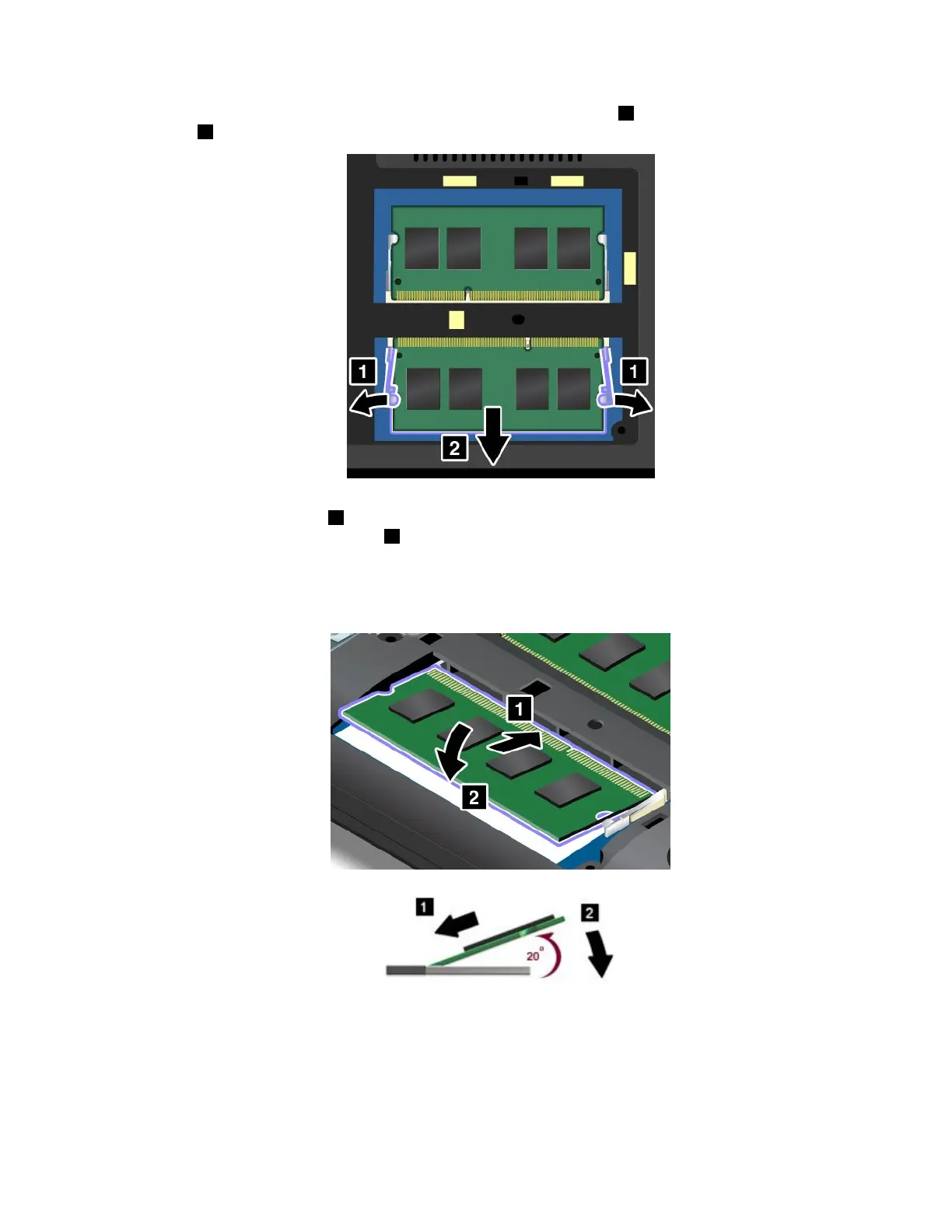
5.Openthelatchesonbothsidesofthememoryslotatthesametime1andthenremovethememory
module
2.
6.Placethenotchedendofthenewmemorymoduletowardthecontactedgesideofthememoryslot.
Insertthememorymodule1intotheslotatanangleofabout20degrees.Pivotthememorymodule
downwarduntilitsnapsintoplace2.Ensurethatthememorymoduleisfirmlyinstalledintheslot
andcannotbemovedeasily.
Attention:Donottouchthecontactedgeofthememorymodule.Otherwisethememorymodule
mightgetdamaged.
Chapter10.Replacingdevices125















 To Next Page