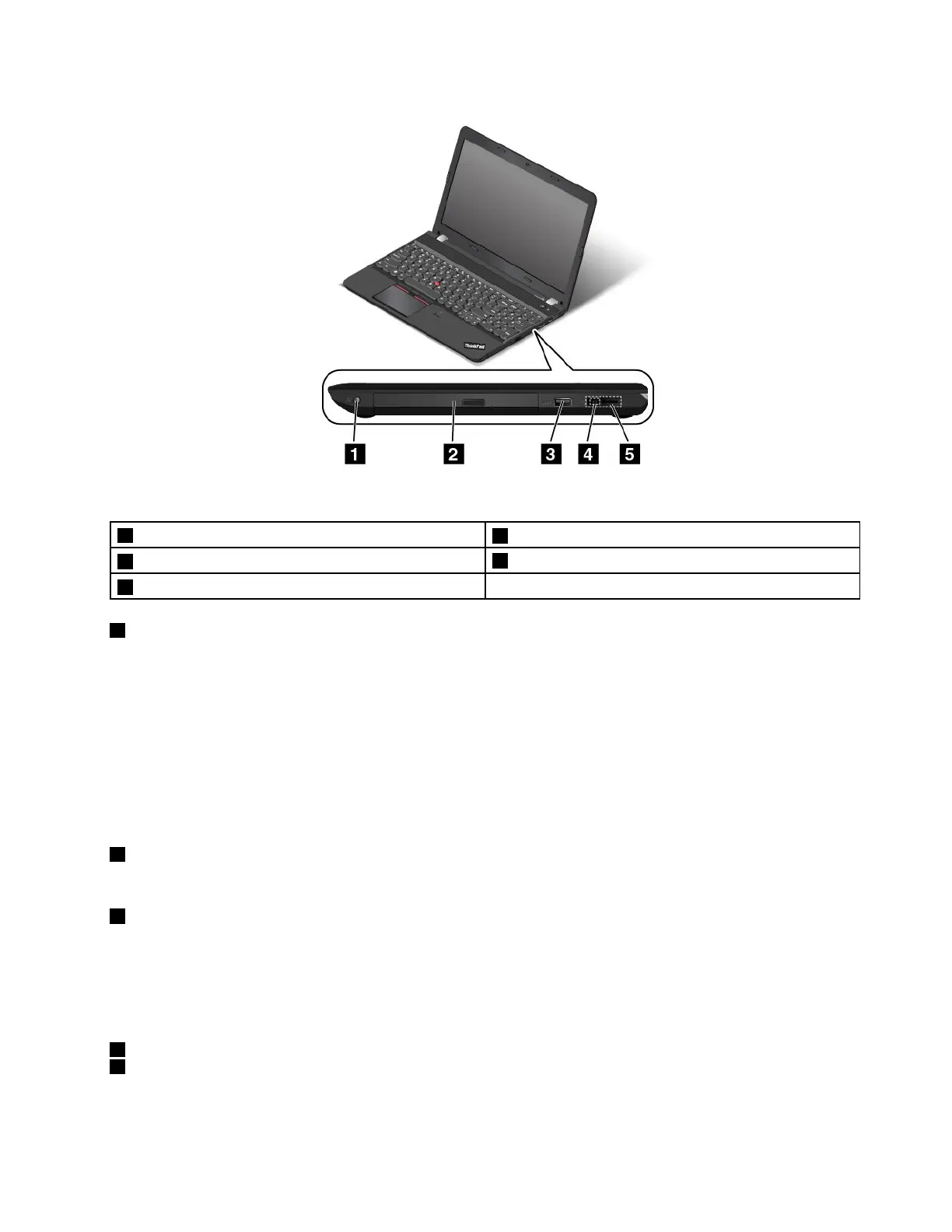
Figure3.Right-sideview
1Audioconnector
2Opticaldrive(availableonsomemodels)
3UniversalSerialBus(USB)3.0connector
4acpowerconnector
5LenovoOneLinkconnector
1Audioconnector
Connectheadphonesoraheadsetthathasa3.5-mm(0.14-inch)4-poleplugtotheaudioconnectorto
listentothesoundfromthecomputer.
Notes:
•Ifyouareusingaheadsetwithafunctionswitch,donotpressthisswitchwhileusingtheheadset.If
youpressit,theheadsetmicrophonewillbedisabled,andtheintegratedmicrophonesonthecomputer
willbeenabledinstead.
•Theaudioconnectordoesnotsupportaconventionalmicrophone.Formoreinformation,see“Using
audiofeatures”onpage33.
2Opticaldrive(availableonsomemodels)
Usetheopticaldrivetoreadorburnopticaldiscs.
3USB3.0connector
TheUSB3.0connectorisusedforconnectingUSB-compatibledevices,suchasaUSBprinteroradigital
camera.
Note:WhenyouattachaUSBcabletothisUSBconnector,ensurethattheUSBmarkisfacingupward.
Otherwisetheconnectormightgetdamaged.
4acpowerconnector
5LenovoOneLinkconnector
Whentheacpoweradapterisconnectedtotheacpowerconnector,itprovidespowertothecomputer
andchargesthebattery.WhenasupportedThinkPadOneLinkDockorThinkPadOneLinkProDockis
Chapter1.Productoverview5















 To Next Page