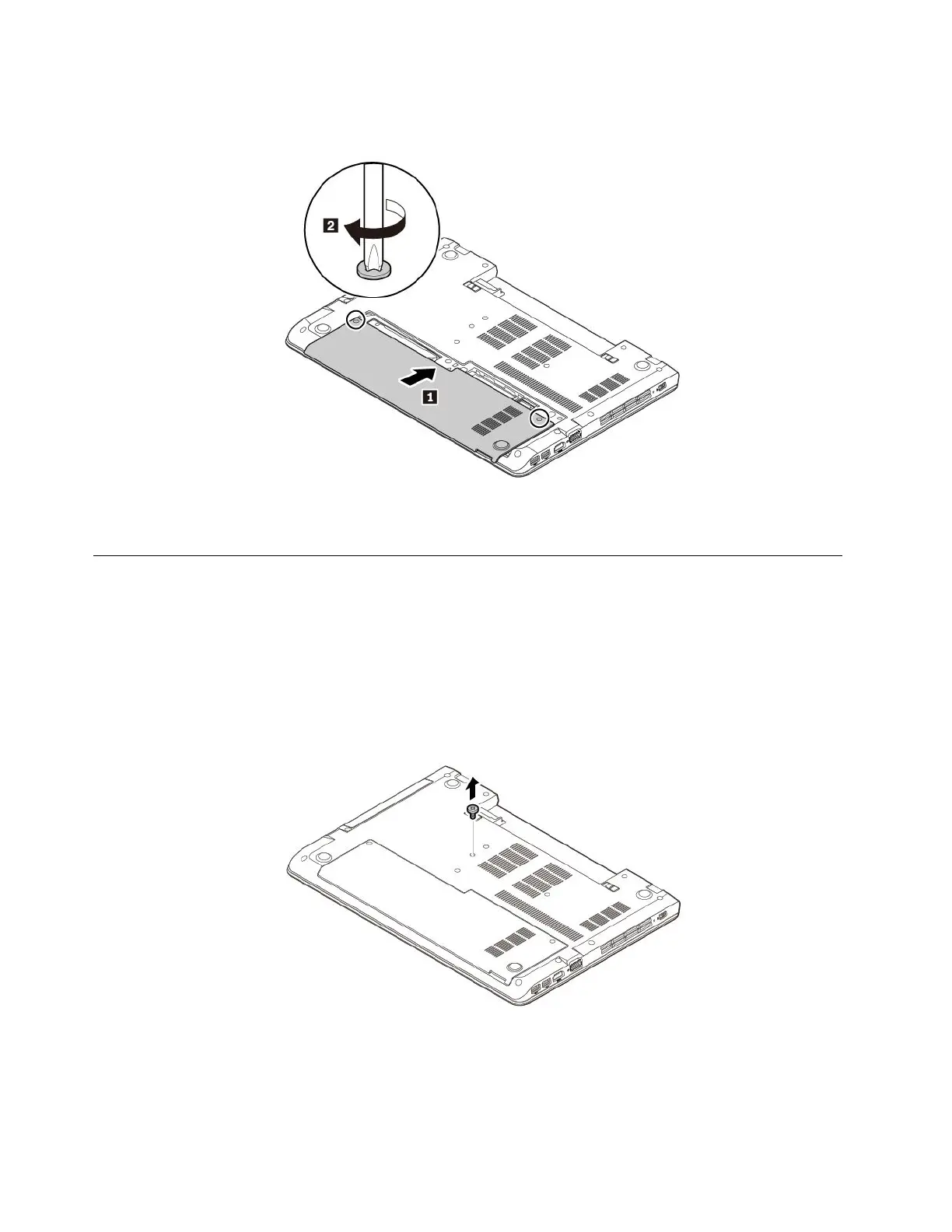
5.Installthenewbottomcoverasshown.Ensurethatthelatchesofthebottomcoveraresecuredunder
thebasecoverassembly.Tightenthescrewstosecurethebottomcover.
6.Installtheremovablebattery.See“Replacingtheremovablebattery”onpage77.
7.Turnthecomputerover.Connecttheacpoweradapterandallcablestothecomputer.
Replacingtheopticaldrive
Beforeyoustart,read“Importantsafetyinformation”onpagevandprintfollowinginstructions.
Somecomputermodelsmightcomewithanopticaldrive.Toreplacetheopticaldrive,dothefollowing:
1.Ensurethatthecomputeristurnedoffanddisconnectedfromacpowerandallcables.
2.Closethecomputerdisplayandturnthecomputerover.
3.Removetheremovablebattery.See“Replacingtheremovablebattery”onpage77.
4.Removethescrewthatsecurestheopticaldrive.
84ThinkPadE570,E570c,andE575UserGuide














 To Next Page