Chapter1.Productoverview
Thischapterprovidesbasicinformationtohelpyougetfamiliarwithyourcomputer.
Computercontrols,connectors,andindicators
Thissectionintroduceshardwarefeaturesofthecomputer.
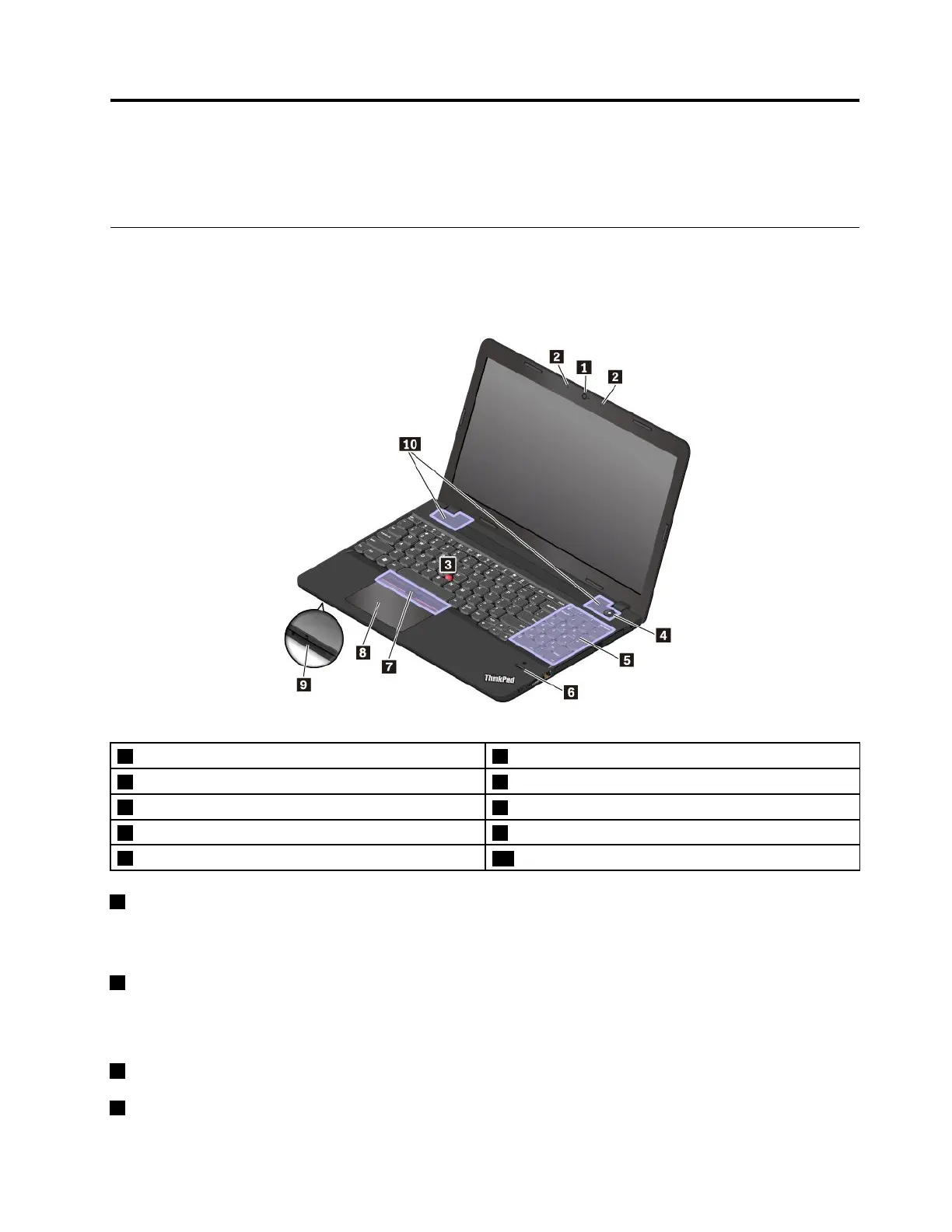
Frontview
1Camera
2Microphones
3TrackPoint
®
pointingstick4Powerbutton
5Numerickeypad
6Fingerprintreader(availableonsomemodels)
7TrackPointbuttons8Trackpad
9Media-cardslot
10Speakers
1Camera
Thecameraenablesyoutotakepicturesorholdavideoconference.Formoreinformation,see“Using
thecamera”onpage27.
2Microphones
Themicrophonescapturesoundandvoicewhenusedwithaprogramcapableofhandlingaudio.
ThinkPadpointingdevice
3TrackPointpointingstick
7TrackPointbuttons
©CopyrightLenovo2016
1














 To Next Page