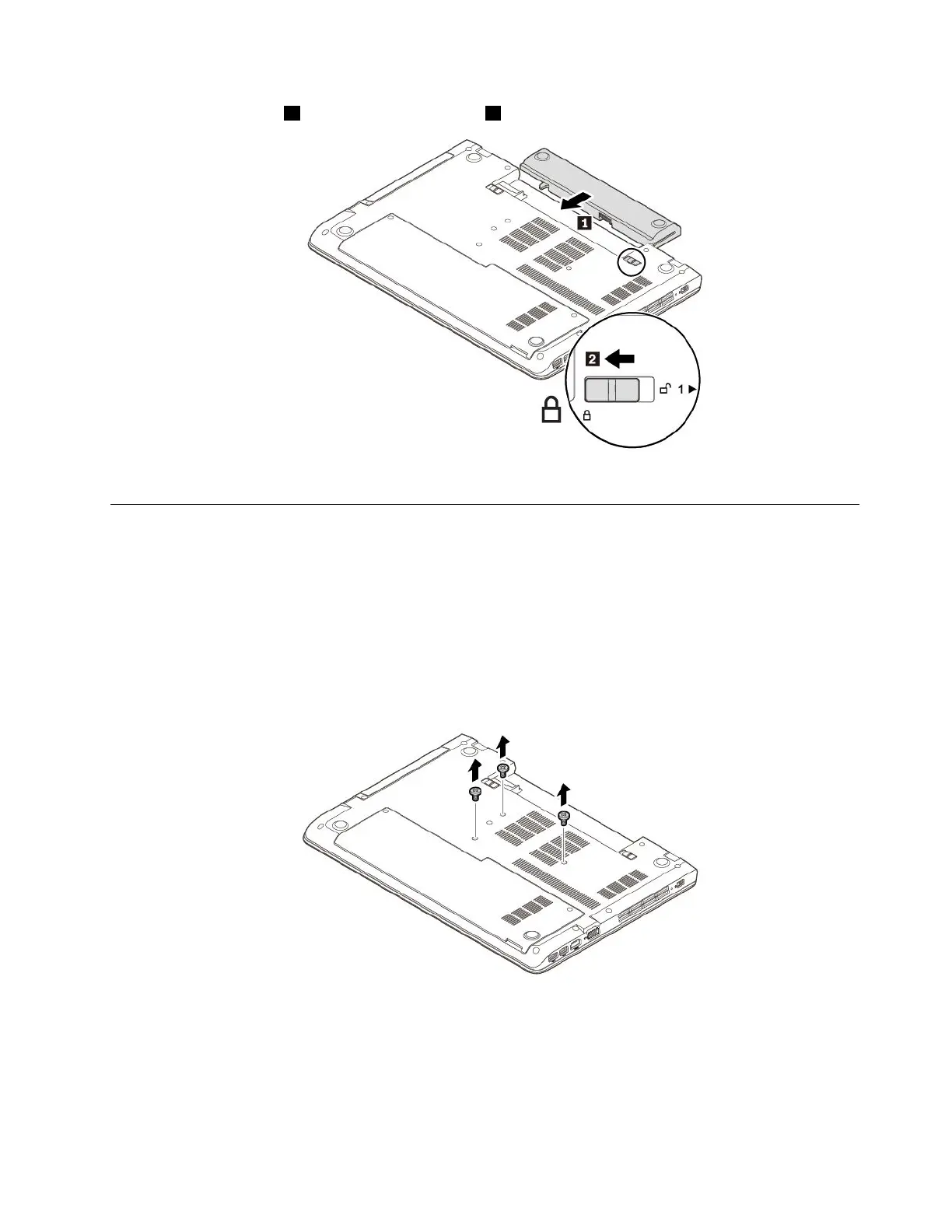
4.Insertanewbattery1andlockthebatterylatch2.
5.Turnthecomputerover.Connecttheacpoweradapterandallcablestothecomputer.
Replacingthekeyboard
Beforeyoustart,read“Importantsafetyinformation”onpagevandprintthefollowinginstructions.
Toremovethekeyboard,dothefollowing:
1.Ensurethatthecomputeristurnedoffanddisconnectedfromacpowerandallcables.
2.Closethecomputerdisplayandturnthecomputerover.
3.Removetheremovablebattery.See“Replacingtheremovablebattery”onpage77.
4.Removethescrewsthatsecurethekeyboard.
Chapter9.Replacingdevices79














 To Next Page