8Trackpad
YourcomputerisequippedwiththeLenovo-uniqueThinkPad
®
pointingdevice.Formoreinformation,see
“UsingtheThinkPadpointingdevice”onpage16.
4Powerbutton
Youcanpressthepowerbuttontoturnonthecomputerorputthecomputerintosleepmode.
Toturnoffthecomputer,opentheStartmenu,clickPower,andthenclickShutdown.
Ifyourcomputerisunresponsive,youcanturnoffthecomputerbypressingandholdingthepowerbutton
forfourormoreseconds.Ifthecomputercannotbeturnedoff,see“Computerstopsresponding”on
page60formoreinformation.
Youalsocandefinewhatthepowerbuttondoes.Forexample,bypressingthepowerbutton,youcanturn
offthecomputerorputthecomputerintosleeporhibernationmode.Tochangewhatthepowerbutton
does,dothefollowing:
1.GotoControlPanel,andthenchangetheviewofControlPanelfromCategorytoLargeiconsorSmall
icons.
2.ClickPowerOptions➙Choosewhatthepowerbuttonsdo.
3.Followtheinstructionsonthescreen.
5Numerickeypad
Thenumerickeypadenablesyoutoquicklyinputnumbers.
6Fingerprintreader(availableonsomemodels)
Fingerprintauthenticationprovidessimpleandsecureuseraccessbyassociatingyourfingerprintwitha
password.Formoreinformation,see“Usingthefingerprintreader”onpage42.
9Media-cardslot
Youcaninsertaflashmediacardintothemedia-cardslotfordataaccessorstorage.Formoreinformation,
see“Usingamediacard”onpage27.
10Speakers
Yourcomputerisequippedwithapairofstereospeakers.
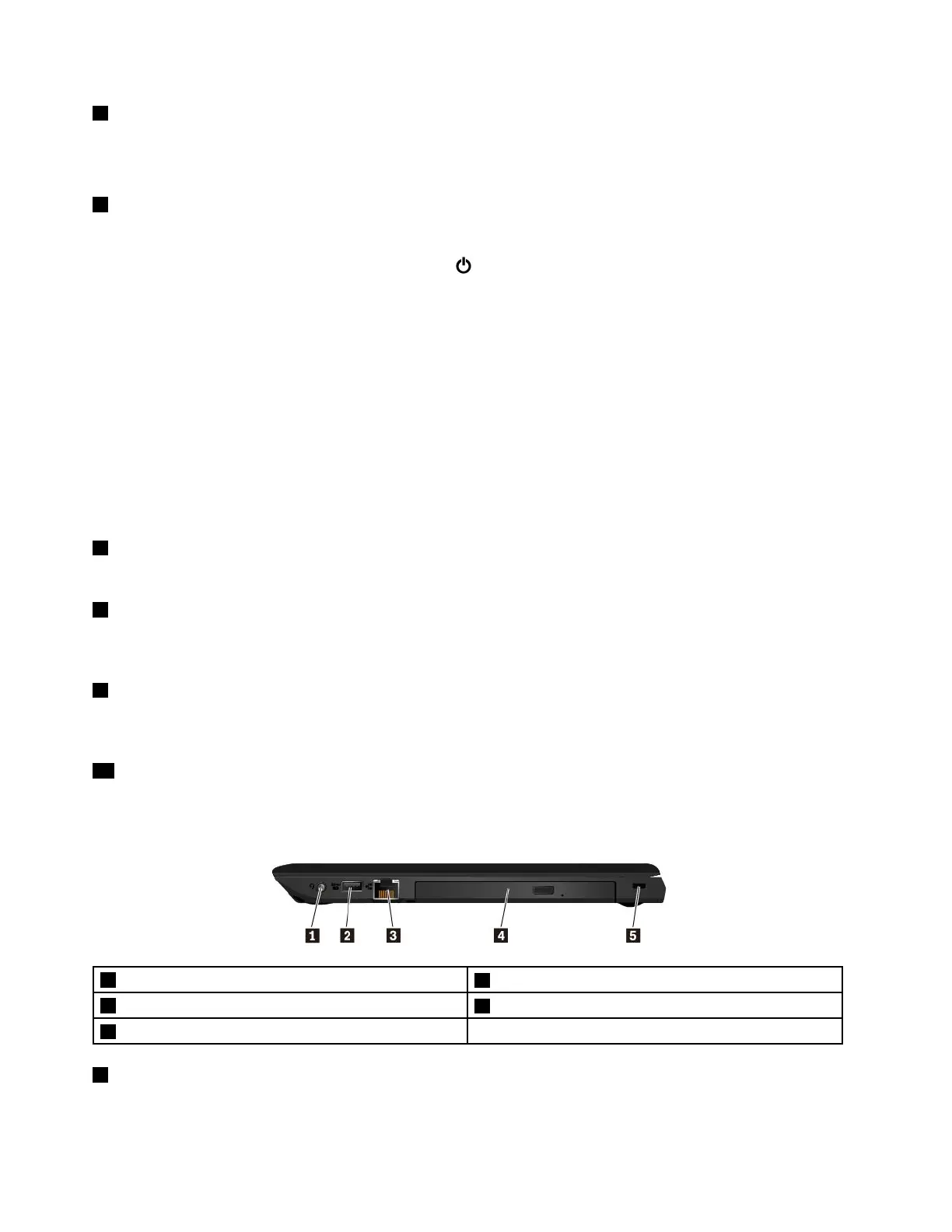
Right-sideview
1Audioconnector
2AlwaysOnUSBconnector(USB2.0)
3Ethernetconnector
4Optical-drivebay(availableonsomemodels)
5Security-lockslot
1Audioconnector
Youcanconnectheadphonesoraheadsetwitha3.5-mm(0.14-inch),4-poleplugtotheaudioconnectorto
listentothesoundfromthecomputer.
2ThinkPadE570,E570c,andE575UserGuide














 To Next Page