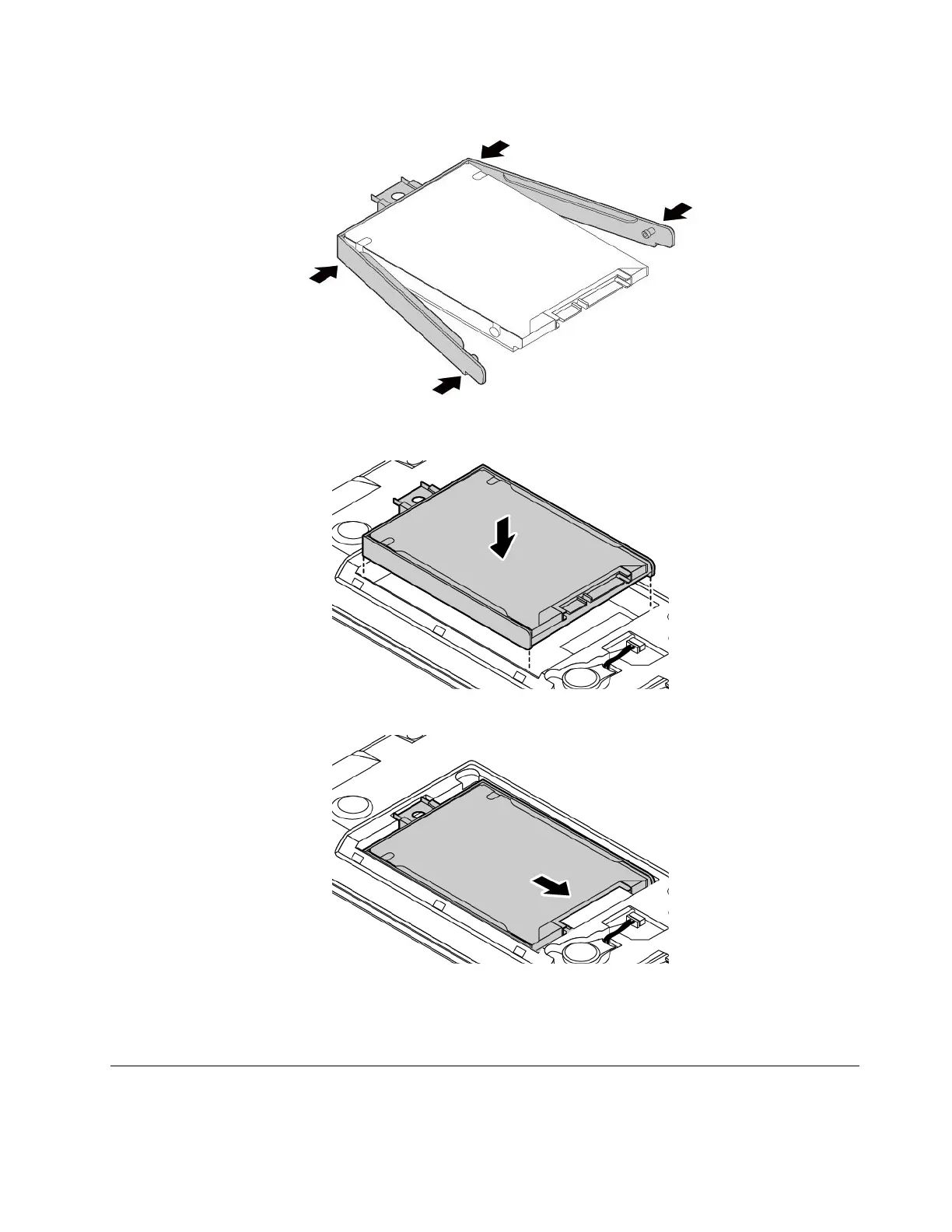
8.Attachthebrackettothenewinternalstoragedrive.
9.Putthenewinternalstoragedriveintothedrivebay.Ensurethatthenewinternalstoragedriveis
seatedinplace.
10.Slidethestoragedrivefirmlyintothedrivebayuntilitisfirmlyconnected.
11.Reinstallthebottomcover.See“Replacingthebottomcover”onpage83.
12.Reinstalltheremovablebattery.See“Replacingtheremovablebattery”onpage77.
13.Turnthecomputerover.Connecttheacpoweradapterandallcables.
ReplacingtheM.2solid-statedrive
Beforeyoustart,read“Importantsafetyinformation”onpagevandprintthefollowinginstructions.
Chapter9.Replacingdevices89














 To Next Page