Attention:TheM.2solid-statedriveissensitive.Inappropriatehandlingmightcausedamageand
permanentlossofdata.
WhenhandlingtheM.2solid-statedrive,observethefollowingguidelines:
•ReplacetheM.2solid-statedriveonlyforupgradeorrepair.TheM.2solid-statedriveisnotdesigned
forfrequentchangesorreplacement.
•BeforereplacingtheM.2solid-statedrive,makeabackupcopyofallthedatathatyouwanttokeep.
•DonotapplypressuretotheM.2solid-statedrive.
•DonottouchthecontactedgeoftheM.2solid-statedrive.OtherwisetheM.2solid-statedrivemightget
damaged.
•DonotmaketheM.2solid-statedrivesubjecttophysicalshocksorvibration.PuttheM.2solid-state
driveonasoftmaterial,suchascloth,toabsorbphysicalshocks.
ToreplacetheM.2solid-statedrive,dothefollowing:
1.Ensurethatthecomputeristurnedoffanddisconnectedfromacpowerandallcables.
2.Closethecomputerdisplayandturnthecomputerover.
3.Removetheremovablebattery.See“Replacingtheremovablebattery”onpage77.
4.Removethebottomcover.See“Replacingthebottomcover”onpage83.
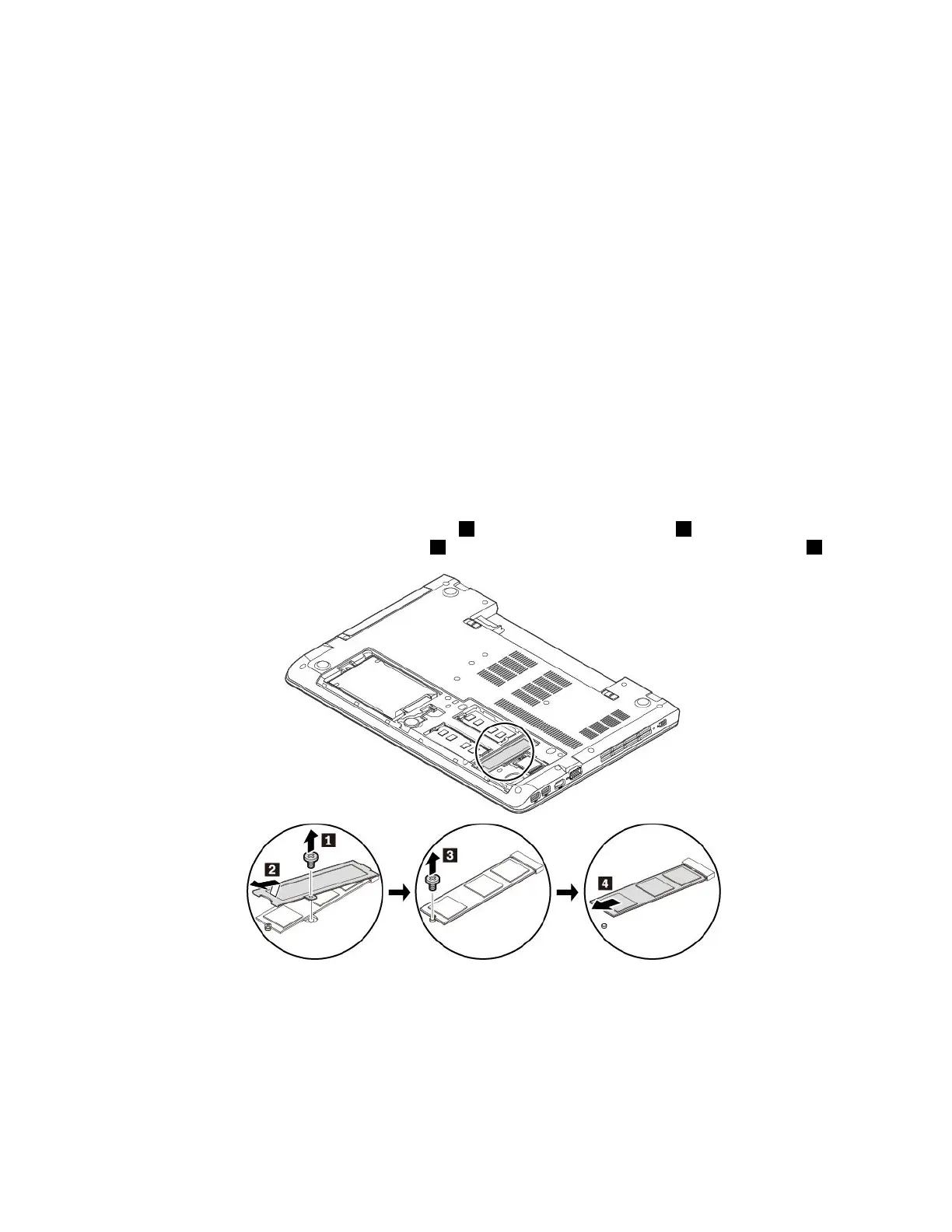
5.Removethescrewthatsecuresthemetalsheet1andremovethemetalsheet2.Thenremovethe
screwthatsecurestheM.2solid-statedrive3andremovetheM.2solid-statedriveoutoftheslot4.
90ThinkPadE570,E570c,andE575UserGuide














 To Next Page