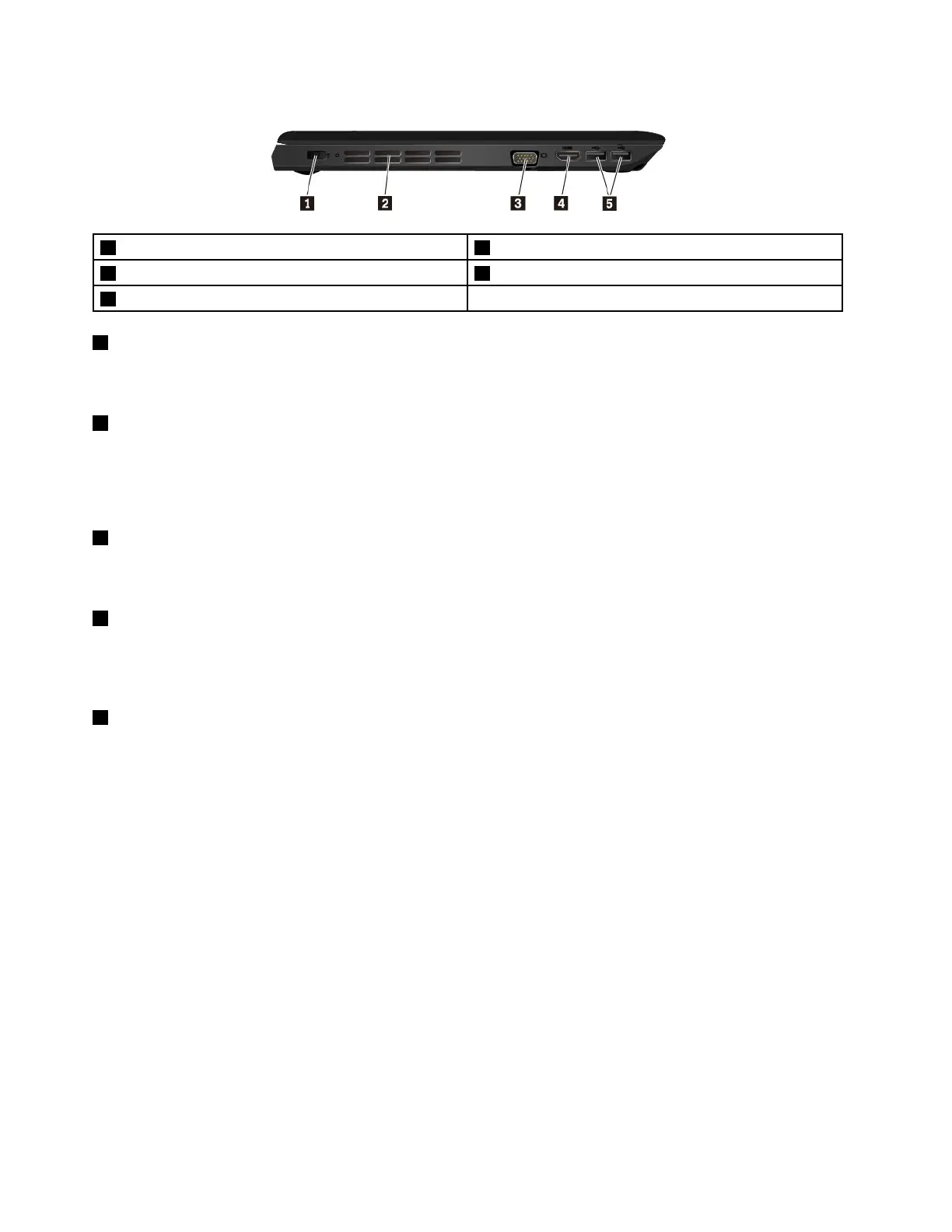
Left-sideview
1Powerconnector2Fanlouvers
3Videographicsarray(VGA)connector
4HDMI™connector
5USB3.0connectors
1Powerconnector
Connecttheacpoweradaptertothepowerconnectortoprovideacpowertothecomputerandcharge
thebattery.
2Fanlouvers
Thefanlouversandinternalfanenableairtocirculateinthecomputertoensurepropercooling,especially
thecoolingofthemicroprocessor.
Note:Toensureproperairflow,donotplaceanyobstaclesinfrontofthefanlouvers.
3VGAconnector
Usethevideographicsarray(VGA)connectortoconnectthecomputertoaVGA-compatiblevideodevice,
suchasaVGAmonitor.
4HDMIconnector
TheHigh-DefinitionMultimediaInterface(HDMI)connectorisadigitalaudioandvideointerface.Itenables
youtoconnectyourcomputertoacompatibledigitalaudiodeviceorvideomonitor,suchasaDVDplayer
oranHDTV.
5USB3.0connectors
TheUSB3.0connectorisusedforconnectingUSB-compatibledevices,suchasaUSBmouse,aUSB
storagedrive,aUSBprinter,oradigitalcamera.
Attention:WhenyouattachaUSBcabletothisconnector,ensurethattheUSBmarkisfacingupward.
Otherwisetheconnectormightgetdamaged.
4ThinkPadE570,E570c,andE575UserGuide














 To Next Page