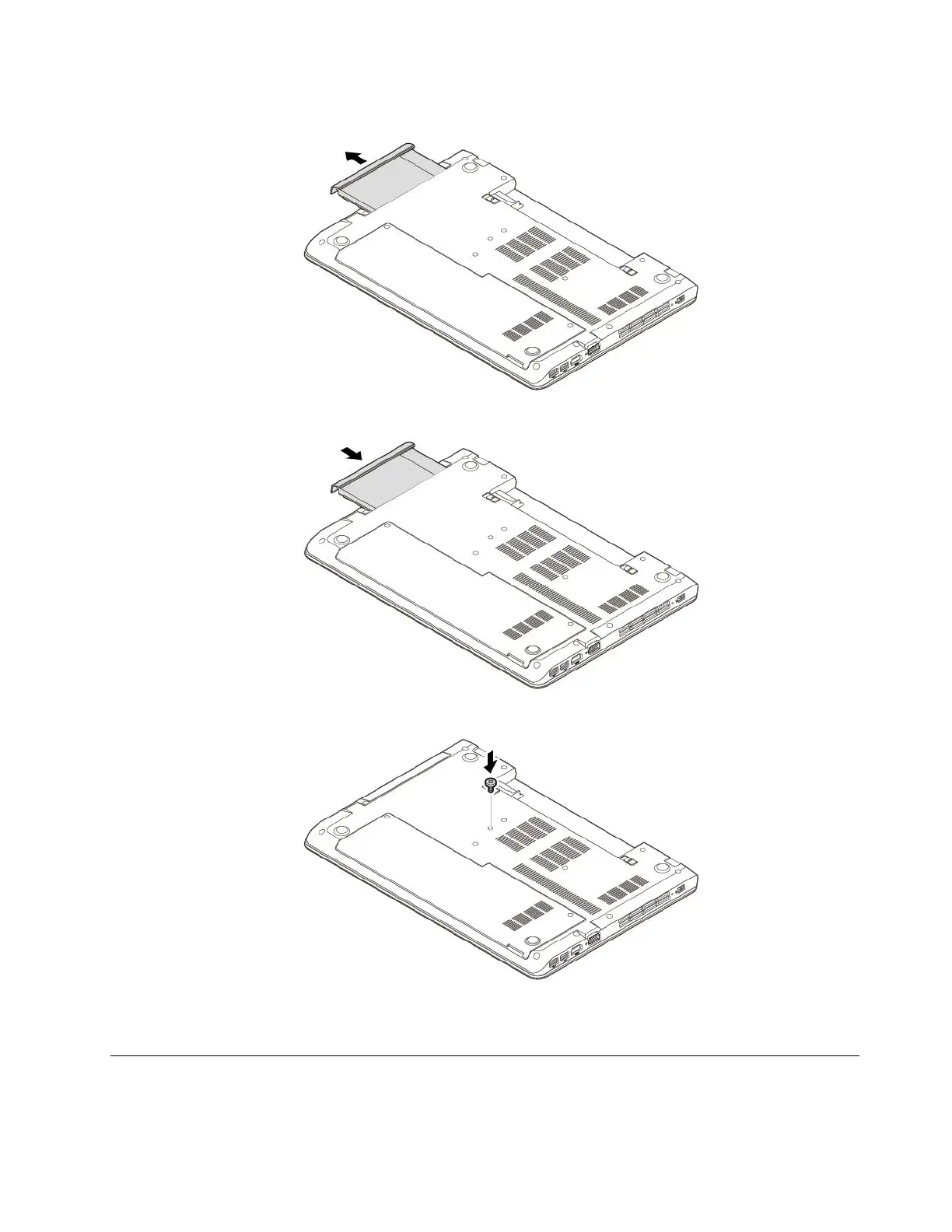
5.Pulltheopticaldriveoutoftheoptical-drivebay.
6.Insertthenewopticaldriveintotheoptical-drivebayandpressitfirmlyuntilitisfullyconnected.
7.Reinstallthescrewtosecuretheopticaldrive.
8.Reinstalltheremovablebattery.See“Replacingtheremovablebattery”onpage77.
9.Turnthecomputerover.Connecttheacpoweradapterandallcablestothecomputer.
Replacingamemorymodule
Beforeyoustart,read“Importantsafetyinformation”onpagevandprintfollowinginstructions.
Chapter9.Replacingdevices85














 To Next Page