3.Removetheremovablebattery.See“Replacingtheremovablebattery”onpage77.
4.Removethebottomcover.See“Replacingthebottomcover”onpage83.
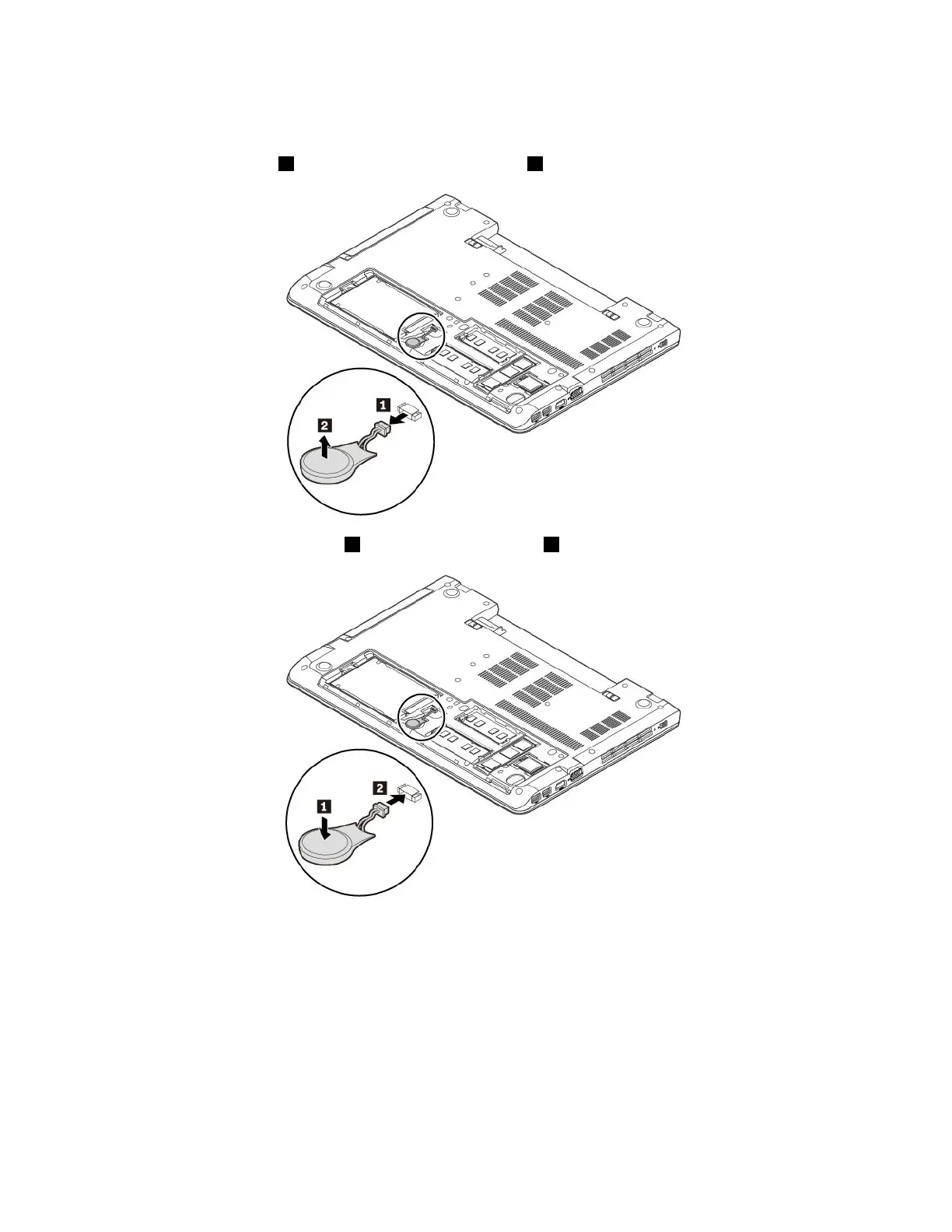
5.Detachtheconnector1andremovethecoin-cellbattery2.
6.Installthenewcoin-cellbattery1andattachtheconnector2.
7.Reinstallthebottomcover.See“Replacingthebottomcover”onpage83.
8.Reinstalltheremovablebattery.See“Replacingtheremovablebattery”onpage77.
9.Turnthecomputerover.Connecttheacpoweradapterandallcablestothecomputer.
Attention:Afteryoureplacethecoin-cellbattery,resetthesystemdateandtimeintheThinkPadSetup
program.See“Date/Timemenu”onpage52
92ThinkPadE570,E570c,andE575UserGuide














 To Next Page