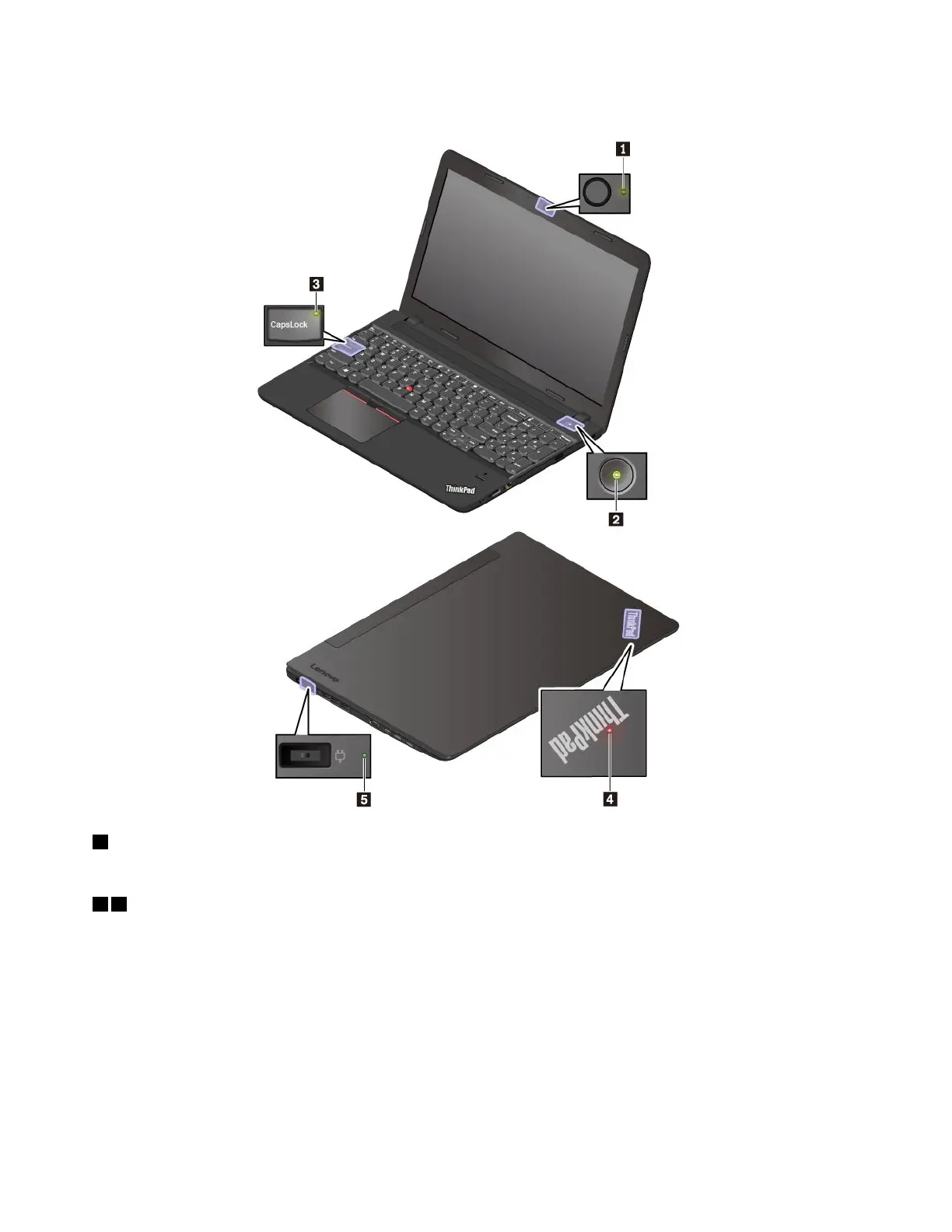
Note:Dependingonthemodel,yourcomputermightlookdifferentfromthefollowingillustrations.
1Camerastatusindicator
Whenthisindicatorison,thecameraisinuse.
24Systemstatusindicators
TheindicatorintheThinkPadlogoonthecomputerlidandtheindicatorinthepowerbuttonshowthe
systemstatusofyourcomputer.
•Blinksforthreetimes:Thecomputerisinitiallyconnectedtopower.
•On:Thecomputerison(innormalmode).
•Off:Thecomputerisofforinhibernationmode.
•Blinksfast:Thecomputerisenteringsleeporhibernationmode.
•Blinksslowly:Thecomputerisinsleepmode.
6ThinkPadE570,E570c,andE575UserGuide














 To Next Page