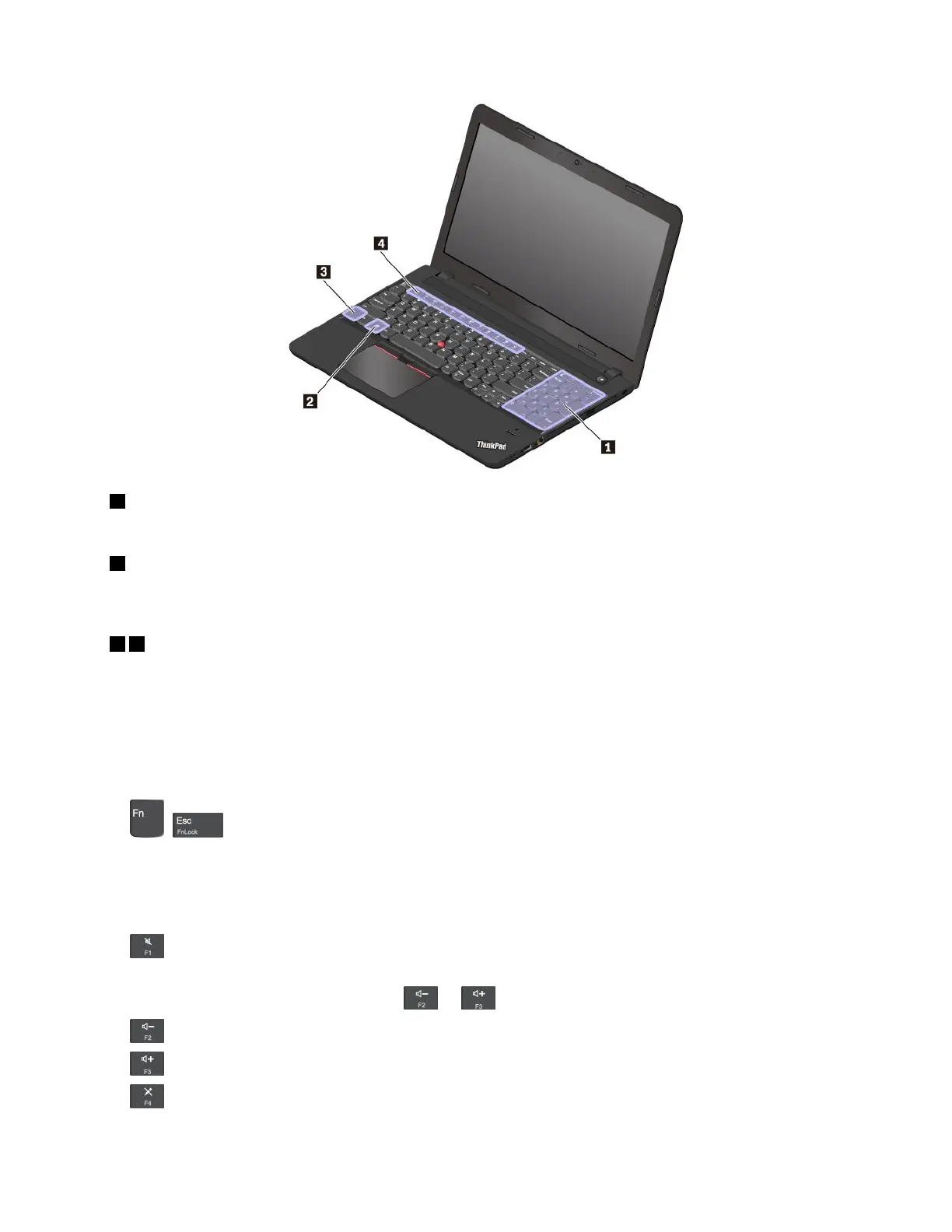
1Numerickeypad
Youcanusethisnumerickeypadtoinputnumbersquickly.
2Windowskey
PresstheWindowskeytoopentheStartmenu.ForinformationaboutusingtheWindowskeywithother
keys,seethehelpinformationsystemoftheWindowsoperatingsystem.
34Fnkeyandfunctionkeys
YoucanconfiguretheFnkeyandfunctionkeysintheKeyboardPropertieswindowbydoingthefollowing:
1.GotoControlPanel,andthenchangetheviewofControlPanelfromCategorytoLargeiconsorSmall
icons.
2.ClickKeyboard.IntheKeyboardPropertieswindow,clicktheFnandfunctionkeysorThinkPad
F1–F12keystab.
3.Selecttheoptionsofyourpreference.
•+EnableordisabletheFnLockfunction.
WhentheFnLockfunctionisenabled:ToinputF1–F12,pressthefunctionkeydirectly.Toinitiatethe
specialfunctionprintedasanicononeachkey,presstheFnkeyandthecorrespondingfunctionkey.
WhentheFnLockfunctionisdisabled:Toinitiatethespecialfunctionprintedasanicononeachkey,
pressthefunctionkeydirectly.ToinputF1–F12,presstheFnkeyandthecorrespondingfunctionkey.
•Muteorunmutethespeakers.
Ifyoumutethesoundandturnoffyourcomputer,thesoundwillremainmutedwhenyouturnonyour
computer.Toturnonthesound,press
or.
•Decreasethespeakervolume.
•Increasethespeakervolume.
•
Muteorunmutethemicrophones.
Chapter2.Usingyourcomputer15














 To Next Page